Disable Rules When Deactivating Salesforce Users
When deactivating users in Salesforce, you may encounter a validation error if the user is the sole named recipient of an active rule in Kubaru. To streamline user deactivation—especially for organizations managing access via automated identity providers like Okta—you can now enable the Disable Rules When Deactivating Salesforce Users advanced setting.
Follow these steps to enable this feature:
Select Kubaru from the App Launcher menu.
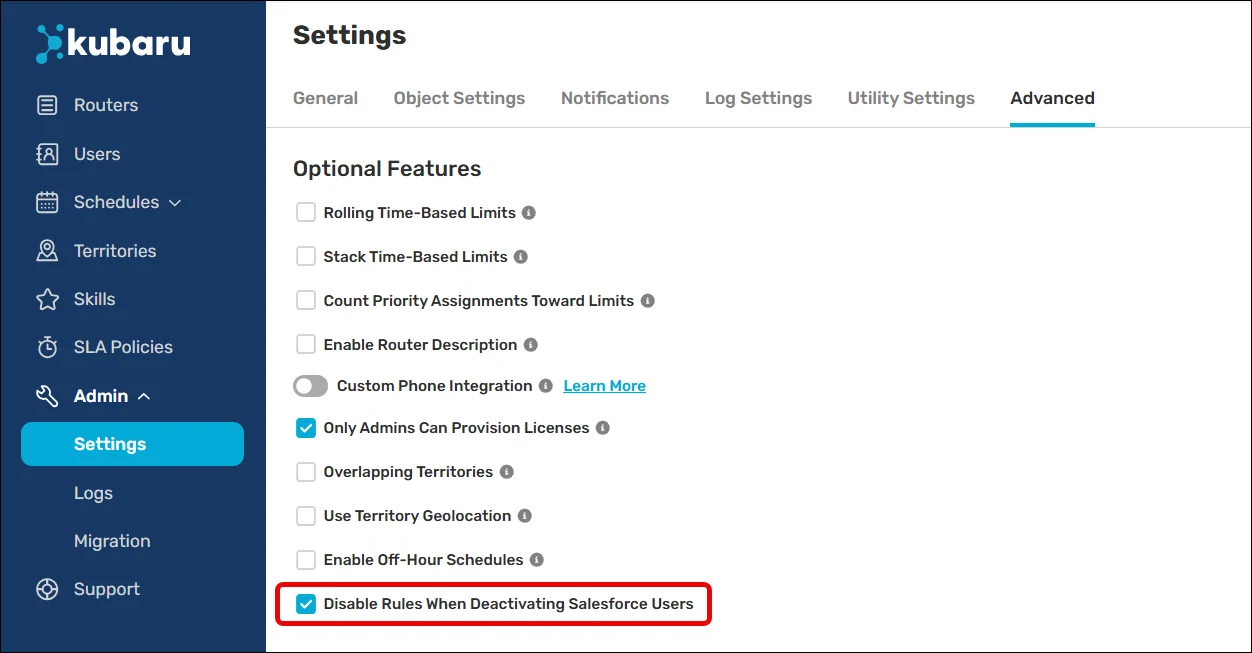
Expand the Admin tab in the navigation menu and click Settings.
Click the Advanced tab.
Check the box for Disable Rules When Deactivating Salesforce Users.
With this setting enabled, the system bypasses the standard validation block. When a user is deactivated, any active rules assigned directly to them are automatically disabled, and an alert is immediately sent to your administrators detailing the changes.