Stack Time-Based Limits
Enabling Stack Time-Based Limits makes it possible to assign individual router members a combination of hourly, daily, and/or weekly limits.
Follow these steps to enable stacked time-based limits:
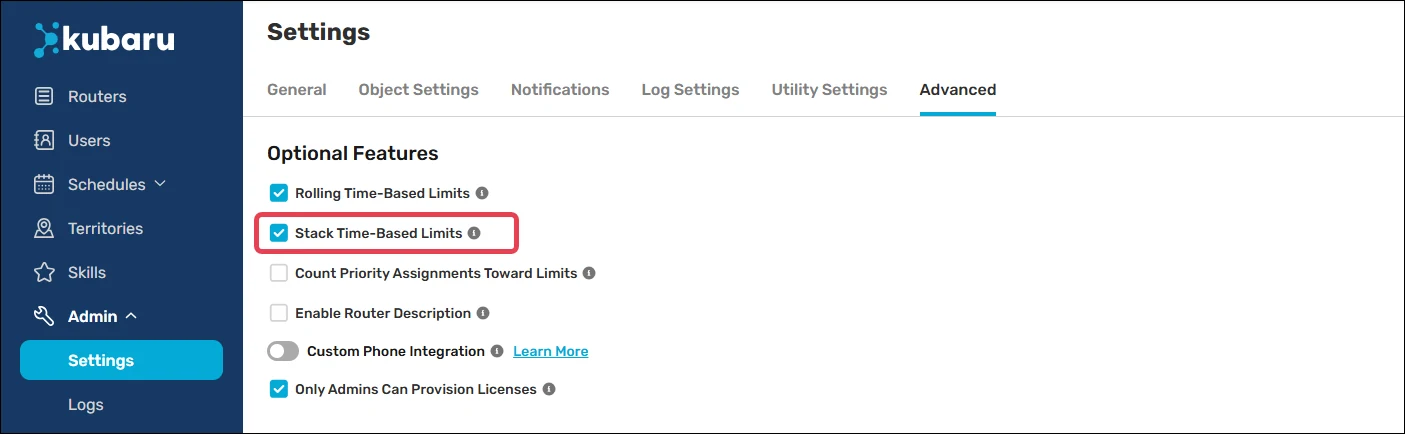
Expand the Admin tab in the navigation menu and click Settings.
Click Advanced.
Check Stack Time-Based Limits.
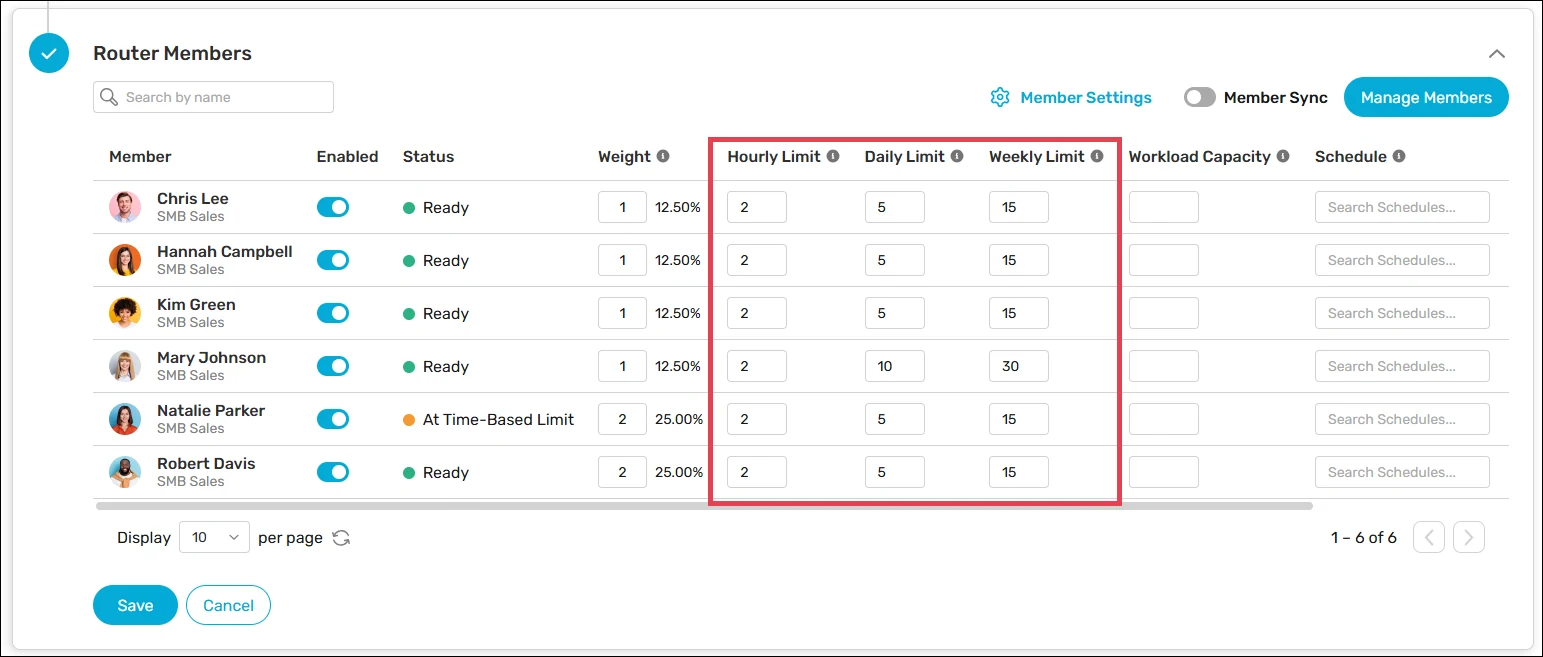
After enabling this feature, you’ll see separate columns for Hourly Limits, Daily Limits, and Weekly Limits when editing router members.
Note
You will not be able to disable Stack Time-Based Limits while you have multiple limits applied to one or more routers.