










Feature overview
Everything you need to assign work with confidence in Salesforce
Route each record to the right owner, balance team capacity, keep follow-up on time, and manage assignments with security and visibility built in.




Routing features
Smart Routing
Choose the routing method that fits the moment, then combine it with filters, territories, skills, and claim pools so each lead, case, or custom record lands where it should.

Round Robin
Keep distribution fair
Queue



Assign records in rotation so every eligible rep gets an even turn without manual queue sorting.
Explore round robin
Load Balancing
Use the lightest workload
Case
AnthonySupport AgentEmilySupport AgentLindaSupport Agent
Route new work to the available team member with the lowest active workload.
Explore load balancing
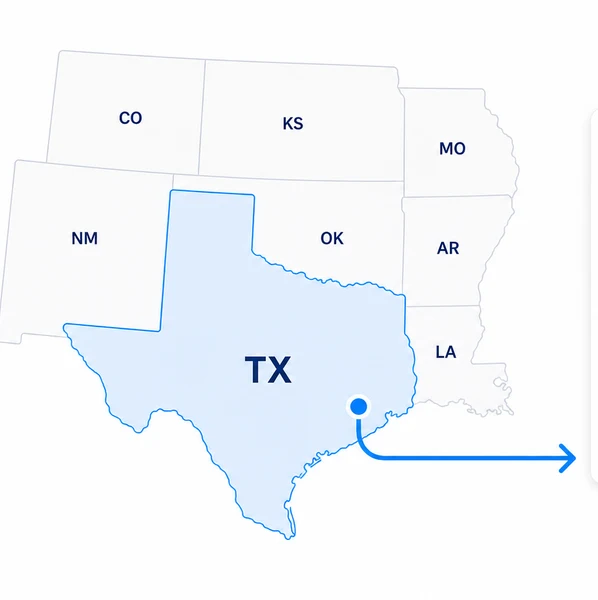
Territory Management
Respect market ownership
Lead Record
Owner
AnthonyEnterprise Sales
West Team
Route by location so regional teams and named territories stay aligned as work arrives.
Explore territories
Skill Matching
Match specialized work
Required skills
Qualified owners
Selected Qualified
 Qualified
Send records to people with the required skills, then use routing logic among qualified members.
Explore skill matching
Assignment Rules
Route by record details
Rule criteria
Route chosen
Assign within group

Use field-based rules to decide which team, queue, or routing path should handle each record.
Explore assignment rules
Shark Tanks
Let reps claim fast
Open claim pool
Drop work into a shared pool so available reps can claim records before they go cold.
Explore shark tanksWorkload Capacity
Control how much work each person can take
Keep routing realistic by respecting working hours, member weights, and workload limits before the next assignment is made.

Schedules
Assign during real coverage
Schedule check
Member hours
KimSMB Sales
Assigned
Restrict assignments to router and member schedules so work lands when people are available.
Explore schedules
Weights
Tune assignment share
 JackSalesforce AdminKimSMB SalesChrisSMB Sales
Next
JackSalesforce AdminKimSMB SalesJackSalesforce AdminChrisSMB SalesIncrease or decrease a member's portion of assignments without rebuilding the router.
Explore weights
Limits
Stop overload before it starts
Capacity check
Active workload
JackSalesforce Admin18 / 25AvailableKimSMB Sales25 / 25At Workload CapacityChrisSMB Sales12 / 20AvailableCap active workload or time-based assignment volume so members stop receiving work at their limit.
Explore limitsResponse Time
Keep assigned records moving
Track follow-up, alert the right people, and reassign unworked records so ownership turns into action instead of stale queue entries.

SLA Management
Keep every SLA on track
Initial response
Columbia Sportswear
Manage SLAs across Salesforce objects with multiple timers, automated actions, and real-time visibility.
Explore SLA management
Reassignment
Recover stale ownership
Unworked record
Current assignment
ChrisSMB Sales
West Team
Assigned
22m ago
After wait time
Reassign to queue
Service Queue
Automatically reassign records that remain unworked for a configured duration.
Explore reassignment
Notifications
Alert before work stalls
Notification rule
Unworked threshold
Notify recipients
 Assigned userIn appManagerIn app
Notify assigned users, managers, selected users, or email recipients when records go unworked.
Explore notificationsTrust and Security
Confidence in every assignment
Keep routing inside Salesforce, understand how each assignment was made, and send duplicate records to the owner who already knows the relationship.
Security
Built on Salesforce
Salesforce org
Native- Application
- Kubaru
- Access controls
- User roles
- Router changes
- Change history
Run routing natively in Salesforce and control access with user roles and permission sets.
Explore securityAssignment Logs
Understand every assignment
Assignment details
Assigned- Record
- Columbia Sportswear
- Router
- Demo requests
- Assigned to
- Emily Clark
Review assignment history and follow the Decision Path to see which routers evaluated a record and why it was assigned.
Explore assignment logsDuplicate Matching
Keep ownership consistent
Duplicate match
Matched- Match rule
- Lead Duplicate Rule
- Existing owner
- Emily Clark
- Assigned to
- Emily Clark
Use Salesforce Duplicate Rules to match incoming records and assign duplicates to the existing record owner.
Explore duplicate matchingFrequently asked questions
Is there a free trial available for Kubaru?
Yes. Start a free trial any time from our AppExchange listing by clicking "Get It Now". The trial runs 30 days, includes every feature, and needs no credit card.
How much does Kubaru cost?
Kubaru is $20/user/month. See the pricing page for full details.
Which Salesforce editions are compatible with Kubaru?
Kubaru works with Salesforce Professional, Enterprise, and Unlimited editions.
Do you offer custom feature development?
We do. Use the contact form to talk through your requirements.
Who can I contact about other questions?
Reach us through the contact form and we will get back to you quickly.