Assignment Logs
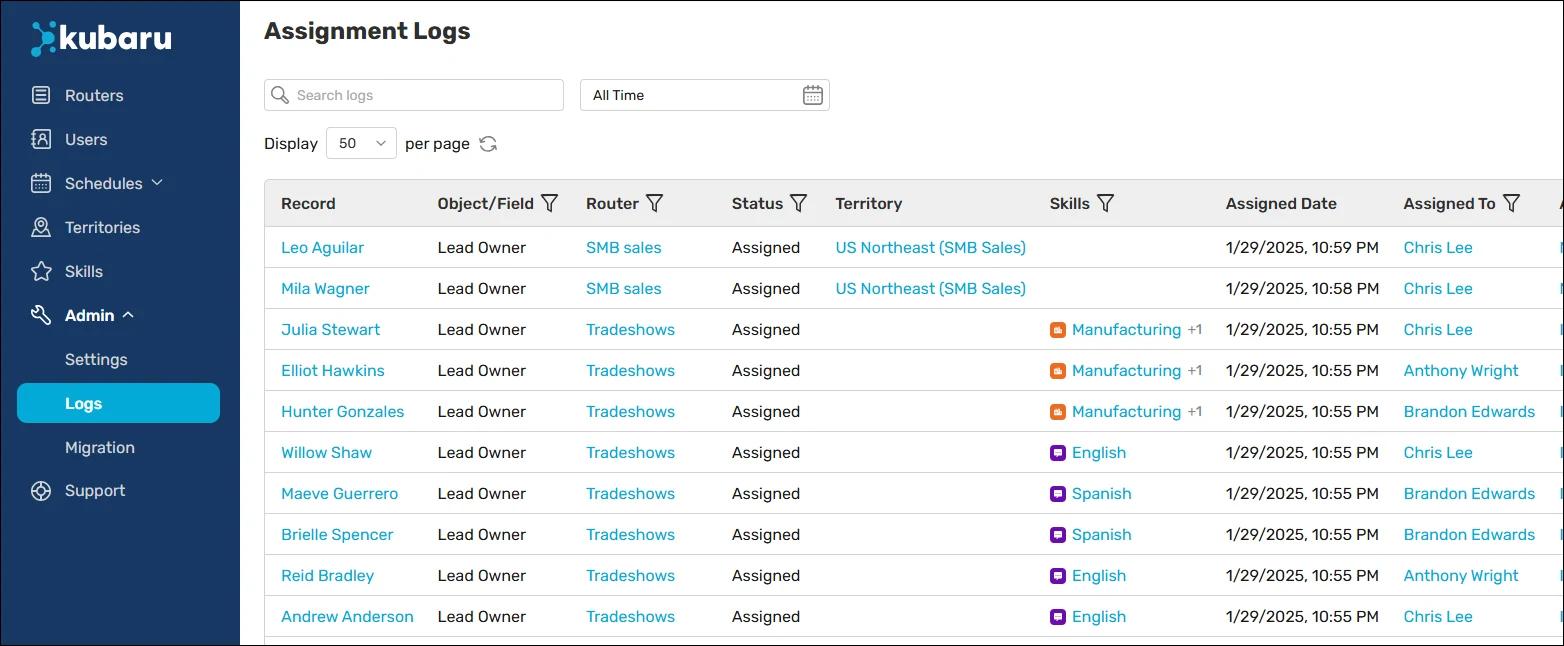
Assignment Logs contain a detailed record of all assignments made. You can find the assignment logs by expanding the Admin tab in the navigation menu and clicking Logs.
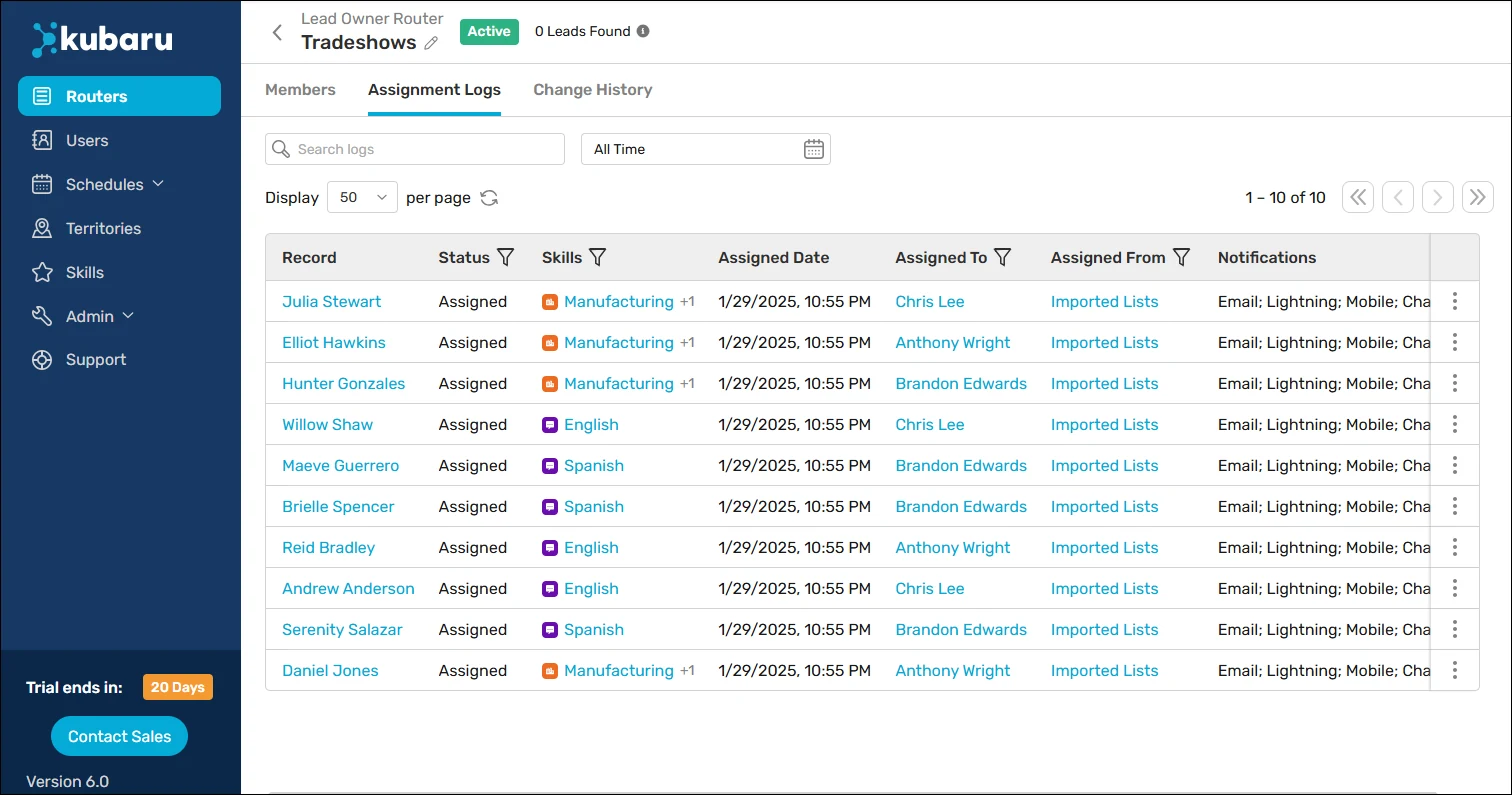
Additionally, you can view logs for individual routers by navigating to a router and clicking on the Assignment Logs tab.
Keep in mind
You can adjust how long assignment logs are retained from Admin Settings. See Log Settings for more details.
In order to preserve historical integrity, users (including admins) cannot delete assignment logs. If you would like to grant select users this access, you can assign them the “Edit Assignment Logs” custom permission.
Some assignment logs may include “(Fallback)” next to the Assigned To user’s name. This indicates Kubaru intentionally skipped the next user in line for the assignment because they were the last user the record was assigned to.
Decision Path
In the assignment logs, you can click the action menu next to a row and select Decision Path to see the exact logic Kubaru used.
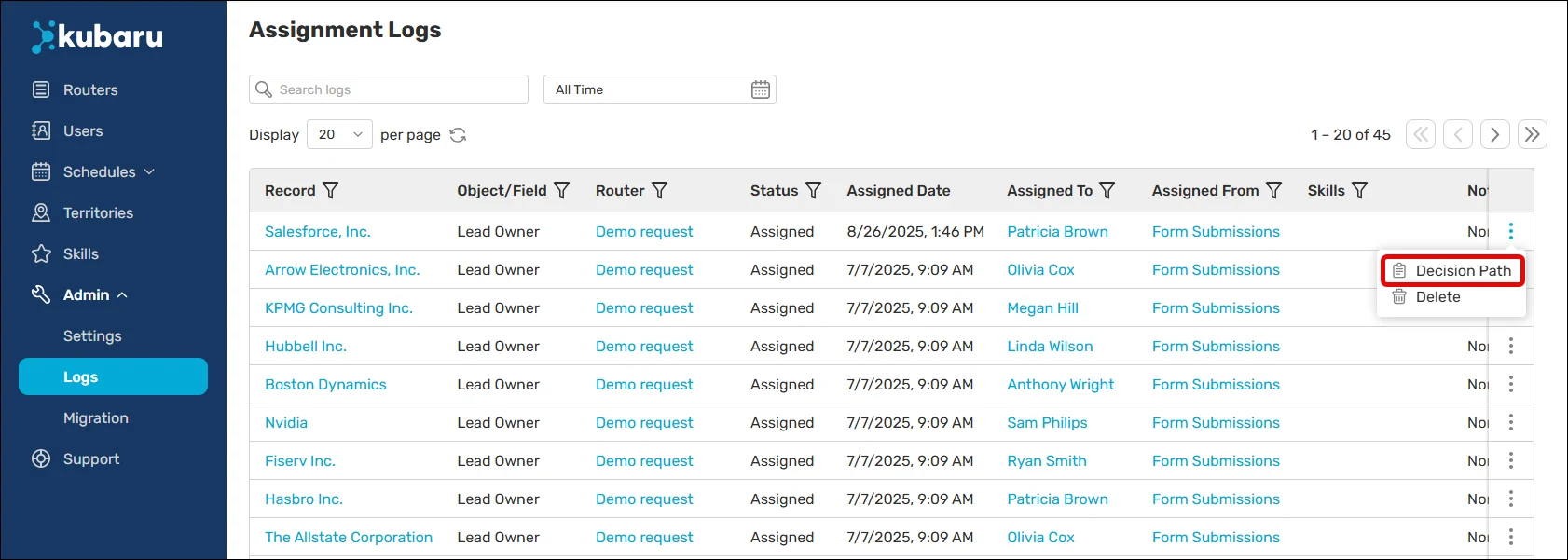
This view shows each router that evaluated the record and why it was or wasn’t assigned.
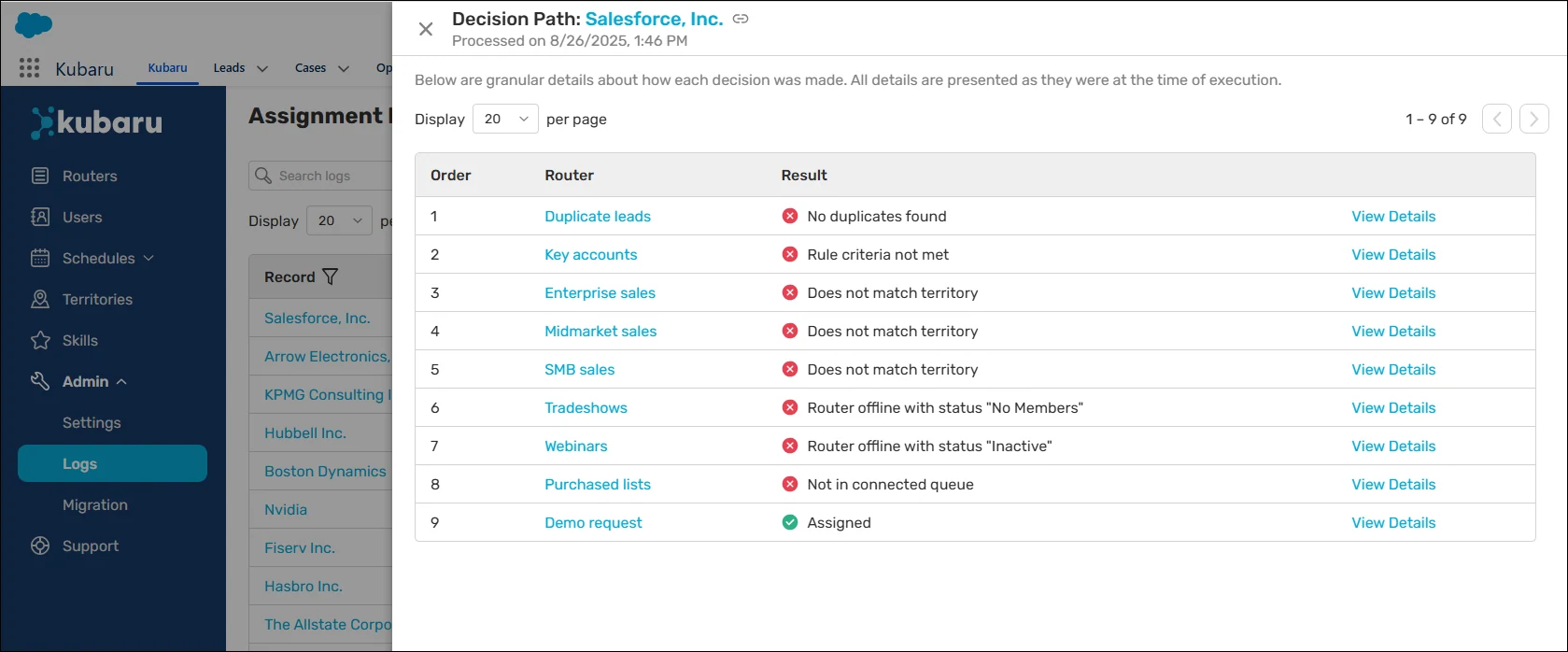
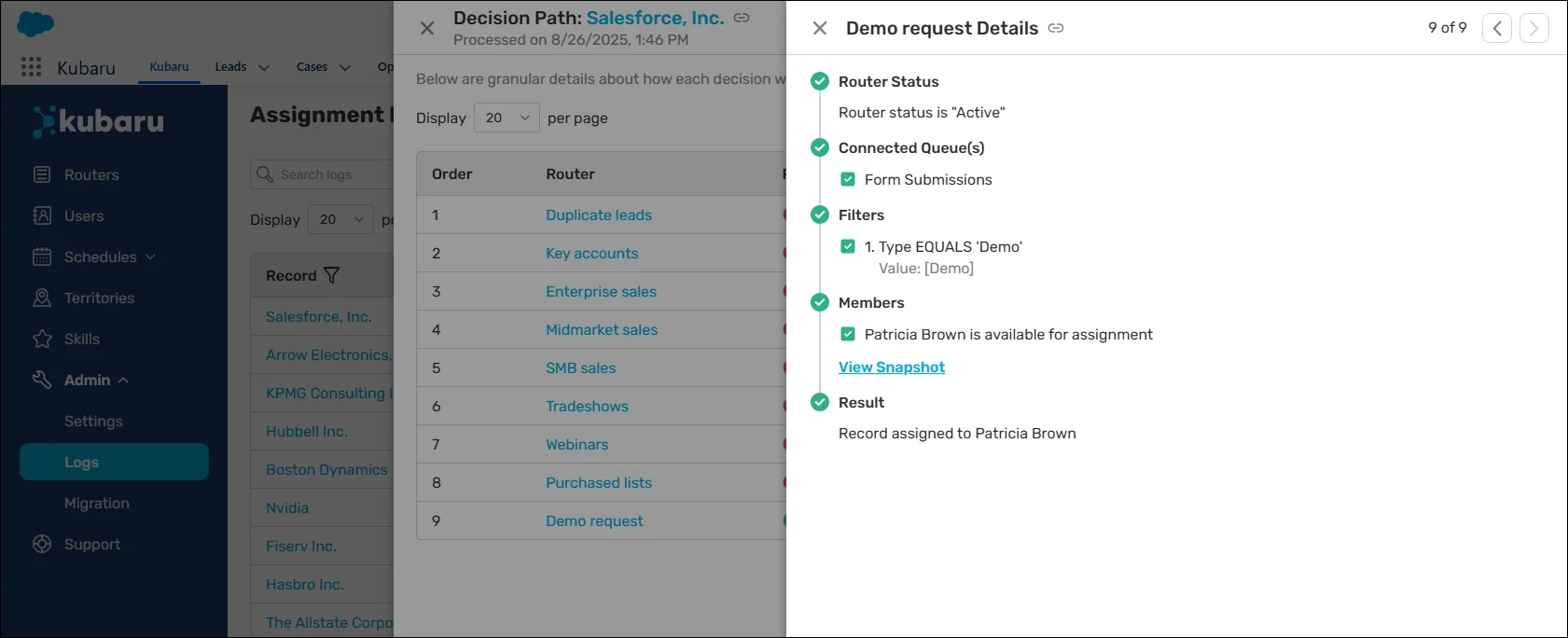
From the Decision Path view, you can click View Details on any router to drill further into the logic used when evaluating the record.
Export Assignment Logs
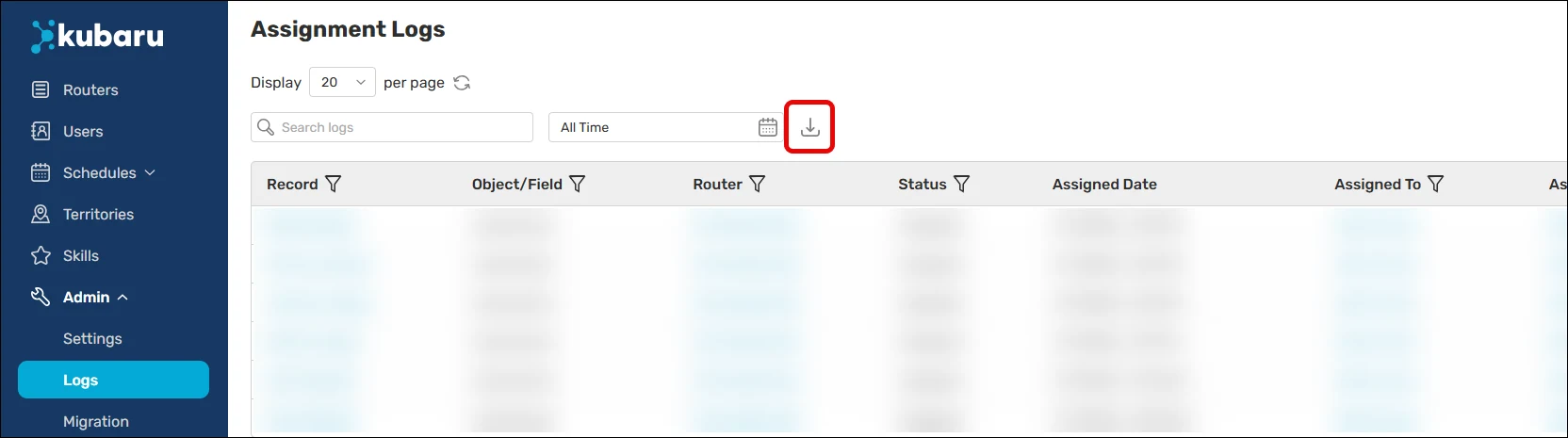
You can export your assignment logs to an Excel file by clicking the download icon to the right of the search and filter options. If you’ve applied any search terms or filters, only the records that match your filters will be included in the export.