















Quick Summary
If you’re looking for a LeanData alternative, these are the ten we’d recommend. Kubaru, NC Squared, and Q-assign lead the pack for focused Salesforce routing.
Here are our top three picks:
| Tool | Best For | Starting Price | Key Strength |
|---|---|---|---|
| Kubaru | Teams needing simple, efficient, and flexible lead routing | $20/user/month | Easy setup, flexible routing, and availability-aware assignments |
| NC Squared | Larger teams needing multi-object routing and distribution | $20/user/month | Multi-object assignment with weighted distribution |
| Q-assign by Ortoo | Teams managing multiple territories or roles with flexible feature needs | Custom, volume-based pricing per work item | Modular design allowing custom feature selection |

Why Listen to Us?
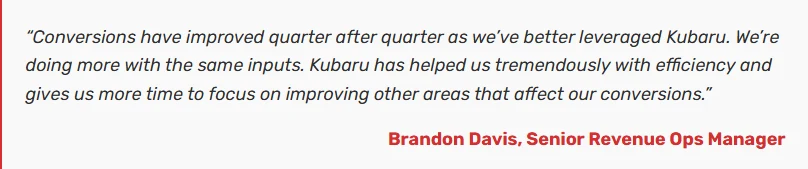
At Kubaru, we help Salesforce teams simplify routing, cut manual work, and speed up follow-up with flexible, availability-aware assignment. For Ooma, that translated into 20% faster response times and a 10% increase in lead conversion. This guide reflects those insights to help you confidently choose the right LeanData alternative.
What is LeanData?
LeanData is a revenue workflow platform built for Salesforce teams that need complex lead routing and matching. It helps sales and marketing teams control Salesforce assignment, reduce routing delays, and speed up follow-up.
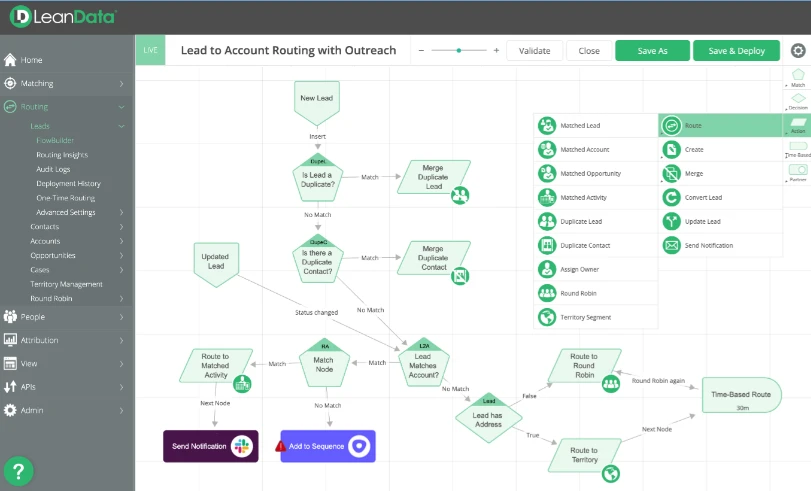
It’s known for its visual routing builder, account matching, and integrations with ABM and marketing tools. LeanData is a powerful tool, but many teams find it heavy to manage, expensive, or more than they need.
Key Features
- Lead routing engine: Sends leads to the right rep using rules for territory, skills, account ownership, or round robin.
- Account matching: Connects new leads to the correct existing account using name, domain, or email logic.
- Visual flow builder: Lets teams design routing paths with a drag-and-drop canvas instead of custom code.
- Duplicate prevention: Flags and manages potential duplicates so reps don’t work the same lead twice.
- Scheduling rules: Assigns leads based on rep availability, time zones, and working hours.
Limitations of LeanData
- Heavy setup and maintenance: Requires ongoing admin time to manage complex routing flows.
- Higher cost: Pricing can be steep for teams that only need routing and don’t need the broader revenue tools.
- Steeper learning curve: The visual builder is powerful, but non-technical users need time to master it.
- Slower performance at scale: Large datasets or long routing paths can slow processing.
- Limited flexibility for business users: Many changes still require ops or admin involvement.
10 Top LeanData Alternatives For Businesses
Looking beyond LeanData? Here’s a quick side-by-side of 10 alternatives and what they offer across routing, object support, flexibility, and cost.
| Tool | Lead Routing | Object Support | Customization & Flexibility | Pricing |
|---|---|---|---|---|
| Kubaru | Round robin, skills-based, workload balancing | Leads, cases, custom objects | High customization for rules and availability | $20/user/month, volume-based pricing for larger teams |
| NC Squared | Round robin, weighted distribution, capacity-based | Leads, cases, opportunities, custom objects | Custom rules, capacity-based, multi-object support | Starter: $20/user/month, Advanced: $35, Unlimited: $55 |
| Q-assign by Ortoo | Territory-based, role-based, workload balancing | Leads, cases, contacts, custom objects | Modular design, flexible feature selection | Custom pricing |
| Plauti | Deduplication, custom rule-based routing | Leads, contacts, accounts | Custom routing, data quality enforcement | Custom pricing |
| Sweep | Territory-based, workload-aware, simple rules editor | Leads, cases, custom objects | Simple configuration, flexible routing rules | Custom pricing |
| Traction Complete | Drag-and-drop routing, capacity-based | Leads, cases, opportunities, custom objects | Rule layering, custom assignment criteria | Custom pricing |
| Chili Piper | Real-time routing and scheduling | Leads, cases | Custom workflow rules for scheduling and routing | Routing & Scheduling: $1,250/month |
| LeadAngel | Weighted round robin, availability-aware | Leads, contacts, accounts, and custom objects | Rule-based assignment, multi-object support | Professional: Custom pricing, Professional Plus: Custom |
| PowerRouter | Round robin, weighted, load-balanced, SLA-based | Leads, contacts (Starter), all objects (Growth+) | Visual canvas, lead-to-account matching, user capping | Starter: $15/user/month, Growth: $25, Enterprise: $35 (annual) |
| Default | Rules-based routing with enrichment & scheduling | Leads, contacts (via Salesforce/HubSpot integration) | Workflow builder, waterfall enrichment, intent detection | Growth: $1250/month; Scale: $3000/month; Routing + Scheduling add-on: $45/user/month |
1. Kubaru
Best for: Teams that want focused, flexible lead routing in Salesforce without tiered pricing or admin dependency.
Kubaru’s the top LeanData alternative for Salesforce teams that want powerful lead and case routing without the complexity. It’s fully Salesforce-native, so your data never leaves your own environment. Your routing happens where your data already lives.
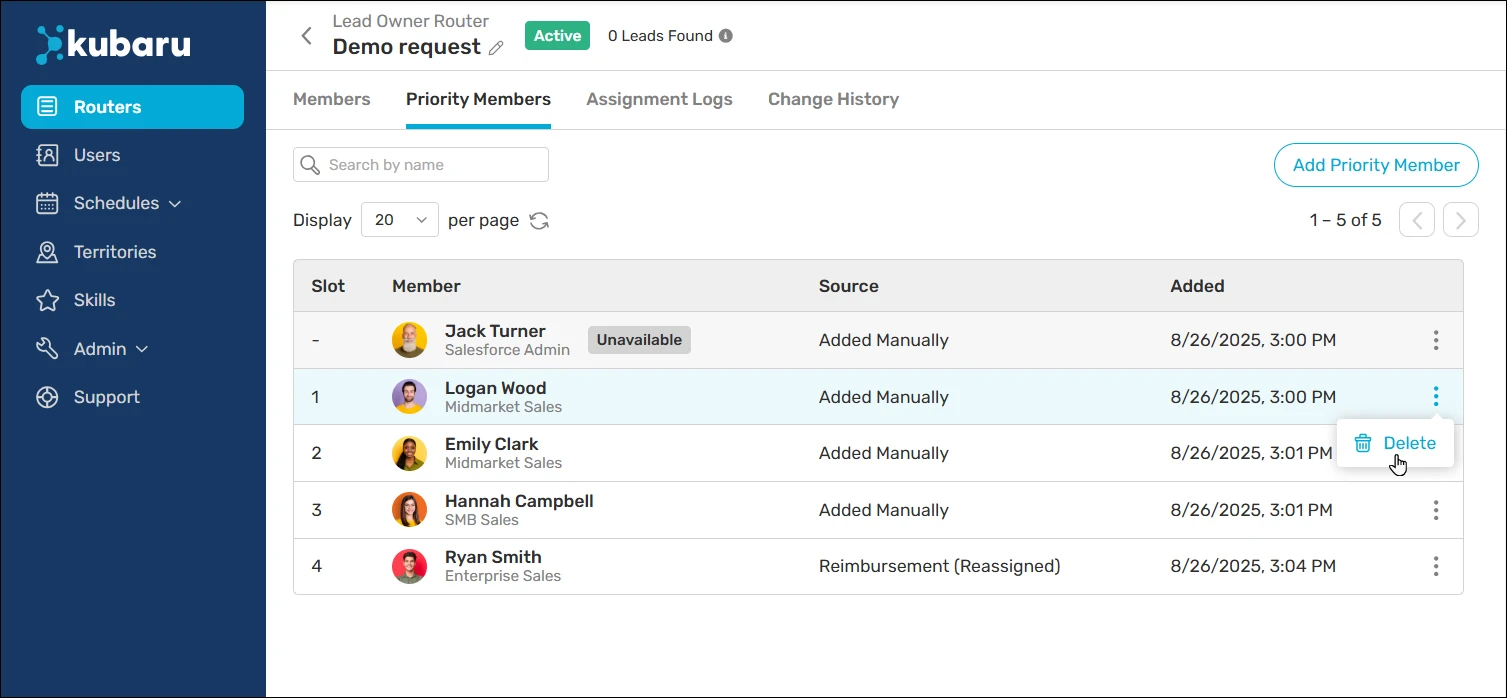
It lets sales and support teams set clear rules for skills, territories, workload, or availability, so records always reach the right person fast.
Unlike LeanData, Kubaru doesn’t require a technical admin or ongoing configuration support. Sales managers and RevOps teams can create and update routing rules themselves using a clean, easy-to-manage interface. Whether you want round robin, load balancing, schedules, territories, skills, or a shark tank model, Kubaru makes setup fast, flexible, and intuitive.
We’ve built Kubaru around automated assignment and speed-to-lead. You’ll get the same routing intelligence at a lower cost, with faster setup and lifetime support included.
Key Features
- Round-robin assignment: Distributes leads or cases evenly across reps so no one gets overloaded.
- Workload-based routing: Assigns records to reps based on their current workload so no one gets overwhelmed.
- Territory and skill routing: Sends leads or cases to reps based on skills or geographic territories you define.
- Scheduling assignment: Routes records only to reps who are available (not out of office or on holiday).
- Rule-based assignment: Lets users create custom rules to assign leads, cases, or custom objects based on any record criteria.
- Duplicate-aware routing: Detects duplicate or related records and routes them to the same rep to avoid confusion or duplicate outreach.
- Automatic reassignment of unworked records: Reassigns stale leads or cases so they don’t go cold before follow-up happens.
- Notifications on assignment: Alerts reps via email, mobile, or Slack when new records are assigned so they respond faster.
Pricing
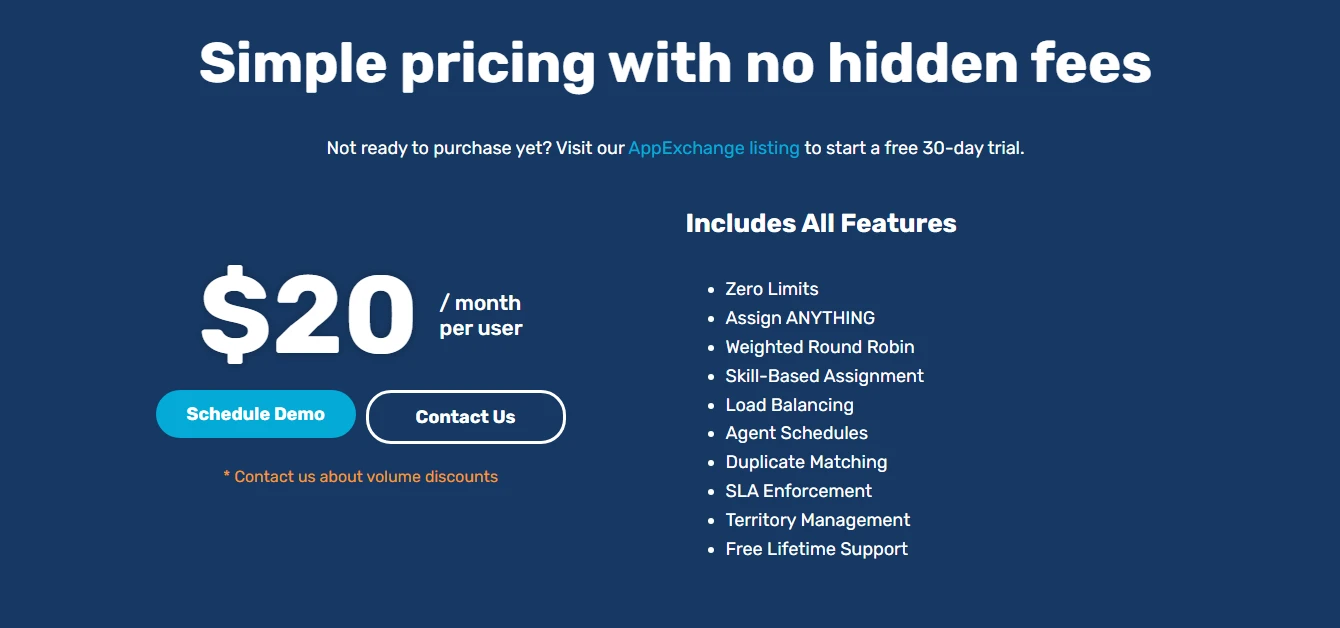
- $20 per user per month. That includes full access to all routing features, including round robin, skills-based assignment, workload balancing, scheduling, and reassignment rules. There aren’t any add-ons or feature tiers.
- For large teams, volume-based pricing supports higher user counts and multi-department routing needs.
We’ve got a 30-day free trial with full feature access. You won’t need a credit card.
Pros
- Easy setup and clear configuration
- Salesforce-native design with no external integrations needed
- Flexible routing for skills, territories, and workload
- Availability-aware assignment with schedule controls
- Automatic reassignment for unworked records
- Affordable, transparent, and flat pricing with access to all features
Cons
- Volume discounts require direct contact
G2 Rating
4.9/5 stars
Why Choose Kubaru Over LeanData?
LeanData is built for enterprise revenue orchestration, so it bundles account matching, ABM workflows, and a visual flow builder into one platform. Its no-code FlowBuilder lets RevOps teams manage routing changes themselves, but its broader capabilities may be more than teams focused primarily on assignment needs.
Kubaru focuses on automated assignment and puts routing controls directly in the hands of your ops team. They can change assignment rules in minutes without filing a ticket or waiting on a developer. At $20 per user per month with every feature included, there are no tiers or surprise costs. If you only need lead and case routing, you pay for what you actually use.
2. NC Squared (Distribution Engine)
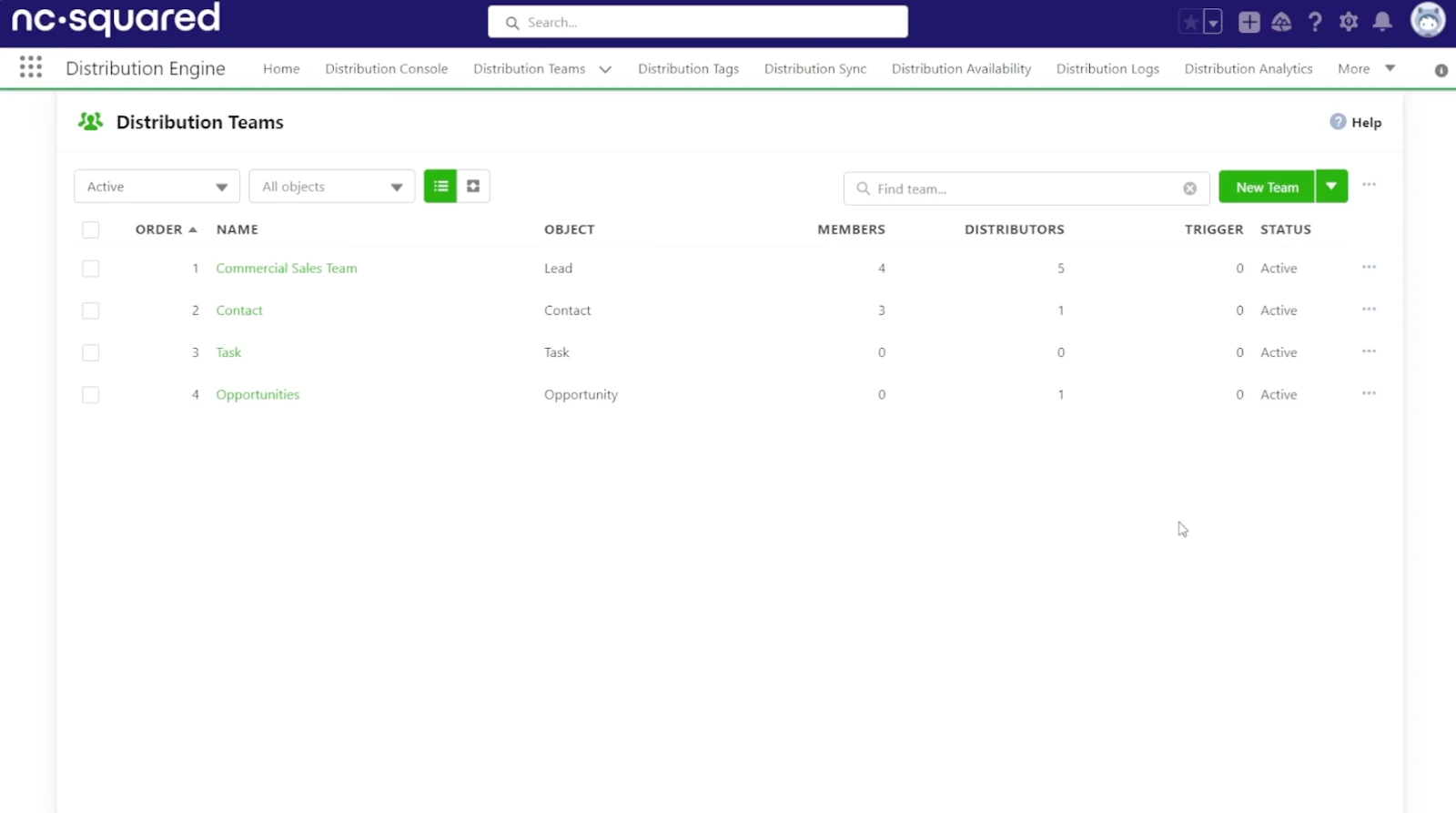
Best for: Larger sales or support teams routing leads, cases, and custom objects with weighted distribution.
NC Squared’s Distribution Engine is a Salesforce-native assignment tool that’s designed to distribute leads, cases, and other records with accuracy and control. It uses rules for territory, workload, or skills to keep assignments fair and timely. It’s a good fit for larger sales or support teams, and it stands out for handling multiple Salesforce objects through one routing engine.
Key Features
- Multi-object assignment: Routes leads, cases, opportunities, and custom objects from a single engine.
- Weighted distribution controls: Adjusts assignment weights to give certain reps a larger or smaller share of records.
- Capacity-based routing: Assigns records based on each rep’s current workload and capacity settings.
- Skills-based logic: Matches records to reps with the required skills or certifications.
- Time-based availability rules: Ensures assignments respect working hours, holidays, and out-of-office schedules.
Pricing
NC Squared offers 3 pricing plans:
- Starter: $20 per user per month. It includes basic routing, load balancing, round-robin, and standard assignment features.
- Advanced: $35 per user per month. It adds more advanced routing options such as weighting, caps, and enhanced distribution logic.
- Unlimited: $55 per user per month. It’s a full feature set including advanced distribution rules, workload and availability management, analytics, and custom workflows.
Pros
- Multi-object assignment supports leads, cases, and custom objects
- Weighted distribution controls rep workload and record share
- Capacity-based routing prevents overload and improves response times
Cons
- Setup can be complex for large routing structures
- Limited documentation for advanced or unusual configurations
G2 Rating
4.9/5 stars (10 reviews)
Why Choose NC Squared Over LeanData?
LeanData is designed for large enterprise revenue teams, which points to broader functionality and pricing to match. NC Squared focuses on distributing records inside Salesforce, with published pricing starting at $20 per user per month. If your team’s main priority is routing records based on workload and capacity, NC Squared handles that without the overhead of a broader revenue platform.
3. Q-assign by Ortoo
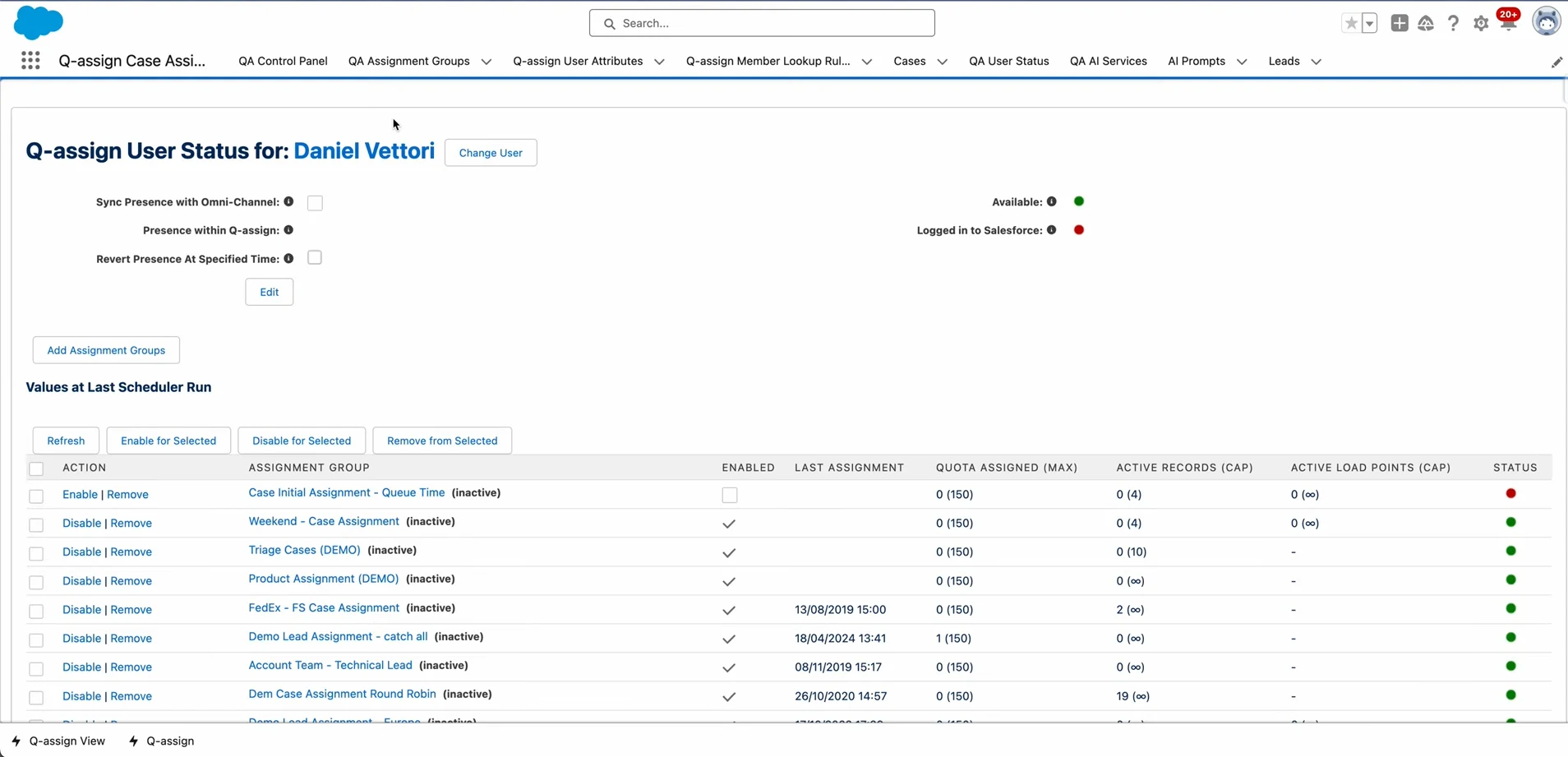
Best for: Teams with complex territory or role-based routing that want to select features individually.
Q-assign by Ortoo’s an advanced native Salesforce lead assignment tool. It routes leads, cases, and custom objects based on criteria like region, team role, or workload. It’s best for teams managing multiple territories or workflows. What sets this platform apart is its modular design, which lets teams choose only the routing features they need.
Key Features
- Multi-object routing: Assigns leads, cases, contacts, and custom objects through one tool.
- Territory and region logic: Routes records based on geographic location or defined territory boundaries.
- Role-based assignment rules: Matches records to reps according to their job role or team.
- Workload balancing: Ensures even distribution by factoring in the current rep load before assigning new records.
- Conditional rule flows: Lets users set custom rules based on record data or status to determine assignment logic.
Pricing
Ortoo uses custom volume-based pricing tied to work items, not users or individual actions.
Pros
- Territory-based logic sends records to the correct regions
- Role-based assignment for matching records to the right team or function
- Workload balancing distributes records evenly across reps
Cons
- Advanced features may require admin configuration effort
- Limited third-party integrations outside the Salesforce ecosystem
AppExchange Rating
4.9/5 stars (139 reviews) on AppExchange
Why Choose Q-assign Over LeanData?
LeanData wraps routing into a broader revenue operations platform, which may mean paying for other capabilities you don’t need, like account matching, duplicate management, and ABM workflows. Q-assign focuses on configurable assignment and routing, with territory management, workload balancing, account matching, and other routing capabilities. Its dedicated territory management also lets you manage territories without adopting a broader revenue orchestration platform.
4. Plauti
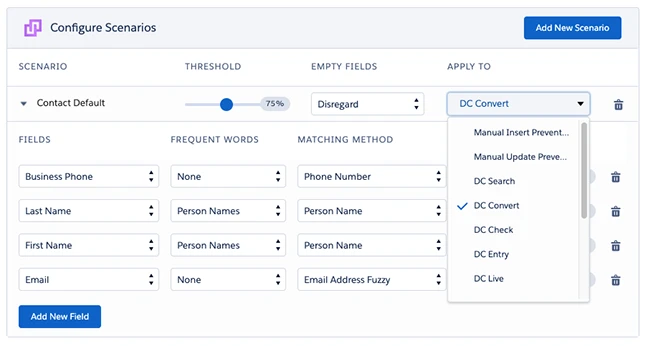
Best for: Teams that need to clean up duplicate records and route leads from the same tool.
Plauti’s a Salesforce-native platform focused on data quality and record routing. It helps teams clean and deduplicate data while assigning leads or other objects using clear rules. It’s a good fit for organizations that want data hygiene and routing in one place, and it stands out for combining both capabilities inside Salesforce.
Key Features
- Data hygiene and deduplication: Cleans and merges duplicate leads, contacts, and accounts before routing.
- Bulk data update and management: Allows mass edits, data corrections, or attribute updates across leads and contacts.
- Built-in routing for multiple object types: Assigns leads, contacts, and accounts based on custom rules.
- Custom rule configuration: Lets teams define routing logic based on fields, geography, or business criteria.
- Data quality enforcement: Validates key fields (like email or domain) to prevent bad data from entering workflows.
Pricing
Plauti follows a custom pricing model that varies based on team size, selected data management or routing modules, and the volume of records processed inside Salesforce.
Pros
- Data hygiene and deduplication keep CRM records clean
- Bulk data updates allow mass edits across contacts and accounts
- Routing support for leads, contacts, and accounts in one tool
Cons
- Deduplication and data-cleaning processes can slow workflows
- Custom routing setup can feel complex initially
G2 Rating
4.5/5 stars (114 reviews)
Why Choose Plauti Over LeanData?
LeanData is built around lead routing and revenue orchestration with standard deduplication and enrichment. However, reviewers have described its built-in deduplication as fairly basic and missing deeper governance.
If duplicate data is a serious problem in your Salesforce org, Plauti offers more specialised data-quality capabilities alongside assignment. Its platform includes dedicated tools for deduplication, manipulation, verification, and routing so that you can clean and manage your records in the same place.
5. Sweep
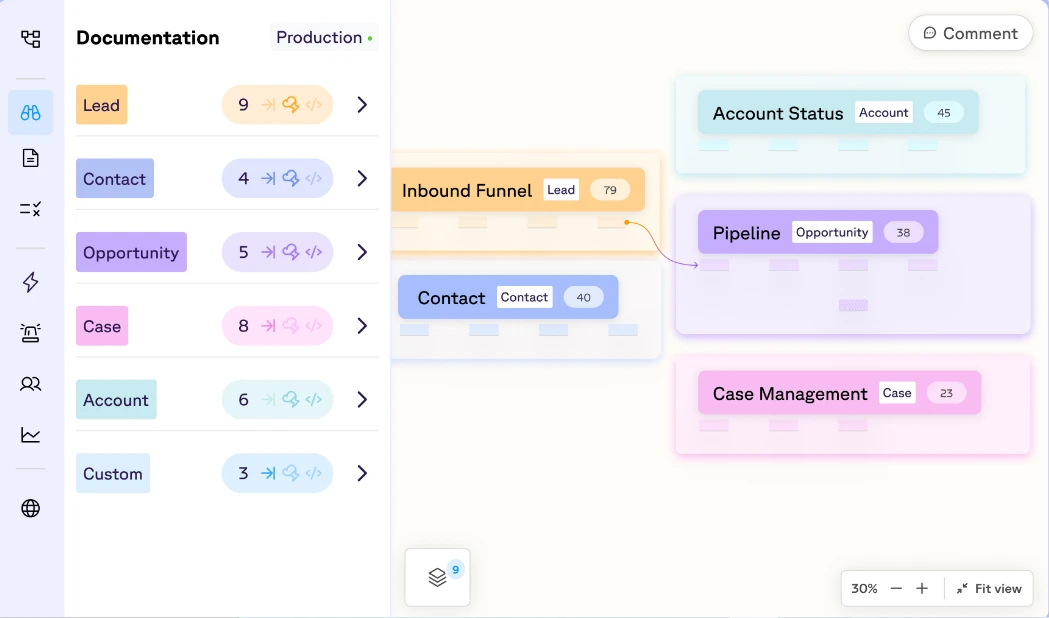
Best for: Organizations that want routing as part of a broader Salesforce operations workspace.
Sweep’s a Salesforce-native lead routing and management tool that assigns leads, cases, and custom objects based on defined rules such as territories or workload. It’s a fit for teams that need simple, consistent distribution without the overhead of complex setups. It stands out for its minimal setup and straightforward routing logic.
Key Features
- Visual rule editor: Builds routing logic through a clear, drag-and-drop interface inside Salesforce.
- Territory-based assignment: Routes leads or cases according to geographic boundaries or segment rules.
- Workload-aware distribution: Factors in rep capacity before assigning new records.
- Simple configuration controls: Lets teams adjust routing rules without heavy admin involvement.
- Multi-object support: Handles assignment for leads, cases, and custom objects within a single setup.
Pricing
Sweep does not publicly list its pricing. Contact the company for a custom quote based on your workflow and monthly volume.
Pros
- Visual rule editor for a simplified routing logic setup
- Territory-based assignment routes records by region or segment
- Multi-object support handles leads, cases, and custom objects easily
Cons
- Advanced routing features may need manual configuration
- Might be overkill for small teams with simple routing needs
G2 Rating
4.9/5 stars (38 reviews)
Why Choose Sweep Over LeanData?
LeanData focuses on lead routing and matching inside a revenue operations stack. Meanwhile, Sweep has grown into something broader: a full Salesforce operations workspace with documentation, automation, and AI agents alongside routing.
If you want to manage your Salesforce configuration and routing rules from one visual interface, Sweep brings that together.
6. Traction Complete
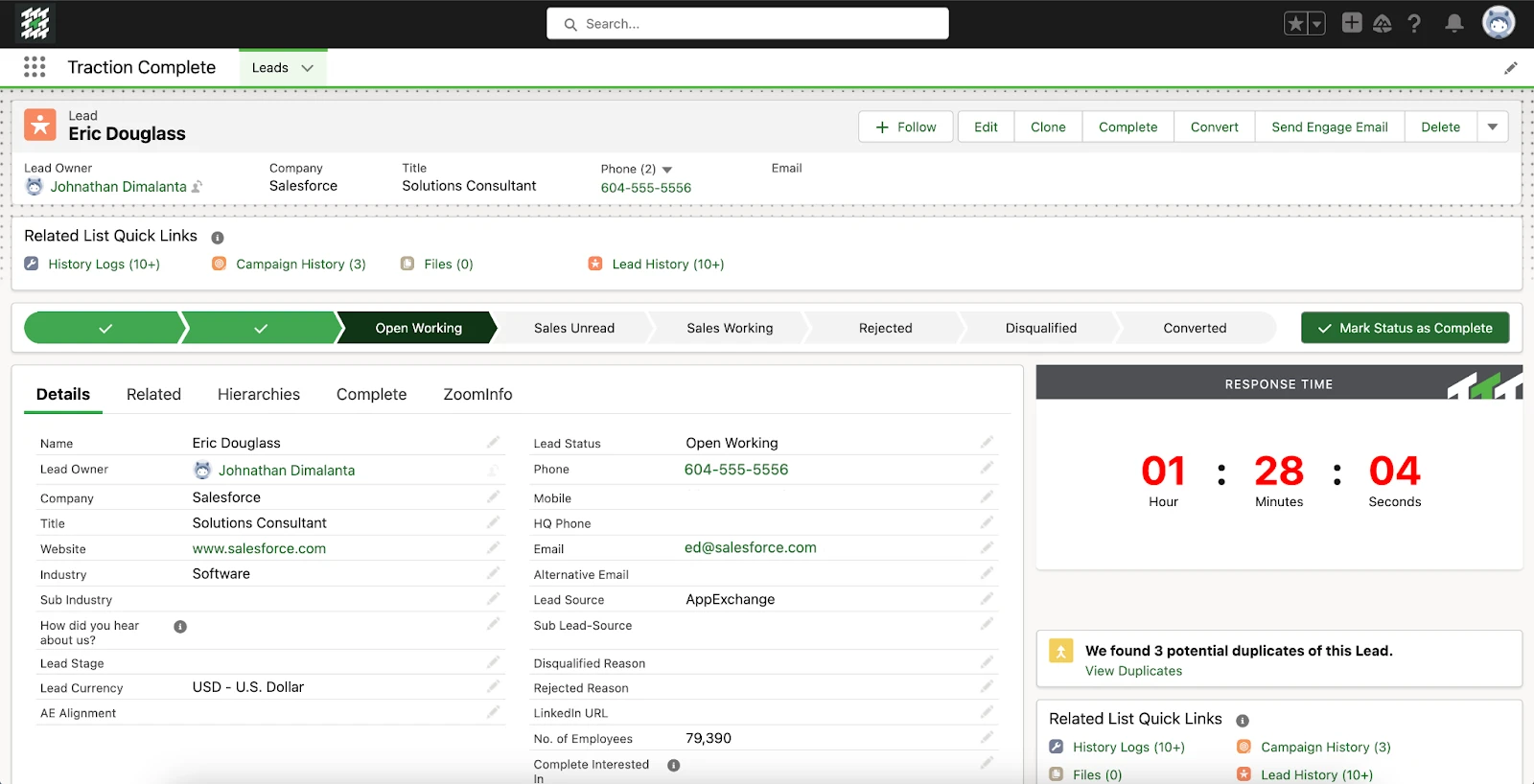
Best for: Mid-size to enterprise teams that need routing alongside data hierarchy management and enrichment.
Traction Complete’s a Salesforce-native routing solution focused on lead and record assignment. It assigns leads, cases, or other objects using rules based on territory, workload, or custom criteria your team defines. It fits mid-size to large sales operations and stands out for its drag-and-drop rule builder and clear rule management inside Salesforce.
Key Features
- Drag-and-drop routing builder: Lets teams build custom assignment flows visually without code.
- Multi-object support: Handles leads, cases, opportunities, and custom objects from a single routing engine.
- Rule layering logic: Allows combining multiple criteria (like territory, skill, and workload) for precise assignment.
- Capacity and load balancing: Routes based on rep availability and current load to avoid overloading team members.
- Real-time routing updates: Reflects changes immediately when team settings or record data are updated.
Pricing
Traction Complete offers custom pricing based on your organization’s needs.
Pros
- Drag-and-drop routing builder that simplifies complex workflow setup
- Rule layering logic enables precise assignment using multiple criteria
- Capacity-based distribution for balanced workload among reps
Cons
- Per-user licensing can get pricey for larger teams
- Limited out-of-the-box automation beyond routing assignments
G2 Rating
4.7/5 stars (175 reviews)
Why Choose Traction Complete Over LeanData?
LeanData treats routing as one module inside a bigger revenue platform. This setup works if you need the full stack, but it can add cost and complexity when you don’t. Traction Complete focuses on routing and data hierarchy management, with particular strength in lead-to-account matching and account hierarchies. If your team needs to clean up account structures while ensuring leads are assigned to the right parent account, it brings both capabilities into one tool.
7. Chili Piper
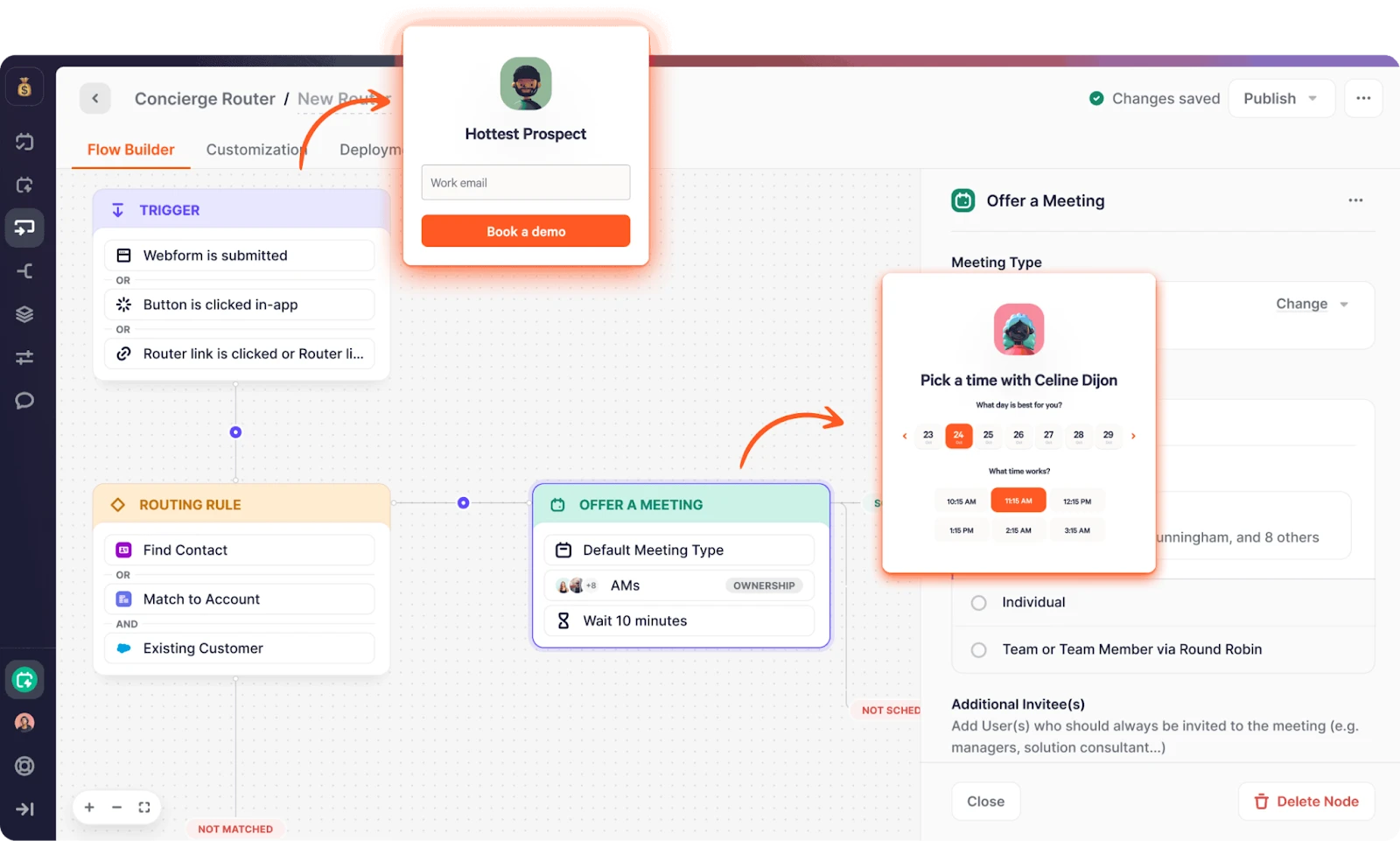
Best for: Inbound sales teams that want to route leads and book meetings in the same step.
Chili Piper’s a scheduling and lead routing tool that connects directly with Salesforce. It routes inbound leads using predefined criteria and lets prospects book meetings instantly. It works well for sales teams that depend on fast follow-up. What sets Chili Piper apart is combining lead assignment and instant meeting scheduling in one flow.
Key Features
- Real-time lead routing and scheduling: Assigns leads and lets prospects book meetings instantly based on rep availability.
- Round-robin and queue logic: Distributes inbound leads evenly or in order across sales reps.
- Availability and calendar syncing: Checks rep calendars before routing or scheduling to avoid double bookings.
- Custom workflow rules: Routes leads based on criteria like region, product interest, or lead source before scheduling.
- Automated meeting scheduling: Handles calendar invites and reminders automatically once a lead’s assigned.
Pricing
Chili Piper offers several pricing plans:
- Routing & Scheduling: $1,250/month, including 15 seats; $45/month per additional seat
- Experiences: $3,500/month, including 30 seats; $50/month per additional seat
- ChiliCal: $12/user/month, with a 200-seat minimum
Pros
- Real-time routing and scheduling cuts lead response time
- Round-robin + queue logic for balanced inbound lead distribution
- Combined routing and scheduling in one workflow speeds workflow
Cons
- Complex setup when mixing routing criteria and scheduling rules
- Dependence on calendar integration may complicate setup and maintenance
G2 Rating
4.6/5 stars (736 reviews)
Why Choose Chili Piper Over LeanData?
LeanData routes leads to reps and also offers scheduling through its broader platform. However, Chili Piper connects routing directly to instant booking, so a lead who fills out a form can reach a rep’s calendar in seconds.
If your team’s main bottleneck is turning inbound leads into booked meetings, Chili Piper is built around that conversion point. The platform’s edge is in how it combines matching and routing with scheduling.
8. LeadAngel
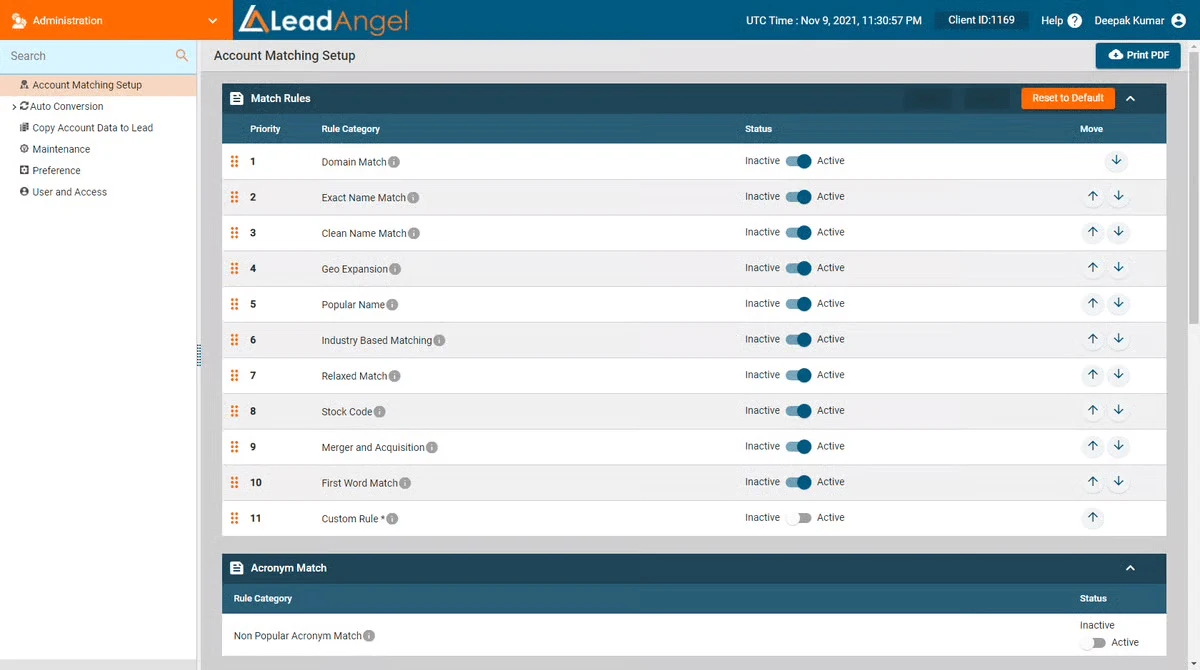
Best for: Teams that need weighted round robin with availability checks and automatic reassignment of unworked leads.
LeadAngel’s a lead routing tool that connects with Salesforce to handle inbound leads quickly. It routes each lead using predefined criteria, reducing delays in early sales conversations. It’s ideal for teams focused on fast response times, and its standout feature’s the blend of routing and instant scheduling in one workflow.
Key Features
- Multi-object routing support: Assigns leads, contacts, accounts, or custom objects using a unified engine.
- Weighted round-robin logic: Distributes records fairly while allowing manual weight adjustments to reps based on performance or capacity.
- Rule-based assignment criteria: Lets teams build rules around lead source, region, account size, or custom data fields.
- Availability-aware assignment: Considers rep schedules and availability before routing leads or cases.
- Auto-resend unassigned leads: Automatically reassigns leads that aren’t picked up within a set timeframe, ensuring prompt follow-up.
Pricing
LeadAngel has two plans, Professional and Professional Plus. They’re custom-priced based on team size, record volume, and which features you need.
Pros
- Multi-object routing supports leads, contacts, and accounts
- Weighted round-robin balances distribution among reps
- Rule-based assignment matches records on source or field criteria
Cons
- Less community support compared with more established tools
- Limited public documentation for advanced configurations
G2 Rating
4.5/5 stars (46 reviews)
Why Choose LeadAngel Over LeanData?
LeanData’s routing is tightly tied to its account matching and revenue orchestration tools. Teams that only need assignment may end up adopting a bigger platform than they need. LeadAngel focuses on lead-to-account matching and routing, with automatic reassignment of unworked leads. If you want to make sure no lead goes cold, LeadAngel gives you that in a simpler package.
9. PowerRouter
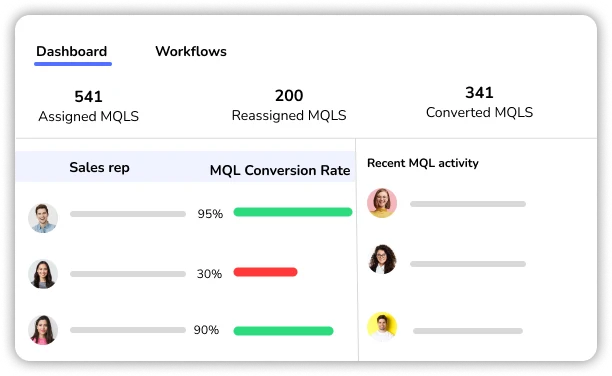
Best for: Teams that prefer a visual drag-and-drop routing builder with built-in speed-to-lead reporting.
PowerRouter’s a Salesforce-native lead routing tool built around a visual drag-and-drop canvas. It lets teams create routing logic without code and supports round robin, weighted distribution, and load-balanced assignment. PowerRouter also includes lead-to-account matching and speed-to-lead analytics at the team, segment, and rep level.
Key Features
- Visual routing canvas: Build and adjust routing logic through a drag-and-drop interface without writing code.
- Round robin, weighted, and load-balanced assignment: Distribute leads evenly, weight assignments by rep capacity, or balance based on current workload.
- Lead-to-account matching: Automatically match incoming leads to existing accounts, opportunities, and contacts in Salesforce.
- SLA-based reassignment: Define SLAs at the group, team, or individual user level and automatically reassign leads when they go unworked.
- Availability and scheduling controls: Route leads based on rep working hours, time zones, and holiday or out-of-office schedules.
- User capping: Set limits on how many leads each rep can receive within a given period to prevent overload.
- Speed-to-lead analytics: Track response times by team, segment, or individual rep with built-in reporting.
Pricing
PowerRouter uses tiered pricing. Prices below are for annual billing:
- Starter: $15/user/month. Leads and contacts only. Includes visual canvas, round robin, weighted and load-balanced assignment.
- Growth: $25/user/month. Adds all Salesforce objects, availability scheduling, SLA-based reassignment, and user capping.
- Enterprise: $35/user/month. Adds lead-to-account matching, advanced analytics, multi-tier SLAs, and routing consultation.
Pros
- Visual canvas for building routing logic without code
- Built-in speed-to-lead analytics at the rep, team, and segment level
- SLA tracking at the group, team, and individual user level
Cons
- Lead-to-account matching, advanced analytics, and multi-tier SLAs are Enterprise-only
- Starter plan limited to leads and contacts
- Limited public reviews compared to more established tools
- Users have reported interface stability issues during complex routing updates
G2 Rating
4.8/5 stars (8 reviews)
Why Choose PowerRouter Over LeanData?
LeanData’s visual flow builder is designed for complex revenue workflows. That broader scope can make routing logic harder to configure and manage as you add more rules and workflows. Meanwhile, PowerRouter’s canvas focuses on routing logic and includes built-in speed-to-lead analytics. You can track rep response times by team, segment, and rep level without a separate reporting tool. If you want routing performance data alongside your routing rules, it offers both in one place at a lower per-user price.
10. Default
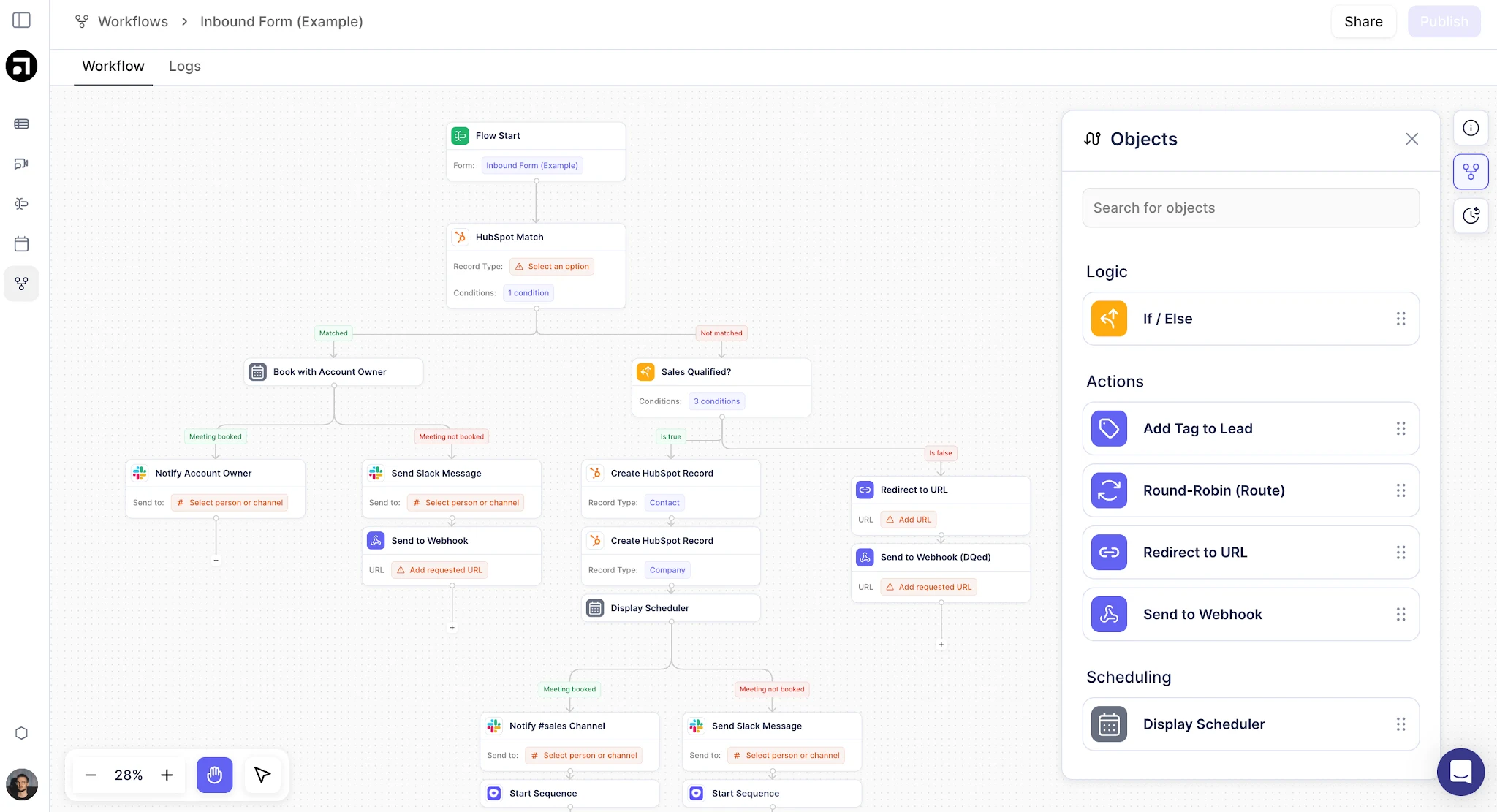
Best for: Teams that want routing, scheduling, enrichment, and lead qualification handled in one inbound platform.
Default’s an all-in-one inbound lead platform that combines routing, scheduling, enrichment, lead qualification, and website intent detection in a single workflow builder. It connects to Salesforce and HubSpot but isn’t native to either. It’s designed for teams that want to consolidate their inbound stack and aren’t managing separate tools for each function.
Key Features
- Visual workflow builder: Create automation sequences that handle lead routing, enrichment, qualification, and scheduling in one flow.
- Waterfall enrichment: Automatically enrich inbound leads using connected data providers like Clearbit, Apollo, and others.
- Rules-based lead routing: Route leads to reps based on company size, industry, geography, account ownership, or custom criteria.
- Instant meeting scheduling: Prospects can book meetings with the assigned rep directly after form submission, reducing time-to-meeting.
- Website intent detection: Identify anonymous website visitors and trigger routing actions based on browsing behavior (available as a paid add-on).
- CRM hygiene automation: Clean and standardize lead data as it enters your CRM to reduce routing errors caused by bad data.
Pricing
Default offers Growth at $1,250/month and Scale at $3,000/month, both billed annually. Routing + Scheduling is an add-on at $45/user/month.
Pros
- Consolidates routing, scheduling, enrichment, and qualification into one platform
- Workflow builder’s well-regarded for ease of use
- Enrichment happens automatically as leads enter the system
Cons
- Not native to Salesforce or HubSpot, so data moves between systems
- Pricing starts at $1250/month before adding user seats
- Enrichment credits are capped on lower tiers and run out quickly at high volume
- Inbound only, with no outbound or ABM features
G2 Rating
4.6/5 stars (63 reviews)
Why Choose Default Over LeanData?
LeanData’s deeply embedded in Salesforce and focused on routing and account matching, with enrichment, scheduling, and signal-driven workflows sitting within its broader orchestration platform. But Default bundles these capabilities into one workflow builder. If your team currently uses three or four separate tools for those tasks, Default can consolidate them.
The trade-off is that Default isn’t native to Salesforce, so data passes through an external system, and pricing starts at $1,250/month before per-user costs. For inbound-heavy teams looking to consolidate tools, that trade-off may make sense.
How to Choose a LeanData Alternative
Start with the gap LeanData leaves for your team, because each alternative fills a different one.
How complex are your routing flows today? If your LeanData setup runs dozens of branching paths with account matching at every stage, you’ll need comparable depth. Traction Complete or Sweep can handle that complexity. If most of your rules are straightforward round robin or territory splits, a leaner tool like Kubaru will save you money and setup time.
What will your total be at full headcount? LeanData’s pricing varies by edition and add-ons. Some alternatives charge a flat per-user fee that covers everything, while others layer platform fees on top of per-user costs. Map out what you’d actually pay at your current team size before comparing feature lists.
Do your cases, opportunities, and custom objects need routing too? LeanData supports multiple object types, but not every alternative offers the same coverage. If you route more than leads, confirm that the replacement supports the objects you need on a plan you can buy.
How much setup and ongoing maintenance can your team absorb? Some of these tools hand configuration to the people running routing day to day. Others still need a Salesforce admin or RevOps specialist for anything beyond basic changes. Choose based on who’ll actually maintain the rules six months from now.
Do you need Salesforce-native? Native apps keep your data inside Salesforce and avoid integration overhead, which is important for teams with strict security requirements. Platforms like Default or Chili Piper connect to Salesforce but run outside it, giving you more flexibility while moving data through an external system.
Optimize Lead Routing in Salesforce with Kubaru
All ten alternatives bring something valuable, but Kubaru stands out for teams that want smart, flexible routing without the complexity of larger platforms. Its availability-aware logic, clear rules, and Salesforce-native design keep leads moving instantly and accurately.
With Kubaru handling assignments behind the scenes, your reps can focus on selling, not fixing routing issues or chasing stale leads. And because everything runs inside Salesforce, your data stays aligned and easy to manage.
Want faster routing without adding operational overhead? Start your 30-day free trial today.
FAQs
What’s the best alternative to LeanData?
It depends on what you need. For focused lead routing inside Salesforce at a flat per-user price, Kubaru is the strongest option. If you also need data deduplication, Plauti covers routing and data quality together. And if your priority is combining routing with instant meeting scheduling, Chili Piper’s worth a look.
Is LeanData worth it for small teams?
LeanData is built for enterprise revenue operations, so the platform and pricing may make more sense for larger organizations. If you’re a smaller team that mainly needs lead or case assignment, a dedicated routing tool will usually give you what you need at better prices.
Can I use a LeanData alternative with Salesforce?
Yes. Most tools on this list are fully native to Salesforce, so you install them from the AppExchange and run them inside your Salesforce environment. A few, like Default and Chili Piper, connect to Salesforce but run as external platforms.
What’s the difference between lead routing and revenue orchestration?
Lead routing assigns incoming leads to the right rep based on rules you set, like territory, workload, or skills. Revenue orchestration is broader and includes routing plus account matching, duplicate management, ABM workflows, and cross-functional handoffs. LeanData is a revenue orchestration platform, while most alternatives on this list focus specifically on routing.
How much does a LeanData alternative cost?
Prices vary widely. Kubaru charges $20/user/month for all features, while NC Squared starts at $20/user/month and increases across tiered plans. Chili Piper starts at $1,250/month with up to 15 seats included, and Default starts at $1,250/month plus per-user fees. Several alternatives require a sales call for pricing.