














Quick Summary
We looked at the top options and focused on those that automate lead distribution within Salesforce. Kubaru wins with weighted round robin, unlimited routing rules, and business-user control—all at a lower price point than enterprise options. LeanData offers the depth large companies need for account-based distribution, and NC Squared offers rotation and territory logic for mid-market teams.
| Tool | Best For | Starting Price | G2 Rating |
|---|---|---|---|
| Kubaru | Teams needing fair distribution without IT dependency | $20/user/month | 4.9/5 stars |
| LeanData | Enterprise teams with complex lead-to-account matching | Contact for pricing | 4.6/5 stars |
| NC Squared (Distribution Engine) | Mid-market teams requiring flexible rotation and territory routing | $20/user/month (Starter) | 4.9/5 stars |

Are You Struggling With Lead Distribution?
Standard assignment rules in Salesforce assign leads based on basic criteria but don’t balance workload, distribute leads evenly across available reps, or prevent the same rep from getting multiple leads in a row. The 3,000-rule limit doesn’t allow for scaling. Assignment rules also support only leads and cases, not accounts, opportunities, or custom objects. Assignment rules require system admin access to make changes. Custom solutions usually break down at scale, and leads tend to slip through the cracks.
This guide reviews 10 Salesforce lead distribution tools that automate fair lead routing, balance workloads across teams, and give sales ops control over distribution logic.
Why Trust Us?
Kubaru focuses solely on assigning leads directly inside Salesforce. We’ve implemented distribution strategies for over 300 companies across financial services, SaaS, and healthcare, including Genesys, SolarWinds, and Paylocity.
This guide draws on first-hand implementation experience, customer feedback, and research into competitive distribution tools.
What Is Salesforce Lead Distribution Software?
Salesforce lead distribution software automates how leads are distributed and assigned to your sales team. Unlike basic assignment methods that assign leads based on certain criteria, distribution ensures fair allocation. This ensures every account executive receives a fair number of leads based on their capabilities, responsibilities, available time, territory, and the skills of the representatives responsible for the leads.
Distribution is one piece of the picture. For tools that also handle capture, qualification, and nurture, see our roundup of the best Salesforce lead management software.
The 10 Best Salesforce Lead Distribution Software Tools
| Tool | Key Features | Best For | Pricing | G2 Rating |
|---|---|---|---|---|
| Kubaru | Weighted round robin, workload balancing, unlimited rules, business user controls | Teams needing fair distribution without admin dependency | $20/user/month | 4.9/5 stars |
| LeanData | Complex routing, account-based distribution, lead-to-account matching | Enterprise teams with intricate account structures | Contact for pricing | 4.6/5 stars |
| NC Squared | Multiple rotation methods, territory distribution, self-serve workflows | Mid-market teams needing flexible rotation | $20–$55/user/month | 4.9/5 stars |
| Ortoo Q-Assign | Queue-based distribution, capacity tracking, AI-powered triage | High-volume teams managing multiple queues | Custom | — |
| Plauti Assign | Multi-object distribution, distance-based routing, SLA reassignment | European companies or teams needing data compliance | Contact for pricing | 4.4/5 stars |
| Traction Complete | Drag-and-drop flow builder, lead-to-account matching, any-object routing | Revenue ops teams needing visual workflow design | Contact for pricing | 4.7/5 stars |
| Chili Piper | Instant routing, meeting scheduling, lead-to-account matching | Teams converting inbound leads to meetings | Routing & Scheduling: $1250/month (15 seats) | 4.6/5 stars |
| LeadAngel | Lead-to-account matching, lead routing, calendar scheduling, data dedupe | Teams needing intelligent matching and clean data | Quote-based | 4.5/5 stars |
| PowerRouter | Routing Pro, data management, ABX orchestration, power pipeline | High-volume inbound teams needing visual no-code routing | Starter $15, Growth $25, Enterprise $35/user/month (billed annually) | 4.8/5 stars |
| DemandTools | Data management with assignment rule support, mass record updates | Teams focused on data quality alongside routing | Custom pricing | — |
1. Kubaru
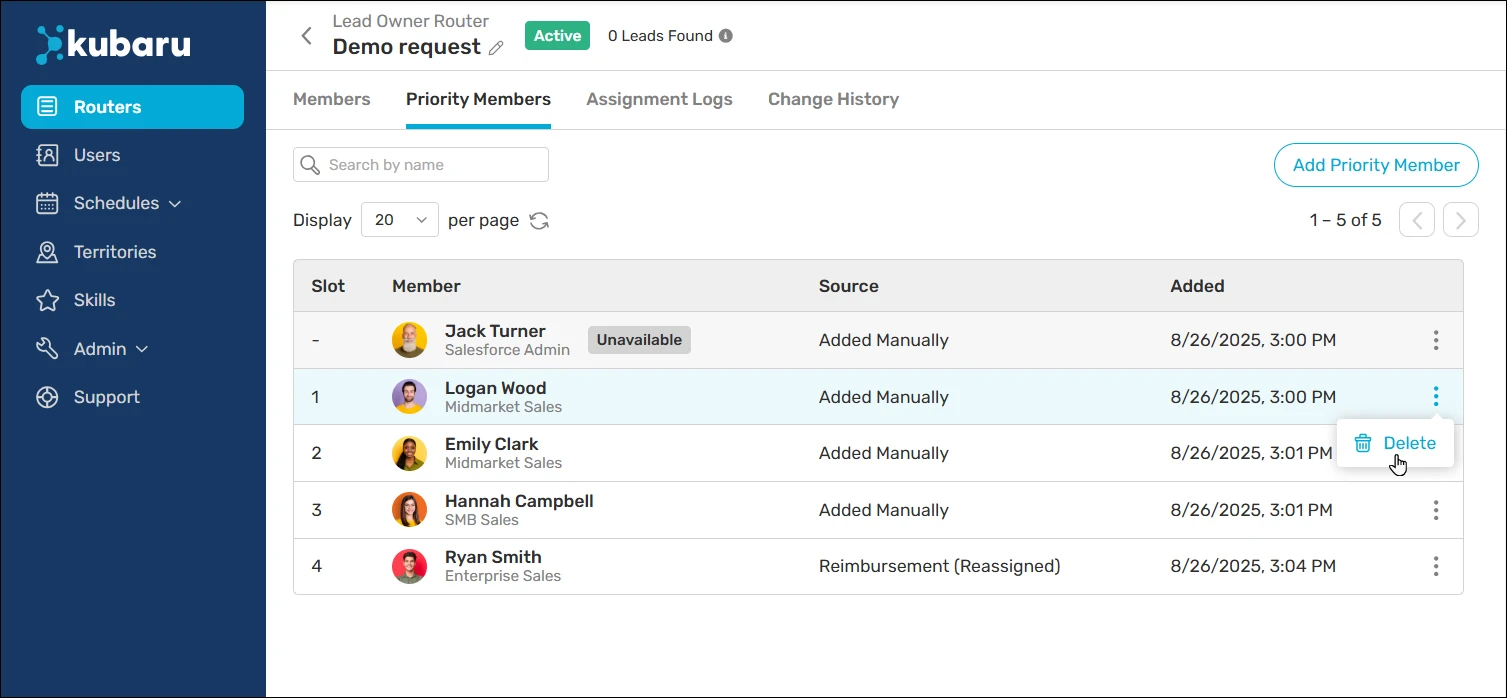
Kubaru is a native Salesforce app for automated lead distribution. It solves the 3 biggest distribution problems: uneven workload, manual assignment eating up admin time, and hitting Salesforce’s limit of 3,000 entries per assignment rule.
The app distributes leads using weighted round robin, accounting for rep capacity, territories, skills, and availability. Business users control all distribution logic without system admin privileges, so your sales ops team can adjust rotation on the fly without submitting IT tickets.
Kubaru works for any Salesforce object—leads, cases, accounts, opportunities, or custom objects — and includes automated redistribution to reassign cold leads before they go stale.
Key Features
- Instant Automated Assignment: Assign leads, cases, and any Salesforce object to the right user instantly based on custom criteria
- Multi-Factor Assignment Logic: Route records based on skills, territories, workload, availability, and custom combinations
- Round Robin Distribution: Including weighted round robin for uneven team capacity distribution
- Business User Administration: Non-technical users can manage assignment logic without Salesforce admin privileges
- Automated Reassignment: Automatically reassign cold or unworked records before they go stale
- Territory Management: Advanced territory-based routing capabilities
Pricing
$20/user/month. Includes free lifetime support and complete onboarding.
G2 Rating
4.9/5 stars; reviewers highlight how easy it is to set up, the time it saves on routing, and strong customer support.
Pros
- 100% native Salesforce architecture with zero security vulnerabilities.
- Weighted round robin prevents unfair distribution across uneven teams.
- Business users control distribution independently.
- Free lifetime support with 150+ five-star AppExchange reviews.
- Pricing is typically half of enterprise alternatives.
Cons
- Focuses exclusively on distribution (not a full RevOps platform).
- Smaller feature breadth compared to comprehensive tools like LeanData
Best For
Teams that need fair, automated lead distribution and don’t want to depend on a Salesforce admin.
2. LeanData
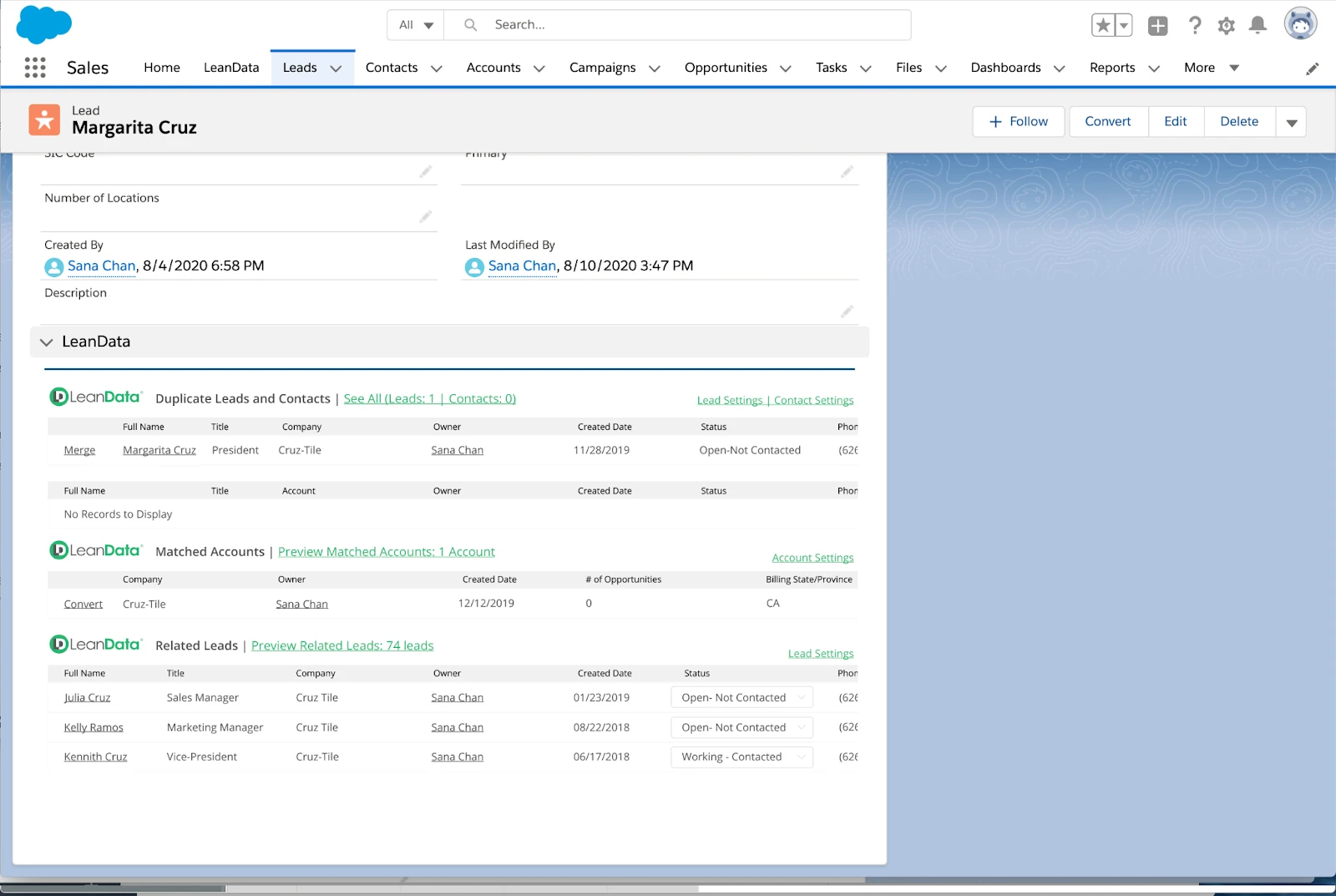
LeanData offers advanced lead distribution features, with complex routing logic for organizations with intricate business structures. It distributes leads by account ownership, opportunity stage, and relationships with existing customers.
The solution suits organizations that sell multiple products, operate across multiple regions, and have layered account hierarchies. Even with overlapping territories (and more than one team selling to the account), it can route leads to the appropriate account owner, and the round robin pools also allow nesting for complex team structures.
Key Features
- Scalable Workflow Automation: Consolidates signals, centralizes workflow automation.
- Integrated Data Mapping and Governance: Connects data across the various platforms you use.
- AI-Driven Signal Recognition: Surfaces meaningful insights from buyer activity quickly.
- Cross-Team Workflow Coordination: Automates workflows, capability meetings, and collaboration across teams.
Pricing
Contact LeanData for enterprise pricing. Not publicly disclosed.
G2 Rating
4.6/5 stars. Users praise the visual routing builder, though some note there’s a steep learning curve during setup.
Pros
- Advanced lead-to-account matching capabilities
- Effective for enterprise-level account-based strategy
- Deep reporting and attribution capabilities
Cons
- Cost is much higher than tools specifically for assignments
- More time is required for implementation and technical assistance
- There are so many features that smaller teams may feel overwhelmed
Best For
Enterprise teams running complex account-based distribution with layered territories and multiple products.
3. NC Squared Distribution Engine
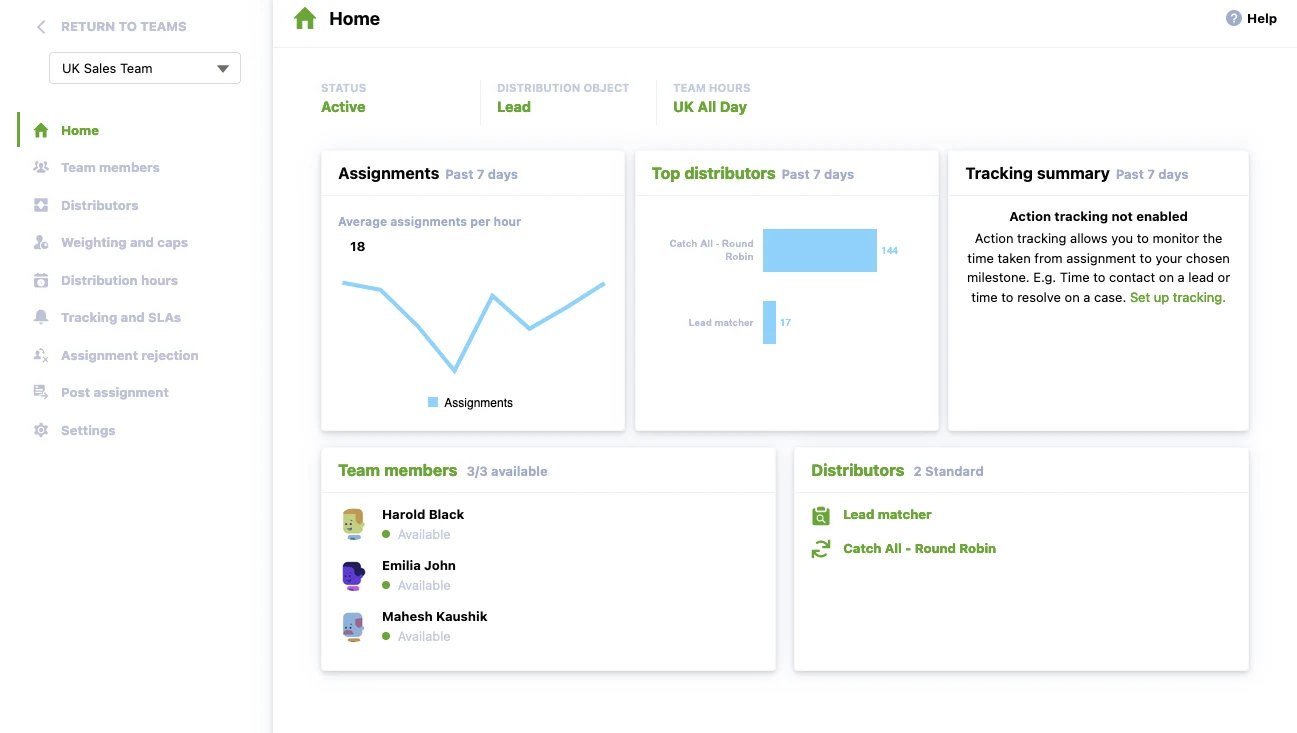
The Distribution Engine is a Salesforce application focused on flexible lead distribution with various rotation strategies. It offers customizable round robin, semi-territory-based distribution and is load-balanced for mid-market and enterprise teams.
Key Features
- Auto-distributed tasks: Routes Leads, Cases, Contacts, Accounts, Opportunities, and any other objects to the correct team member.
- Multi-object routing: Supports all standard Salesforce objects and all custom objects.
- Round robin and workload-based distribution: Records are distributed evenly or based on rep capacity.
- Native Salesforce: All runs inside Salesforce and all data remains.
Pricing
They offer three pricing tiers: Starter at $20, Advanced at $35, and Unlimited at $55 per user per month.
G2 Rating
4.9/5 stars. Reviewers say it’s easy to use and integrates well with Salesforce.
Pros
- Fair and consistent lead distribution across the team.
- Easy to set up and manage, with strong support when building more advanced routing logic.
- Reliable operation for high-volume environments, reducing manual oversight.
Cons
- Limited flexibility when assigning leads based on specific criteria.
- Settings and controls are spread across different screens, making troubleshooting more complicated.
- Harder to prioritize or customize lead types for reps.
Best For
Mid-market and enterprise teams that want flexible rotation logic with a native Salesforce app they can manage themselves.
Considering other options? See our full review of the top Distribution Engine alternatives.
4. Ortoo Q-Assign
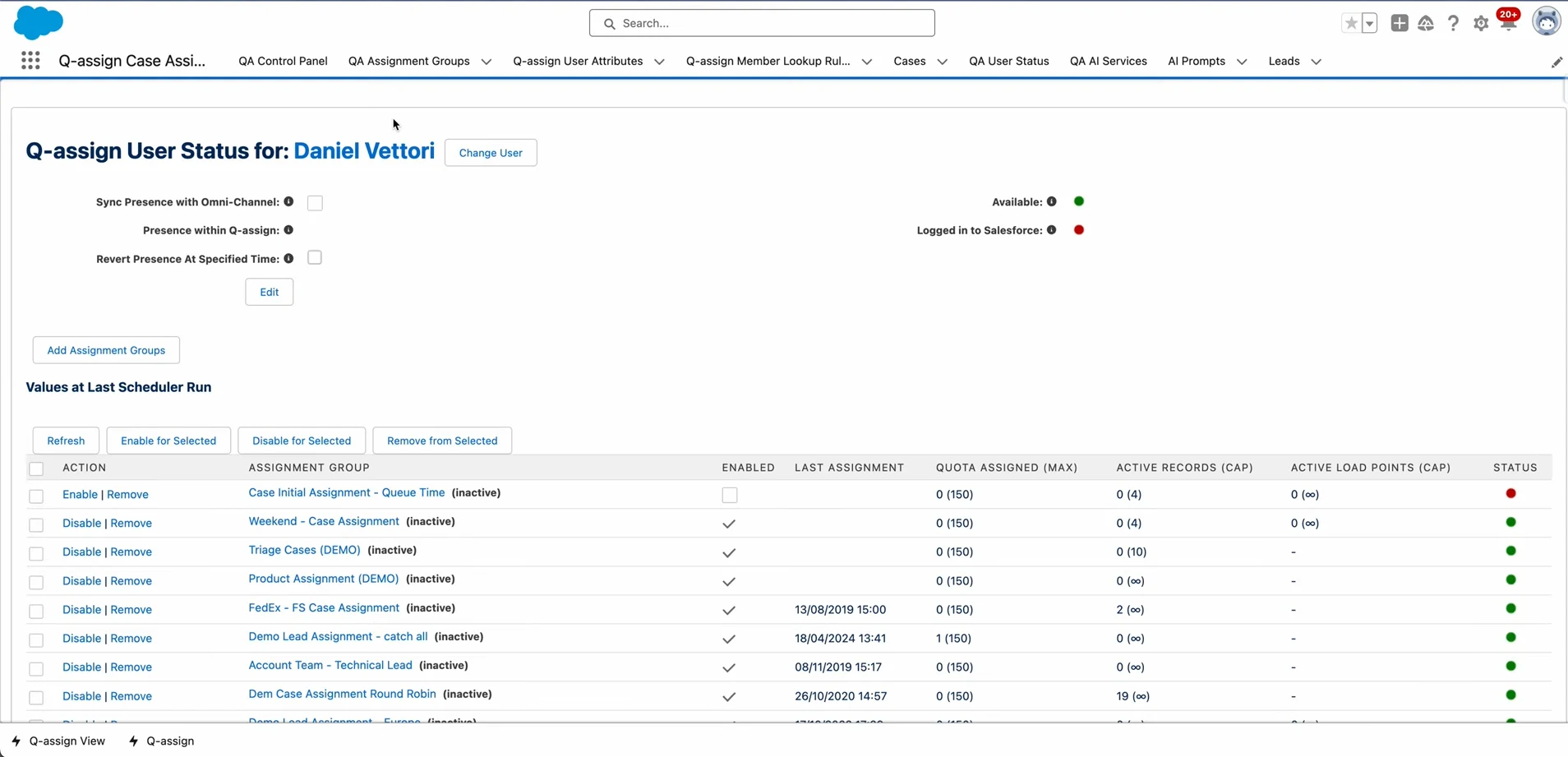
The Ortoo Q-Assign product supports queue-based assignment and includes built-in workload balancing capabilities. It was created for teams that need to manage large volumes of leads/cases and distribute them evenly among available reps based on workload.
Key Features
- Q-Assign: Salesforce-native app designed to automate lead, case, opportunity, and work order assignments through intelligent systems.
- Q-Assign for Sales: Enhances sales performance and revenue growth via data-driven lead and opportunity assignment strategies.
- Q-Assign for Service: Focuses on improving customer service delivery and satisfaction.
- Territory Assignment: Facilitates the management of sales and service territories.
Pricing
Contact Ortoo for pricing information.
G2 Rating
Not rated on G2; 4.97/5 stars (from 139 AppExchange reviews)
Pros
- Robust visual journey builder that is user-friendly even for complex automations.
- Excellent customer support.
- CDP, analytics, e-mail/SMS, and lead scoring all in one platform.
Cons
- Steep learning curve when trying to go beyond basic campaigns.
- Some important integrations are one-way sync.
- Most useful features (deep segmentation, predictive analytics) are behind higher tiers.
Best For
High-volume support and sales teams that manage multiple Salesforce queues and need automated triage.
Considering other options? See our full review of the top Q-assign alternatives.
5. Plauti Assign
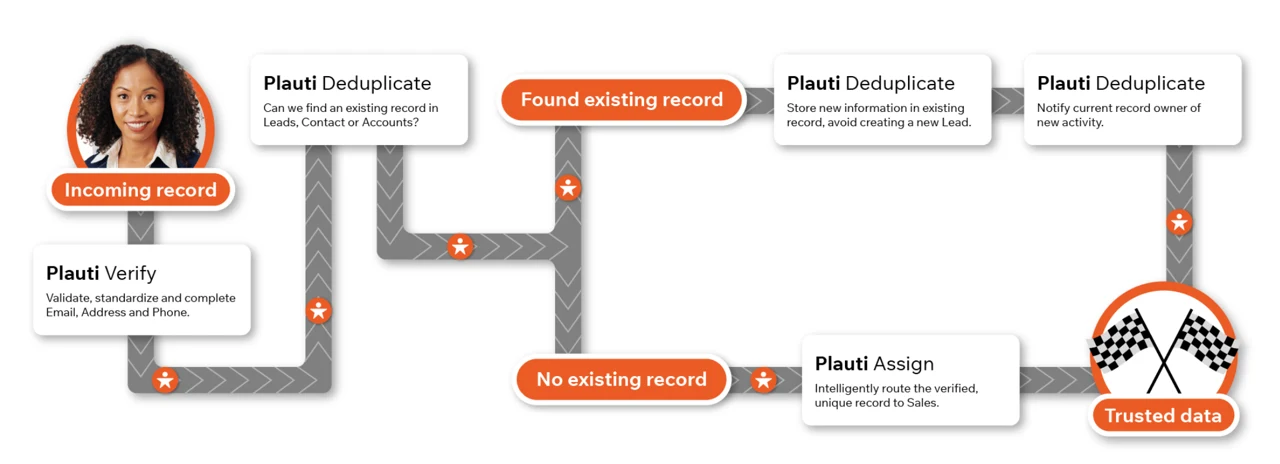
Plauti Assign is a distribution tool built into Salesforce that can route cases by distance, skills, territories, or any custom routing logic, with a high degree of flexibility. The platform now includes distance-based routing, enhanced overflow logic, and advanced analytics, all added in recent releases.
Plauti Assign integrates with Plauti’s data quality tools (Deduplicate, Verify, Manipulate), giving teams a major advantage for clean data and fair distribution.
Key Features
- Plauti Verify: Format and check the email, phone, and address fields.
- Plauti Deduplicate: Identify, avoid, and combine duplicate records.
- Plauti Manipulate: Handle data manipulation during single action executions.
- Plauti AgentForce: Plauti Restore enables real-time data management tasks within Agentforce.
Pricing
Plauti does not have prices listed publicly. Contact for a quote.
G2 Rating
4.4/5 stars. Reviewers praise the native Salesforce integration and accurate fuzzy matching that simplifies cleanup, though some mention a pricing jump at higher record tiers.
Pros
- Works closely with Plauti’s data quality tools for a more connected workflow
- Distance-based routing serves field sales and regional teams effectively
- Customization options that adapt well to different workflows
Cons
- Not easy to navigate or learn because of the setup complexity.
- Users want more advanced matching capabilities than the tool currently offers.
- Pricing and a few feature limits can hold some teams back.
Best For
European companies or teams that need data quality, compliance, and fair routing and don’t want to piece together separate tools.
6. Traction Complete
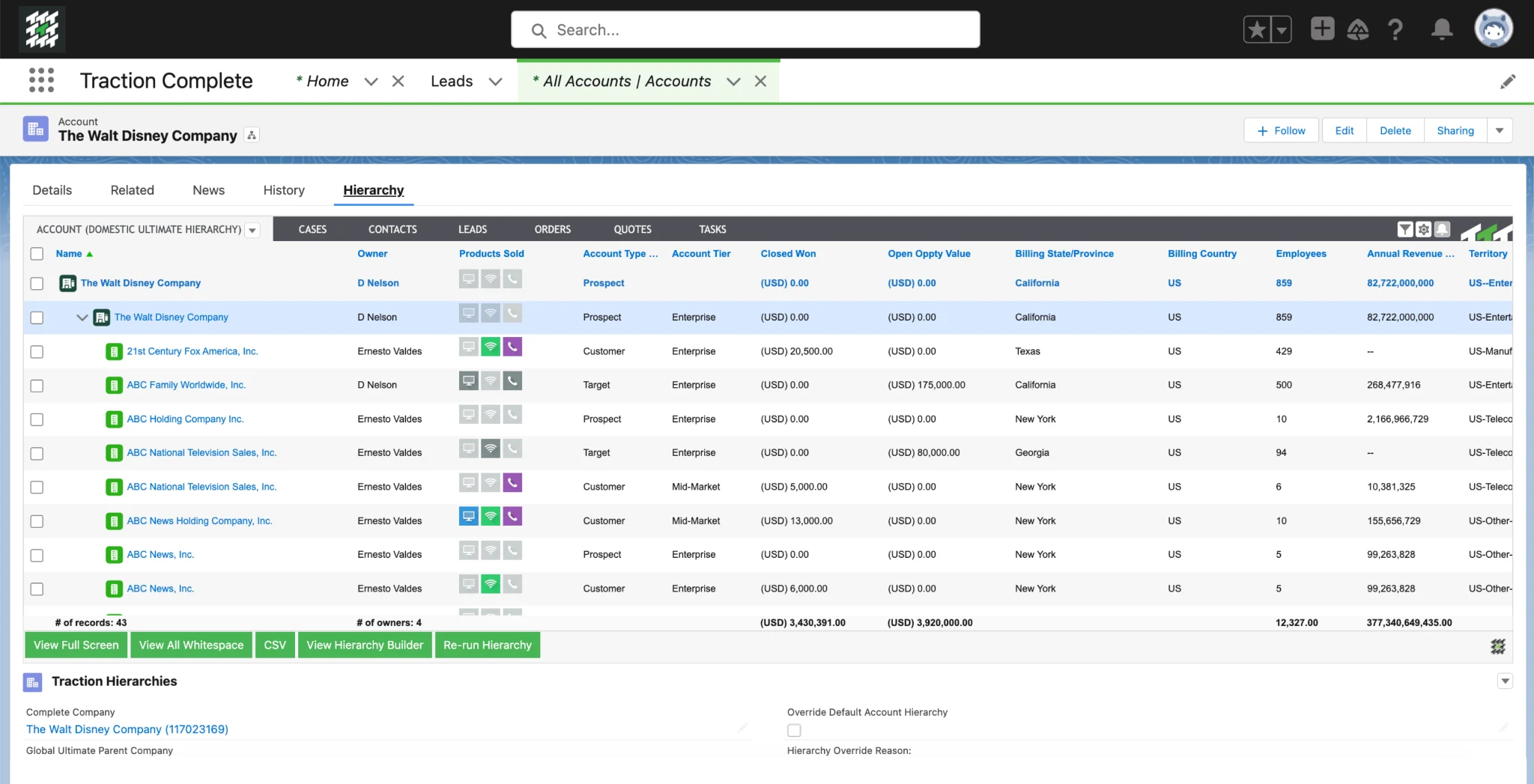
Traction Complete is a data management platform for RevOps with lead distribution as a foundational feature. The platform offers an intuitive drag-and-drop visual interface for easily building complex routing flows, thus allowing non-technical users to create sophisticated routing flows to score leads.
The system supports routing any object, automates lead conversion, and integrates with D&B Optimizer for data enrichment. Traction Complete updates deploy through data (not metadata), allowing changes much faster than Salesforce flows.
Key Features
- Lead Routing: Traction Complete helps teams route leads to the right rep based on multiple criteria.
- Lead-to-Account Matching: Automatically connects new leads to the correct accounts.
- Deduplication: Offers any-object dedupe with mass-merge capabilities.
- Account Hierarchy Automation: Builds and maintains parent-child account structures inside Salesforce.
Pricing
Pricing is custom and depends on volume and product configuration.
G2 Rating
4.7/5 stars. Users like the visual flow builder, but some say there’s a learning curve once routing logic scales.
Pros
- Powerful data enhancement and cleansing functionality
- Great for account-based territory strategies
- Access to detailed analytics and visibility in routing
Cons
- No transparent pricing model
- Can be overwhelming for your smaller teams
- Some users feel the advanced setup was challenging to configure
Best For
Revenue ops teams that need a visual, drag-and-drop flow builder to design complex routing logic.
7. Chili Piper
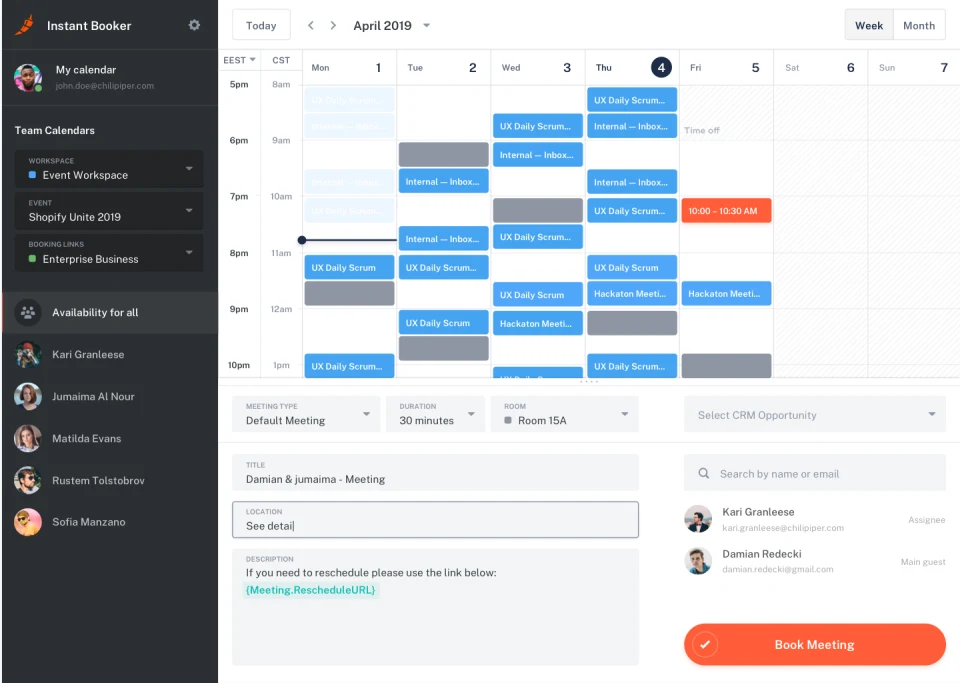
Chili Piper emphasizes the distribution of inbound leads instantly, all while scheduling meetings automatically. It distributes website leads directly to available sales reps and books a meeting for that lead instantly.
The software can distribute any Salesforce record, with immediate automatic PTO detection that removes reps from the queue until they return to the office. Distro can also operate independently, so its routing logic doesn’t compete for time with other Salesforce tasks.
Key Features
- Smart Lead and Meeting Routing: Automatically routes leads and meetings to the right rep based on territory.
- Calendar Integrations: Integrates with Google Workspace and Microsoft 365.
- Automated Reminders and Rescheduling: Reduces no-shows and keeps reps prepared to meet with automated communications.
- Salesforce Integration: Connects meeting data and eliminates time-consuming manual updates for your team.
Pricing
Routing & Scheduling starts at $1,250/month for up to 15 seats. Additional seats cost $45/seat/month.
G2 Rating
4.6/5 stars; users highlight the booking reliability and fast onboarding.
Pros
- Boosts conversion rates with immediate scheduling.
- Integration with Salesforce and other mainstream calendars.
- Web forms that qualify, route, and schedule automatically.
Cons
- Time required to set up routing and calendars.
- Sometimes sync failures.
- Costs rise as you add on more modules.
Best For
B2B teams that want to convert inbound leads into booked meetings instantly, right from a web form.
8. LeadAngel
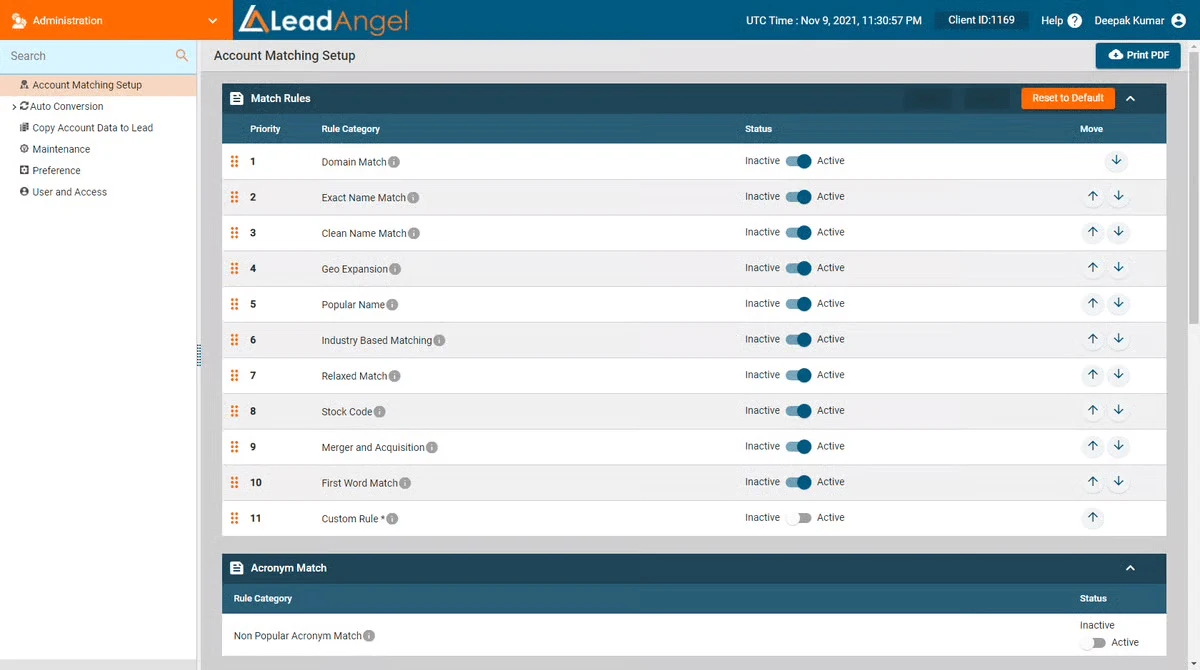
LeadAngel is designed for companies seeking intelligent lead-to-account matching, rapid routing, and cleaner data within Salesforce. It combines routing, scheduling, handoffs, and deduplication to ensure reps receive the right leads without delay or duplicate noise. It is ideal for teams who seek sophisticated automation without adding complexity to sales operations.
Key Features
- Lead-to-Account Matching: Instantly connects new leads to the correct accounts.
- Lead Routing: Routes leads using rules your RevOps team manages.
- Calendar Scheduling and On-the-Spot Handoff: Allows reps to hand off meetings internally.
- Data Dedupe and Integration: Cleans duplicate records and integrates into the main systems, keeping your CRM clean and operating as efficiently as possible.
Pricing
Pricing is quote-based.
G2 Rating
4.5/5 stars. Reviewers say the specific matching is easy to use once configured.
Pros
- Can route and match very specifically.
- Easy to use once it is configured.
- Assists with maintaining data accuracy and enhancing the quality of leads.
Cons
- Some users have noticed performance issues.
- Sometimes it has bugs that require vendor support.
- Add-ons can drive significantly up overall cost.
Best For
Teams that need tight lead-to-account matching, clean data, and fast routing and don’t want to add operational complexity.
9. PowerRouter
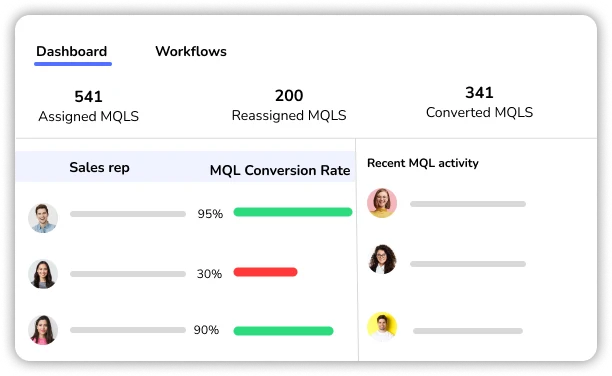
PowerRouter enables visual, no-code lead distribution and account matching directly in Salesforce, with speed-to-lead via automated assignment rules. PowerRouter is built for high-volume inbound leads, mapping leads to territories or reps instantly. It also matches leads to a territory or account using built-in fuzzy matching.
Key Features
- Routing Pro: Advanced rule-based routing engine that automatically decides which lead or opportunity goes with which sales rep.
- Data Management: Removes duplicate contacts and improves Salesforce data.
- ABX Orchestration: Account-Based Experience workflows that let you create super-personalized timelines.
- Power Pipeline: Speeds up pipeline by monitoring and adjusting how deals are progressing in real time.
Pricing
Starter ($15/user/month), Growth ($25/user/month), Enterprise ($35/user/month), billed annually. Monthly billing is $25, $45, and $55/user/month, respectively.
G2 Rating
4.8/5 stars. Users praise the onboarding experience and responsiveness to changing needs, though some mention a UI lag when editing complex rules.
Pros
- Intuitive user interface (UI) enhances daily routing management, simplifying complex territory setups.
- Provides flexibility and mitigates issues during the process.
- Adapts to changing team rules, allowing agility in high-stakes sales environments.
Cons
- UI performance may lag when opening and editing rules, causing frustration during busy periods.
- Lacks a simple debug tool for troubleshooting misrouted leads, complicating issue resolution.
- Admin alert notifications need more customization to flag routing anomalies in real time.
Best For
High-volume inbound teams that want visual, no-code routing with built-in fuzzy matching for territory and account assignment.
10. DemandTools (Validity)
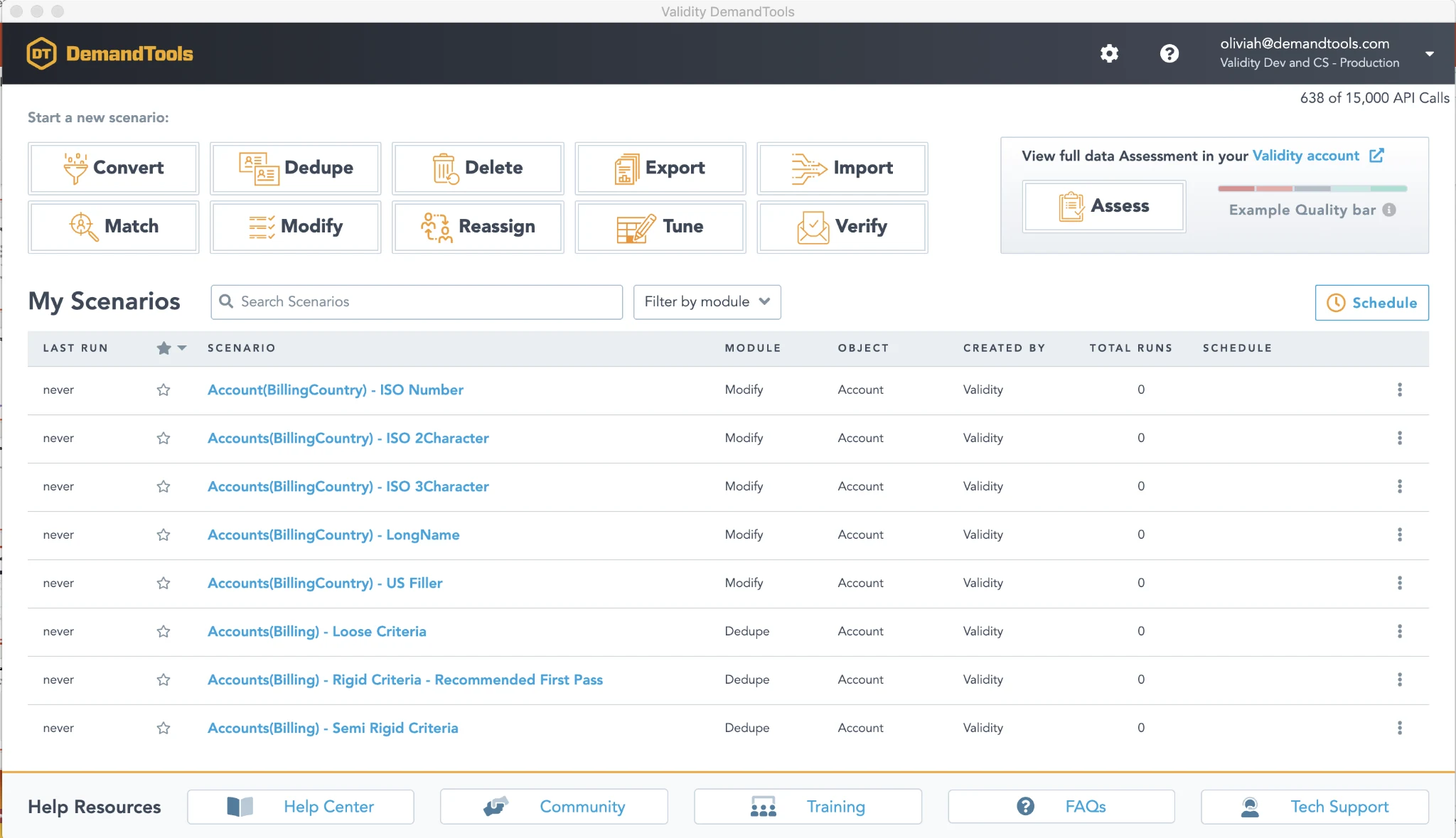
DemandTools focuses primarily on data quality and management, but it also offers capabilities your team can leverage to support lead distribution workflows. This means you can update records en masse, reassign ownership, and trigger the Salesforce assignment rules, all while importing records using DemandTools layout.
DemandTools doesn’t offer the same level of distribution sophistication; it focuses on data cleanliness to support distribution, not end-to-end routing-logic automation.
Key Features
- Salesforce Data Quality Monitoring Tools: Discover data strengths and weaknesses, and where to fix them.
- Salesforce Duplicate Management: Fix duplicate data records and keep your CRM clean.
- Salesforce Data Loading: Transfers data in and out of Salesforce.
- Mass Update and Standardize Salesforce Records: Make bulk changes to Salesforce records without exporting.
Pricing
Contact Sales for custom pricing.
G2 Rating
Not rated on G2; 4.69/5 stars (from 442 AppExchange reviews). Users say the interface is intuitive, although some report frustration with tag management across scenarios.
Pros
- Excellent data quality foundation for routing
- Competitive pricing for data management
- Strong deduplication and standardization
Cons
- Not a dedicated distribution solution
- Requires Salesforce native assignment rules for actual distribution
- Limited round robin or workload balancing capabilities
Best For
Teams focused on data quality first, where clean records are what make accurate distribution possible.
FAQs
What is the difference between lead routing and lead distribution in Salesforce?
Lead routing is the mechanism that moves a single lead from point A to point B. It’s the “if this, then assign to that” logic. Lead distribution is the broader question of how your team shares work fairly. Think of routing as the plumbing and distribution as the policy. A round robin rule is a distribution strategy, and the automation that fires it is the routing. Tools like LeanData and Traction Complete lean more on routing, while Kubaru and NC Squared are built around distribution first.
Can Salesforce handle lead distribution natively without a third-party app?
Salesforce has built-in assignment rules, but they come with significant limitations. You can have only one active assignment rule per rule type, and they apply only to leads and cases; accounts, opportunities, and custom objects are excluded. Creating or changing them requires the Customize Application permission, and each assignment rule has a 3,000-entry cap.
For advanced round robin, workload balancing, or territory-based distribution, you’ll need a third-party app.
What is round robin lead assignment and why does it matter?
Round robin assigns each new lead to the next rep in a rotation, so everyone gets an even share over time. Without it, leads can be unevenly distributed and pile up on whoever is fastest or comes first alphabetically. Weighted round robin goes further to factor in each rep’s capacity; a part-time rep automatically gets fewer leads than a full-time one.
How do I choose between an assignment-focused tool and a full RevOps platform?
Start with what’s broken. Reps fighting over leads or handling disproportionate workloads is a distribution problem, and tools like Kubaru and NC Squared solve it without the setup overhead of a broader platform.
If the issue runs deeper–leads land on the wrong accounts, territories overlap, and multiple teams need coordinated handoffs–broader platforms like LeanData or Traction Complete can make more sense. They may be unnecessary if you only need distribution, but more complex routing and matching requirements can justify the additional capabilities.
Do these tools work with objects other than leads in Salesforce?
Some do, and some do not, so it’s worth checking before you commit. Standard Salesforce assignment rules support leads and cases, while several tools on this list support additional Salesforce objects. Kubaru supports leads, cases, accounts, opportunities, tasks, and custom objects; NC Squared, Traction Complete, and Chili Piper Distro also support routing beyond leads. That flexibility matters if you want one distribution system across your Salesforce org.
Achieve Fair, Automated Lead Distribution With Kubaru
Effective lead distribution eliminates manual routing, ensures fair allocation across your team, and gives sales ops direct control over distribution logic without IT dependency.
Kubaru solves the most common Salesforce distribution challenges: uneven workload across teams, hitting the 3,000 rule limit, and waiting on system admins for routine rotation changes. With weighted round robin, unlimited distribution rules, and business user administration, your team can implement fair distribution strategies in minutes instead of weeks.
All Kubaru customers receive free lifetime support, free onboarding with complete configuration, and strategic consultation on distribution optimization. Our native Salesforce architecture introduces zero new security vulnerabilities.
Ready to implement fair, automated lead distribution? Request a demo today