















Quick Summary
If you’re looking for a Distribution Engine alternative, these are the five we’d start with. Here are our top three picks:
| Tool | Best for | Starting price | Key strength |
|---|---|---|---|
| Kubaru | Teams needing simple, efficient, and flexible record routing | $20/user/month; all features included | Quick setup, flexible routing across objects, and availability-aware assignment |
| Q-assign by Ortoo | Teams managing multiple territories or roles with flexible assignment needs | Custom pricing based on work-item volume | Attribute- and workload-aware routing with code-free rule setup |
| Traction Complete | Teams needing routing plus data hygiene, matching, and account hierarchy support | Custom pricing | Native Salesforce data matching, deduplication, and multi-object routing at scale |

Why Listen to Us?
At Kubaru, we’ve helped Salesforce teams eliminate routing bottlenecks, reduce delays, and build scalable assignment processes. For example, we helped Exclaimer streamline standard and custom record routing, driving major efficiency gains. Experiences like these give us a clear understanding of which routing tools actually work in practice, and this guide reflects that insight.
What is Distribution Engine (By NC Squared)?
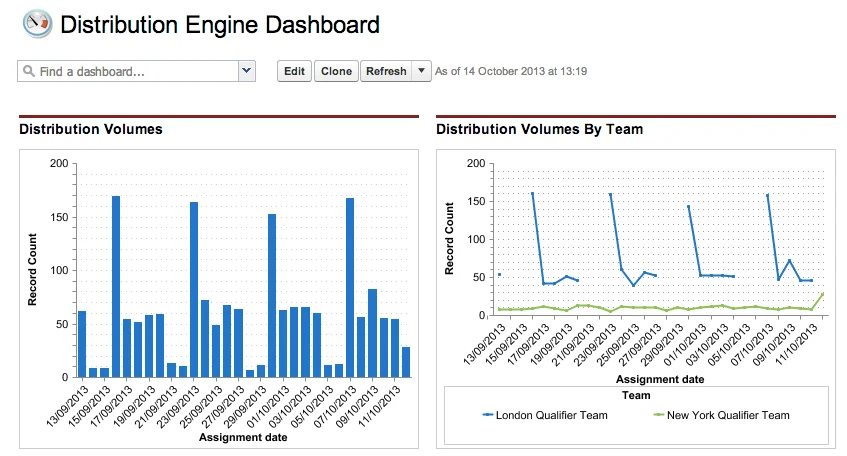
Distribution Engine by NC Squared is a Salesforce-native solution that automates lead, case, and record assignment. It simplifies complex routing rules, ensuring the right records are assigned to the right users quickly, improving response times and reducing manual effort for teams.
Key Features
- Salesforce-native record routing: Routes leads, cases, opportunities, and custom objects directly within Salesforce.
- Flexible rule-based logic: Routes records based on criteria like territory, skills, workload, or custom fields for precise record matching.
- Load balancing and round-robin distribution: Ensures an even distribution of records across reps, preventing overload.
- SLA-aware reassignment: Automatically reassigns records if they aren’t claimed or processed within defined SLAs.
- Support for multiple object types: Handles not just leads but cases, opportunities, and custom objects.
Limitations of Distribution Engine
- Limited queue flexibility: Assigns from one queue at a time, which can complicate multi-queue workflows.
- Scheduling failures: Delays or failures may occur if internal jobs hit Salesforce limits.
- Complex setup for advanced rules: Advanced routing logic is hard to manage.
- Data quality dependence: Inaccurate or outdated data can lead to misrouting.
- Overkill for simple needs: It’s too complex for teams with basic routing requirements.
5 Top Distribution Engine Alternatives For Businesses
| Tool | Routing flexibility | Ease of setup/use | Advanced assignment logic | Integration with Salesforce |
|---|---|---|---|---|
| Kubaru | Multi-object routing based on territory, skills, workload, and availability | No-code setup; business users can manage routing without Salesforce admin access | Round robin, load balancing, scheduling, and automated reassignment | Salesforce-native |
| LeanData | Multi-object routing with lead-to-account matching and complex routing flows | Visual FlowBuilder; advanced configurations can require more setup | Matching, branching logic, deduplication, and SLA-based routing | Salesforce-native |
| Q-assign | Multi-object routing based on attributes, workload, skills, and territory | Code-free, point-and-click configuration | Attribute matching, workload balancing, weighted assignment, and availability-based routing | Salesforce-native |
| Chili Piper | Multi-object routing through Distro, plus lead-to-meeting routing and scheduling | No-code routing and scheduling configuration | Rules-based routing, round robin, load balancing, and instant meeting scheduling | Salesforce integration for routing and scheduling |
| Traction Complete | Multi-object routing with lead-to-account matching and account hierarchy support | Visual, drag-and-drop routing configuration | Lead-to-account matching, deduplication, hierarchy-based routing, and capacity balancing | Salesforce-native |
1. Kubaru
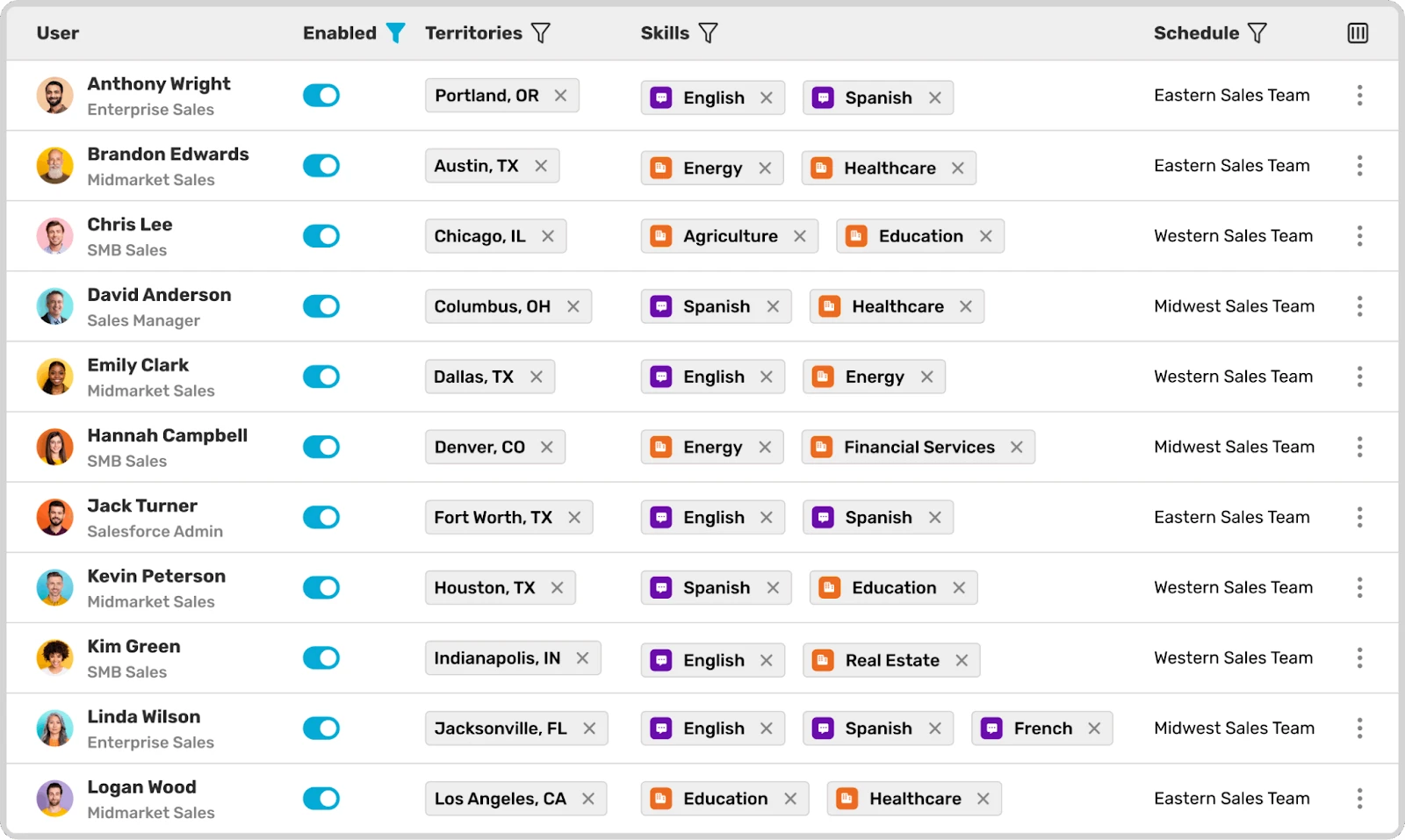
The first on the list is our tool, Kubaru.
Kubaru is a Salesforce-native routing tool that automatically assigns leads, cases, and custom objects. It uses rules based on territory, workload, skill, or user availability to deliver each record to the right person fast.
Our platform also offers load-balancing, round-robin distribution, scheduling, reassignment after defined time limits, and real-time notifications, all without coding or complex setup. That’s what makes Kubaru a strong choice for teams that want easy setup and robust routing inside Salesforce.
Key Features
- Any object assignment: Automatically routes leads, cases, opportunities, or any custom object inside Salesforce based on custom rules.
- Rule-based assignment: Assigns records using criteria like territory, skills, workload, and availability, ensuring the right rep handles each record.
- Round-robin & weighted distribution: Distributes records evenly or based on user weight to balance workloads and drive fair assignments.
- Load balancing: Routes records to users with lighter workloads to optimize team performance and prevent overload.
- Territory and skill-based routing: Assigns records to the most qualified rep based on geographical location or expertise.
- Scheduling-aware routing: Assigns records only to reps who are available, considering shifts, holidays, and other factors.
Pricing
Here are our pricing plans:
- $20 per user per month. You’ll get full access to all routing features like round robin, skills-based assignment, workload balancing, scheduling, and reassignment rules. No add-ons or feature tiers.
- For large teams, volume-based pricing is available with support for higher user counts and multi-department routing needs.
We offer a 30-day free trial with full feature access—no credit card required.
Pros
- Simple setup with no coding required
- Customizable routing based on skills, territory, or availability
- Automatic record reassignment based on SLA or time limits
- Runs natively inside Salesforce, so your data never leaves your own environment
- Real-time notifications via email, mobile, or Slack
- Affordable, transparent, and flat pricing with access to all features
Cons
- Volume pricing isn’t listed publicly; it’s available on request
Why Choose Kubaru Over Distribution Engine
Distribution Engine splits its features across three pricing tiers: Starter at $20 per user per month, Advanced at $35, and Unlimited at $55. You may need to upgrade for features such as team manager permissions or API access. With Kubaru, you’ll get every routing feature at a flat $20 per user per month. That includes round robin, load balancing, territory management, and scheduling-aware assignment.
There’s also a difference in who manages the rules. Distribution Engine offers team manager permissions on its Advanced and Unlimited plans. With Kubaru, sales ops managers and team leads can build and update assignment rules without Salesforce admin access.
Best For
Teams that want full routing functionality at a flat price, with business users running the logic themselves.
G2 Rating
4.9/5 stars on G2 (8 reviews), plus more than 150 five-star reviews on the Salesforce AppExchange.
2. LeanData
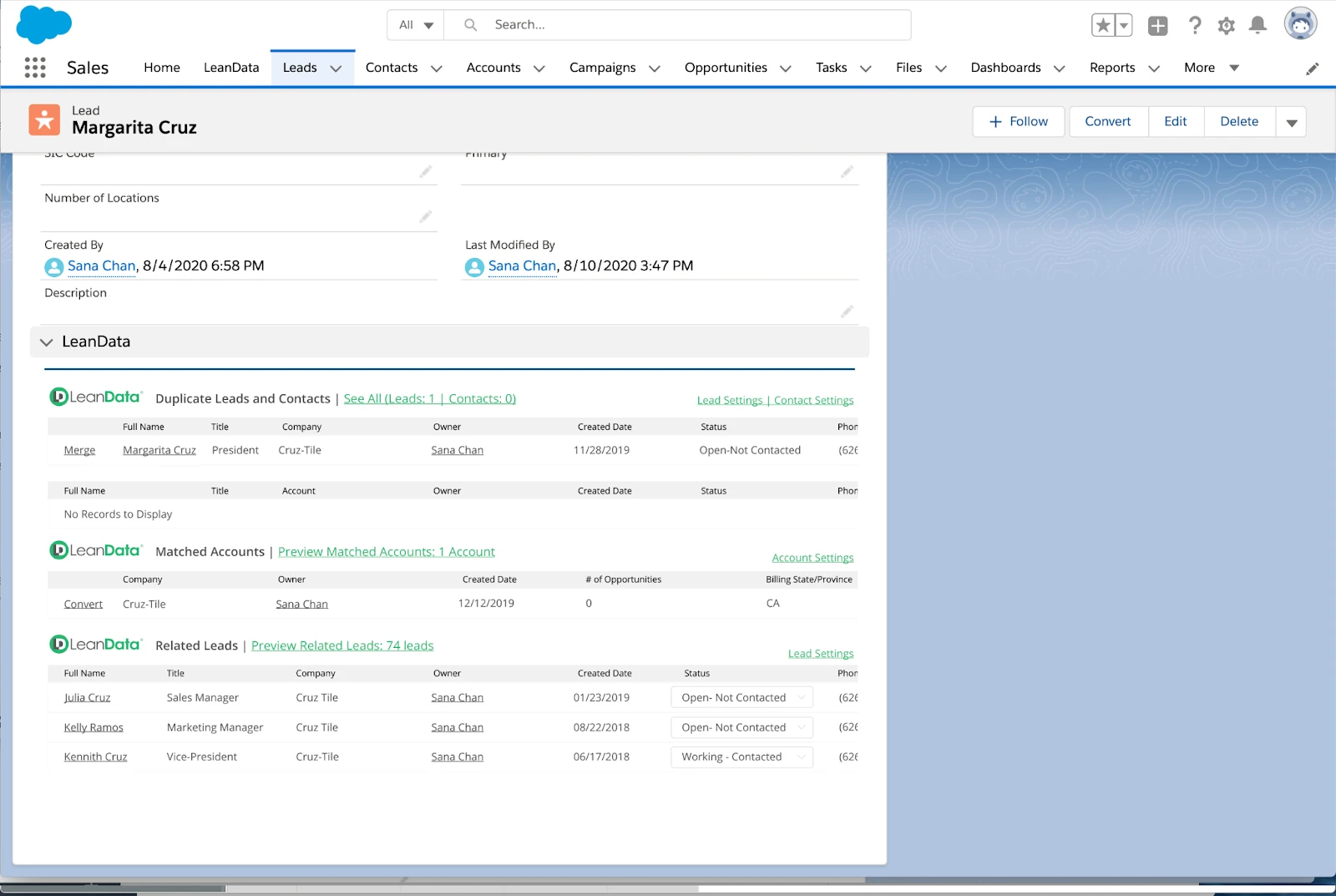
LeanData is a Salesforce-native revenue-ops platform that matches leads to accounts and routes leads, contacts, opportunities, or custom records to the right team. It uses a drag-and-drop flow builder and fuzzy matching to reduce manual routing. It’s well-suited for mid-sized to enterprise B2B teams with complex routing and account-based sales needs.
Key Features
- Lead-to-account matching: Connects leads to existing accounts using smart matching criteria.
- Multi-object routing: Assigns leads, contacts, accounts, opportunities, or custom records based on defined rules.
- FlowBuilder routing logic: Lets admins build routing flows with a drag-and-drop interface and decision nodes.
- SLA and enrichment routing: Allows routing to wait until required data is available or to assign based on SLA/time-based triggers.
Pricing
LeanData uses a per-user license pricing model. Costs vary depending on the plan you pick, the features available, the number of objects routed, and more.
Pros
- Automated account matching and routing reduce manual lead management
- Efficient lead assignment based on workload, availability, and territory
- Visual FlowBuilder allows quick setup of complex routing rules
Cons
- It’s tough to manage for smaller teams with simpler routing needs
- Performance can drop with large datasets or highly customized environments
Why Choose LeanData Over Distribution Engine
If your team runs account-based sales, you may need lead-to-account matching alongside routing. Distribution Engine offers lead matching on its Advanced and Unlimited plans, while LeanData makes lead-to-account matching a more central part of its routing platform.
LeanData’s FlowBuilder also gives you a visual map of your routing. You’ll see decision nodes and branching logic in one connected view. Distribution Engine doesn’t provide that kind of visual flowchart.
Best For
Mid-to-enterprise B2B teams that run account-based sales and need lead-to-account matching plus visual routing management.
G2 Rating
4.6/5 stars on G2 (1,052 reviews)
3. Q-assign by Ortoo
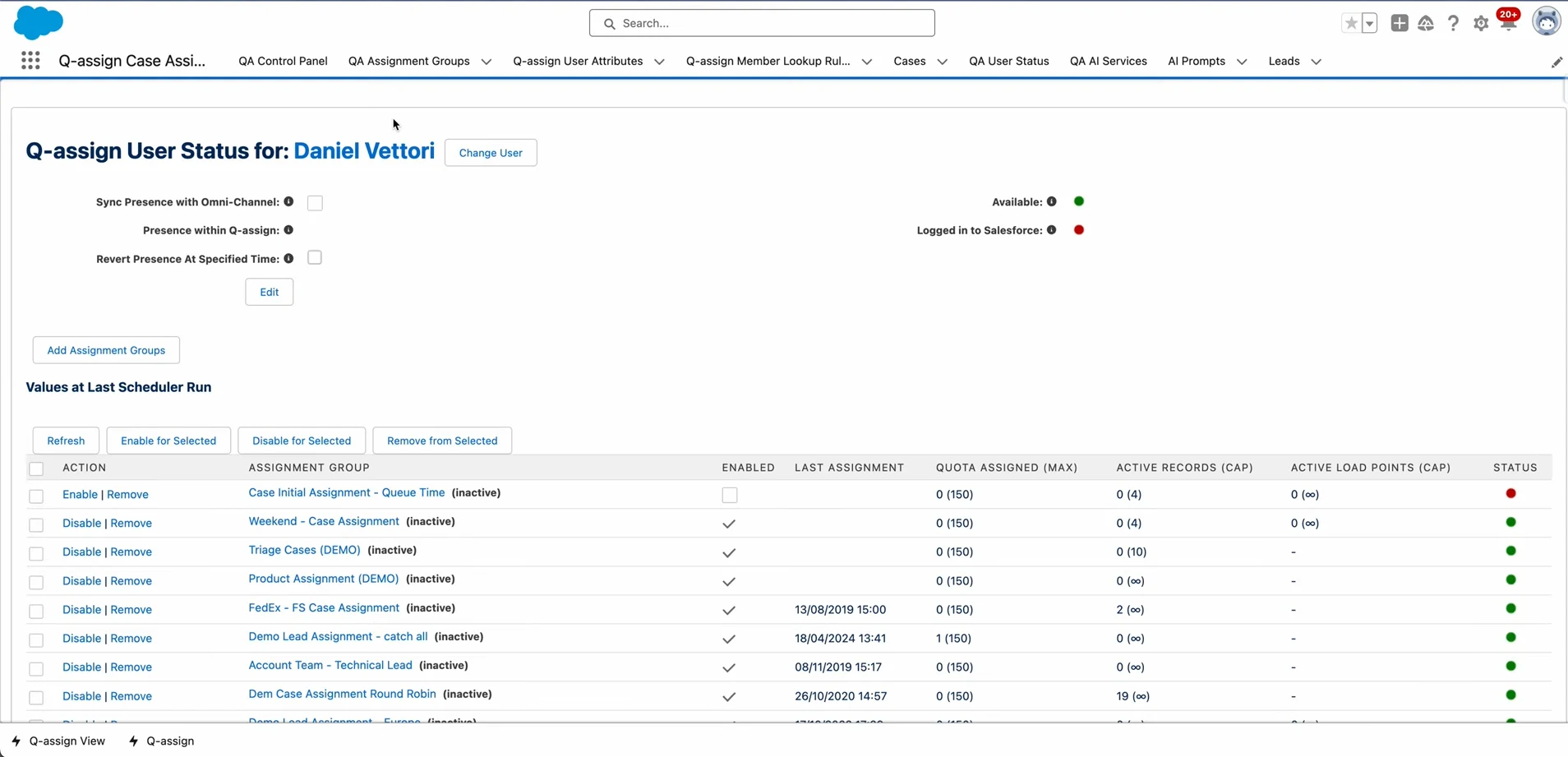
Q-assign by Ortoo is a Salesforce-native routing engine that automates lead, case, opportunity, and custom-object assignment. Users can create rules based on workload, skills, and territory with no coding required. It’s ideal for mid-to-large teams needing efficient, fair distribution across departments.
Key Features
- Multi-object routing: Handles leads, cases, opportunities, work orders, tasks, and any Salesforce object you choose.
- Workload-aware & weighted distribution: Considers user load when assigning to balance work fairly.
- Availability-based routing: Only assigns to users who are online or marked available, supporting shifts or time zones.
- Territory and attribute-based routing: Assigns records based on Salesforce territory, language, skill, product expertise, or any custom attribute.
Pricing
Q-assign uses volume-based pricing tied to the records or work items processed. Contact Ortoo for a quote based on your workflow and monthly volume.
Pros
- Attribute-based routing ensures the right records go to the most qualified reps
- Code-free setup empowers admins to configure routing rules quickly
- Flexible enough to handle any Salesforce object, supporting diverse business needs
Cons
- There’s a minimum user requirement, so it’s less ideal for small teams or startups
- Relies heavily on clean Salesforce data for accurate routing decisions
Why Choose Q-assign Over Distribution Engine
Q-assign gives you flexible control over record assignment. You can assign by language, skills, product expertise, certifications, or any custom attribute you track in Salesforce. Distribution Engine offers similar attribute-based routing, so the main difference is the reported complexity of managing advanced routing logic.
Both platforms also support routing across a broad range of Salesforce objects, including leads, cases, opportunities, work orders, and custom objects. Q-assign is a strong choice when its routing and assignment controls better match how your teams manage work.
Best For
Teams that need flexible assignment logic across a broad range of Salesforce objects and workflows.
G2 Rating
No G2 rating available; 4.9/5 stars on the AppExchange.
For a deeper look at this category, see our full review of the top Q-assign alternatives.
4. Chili Piper
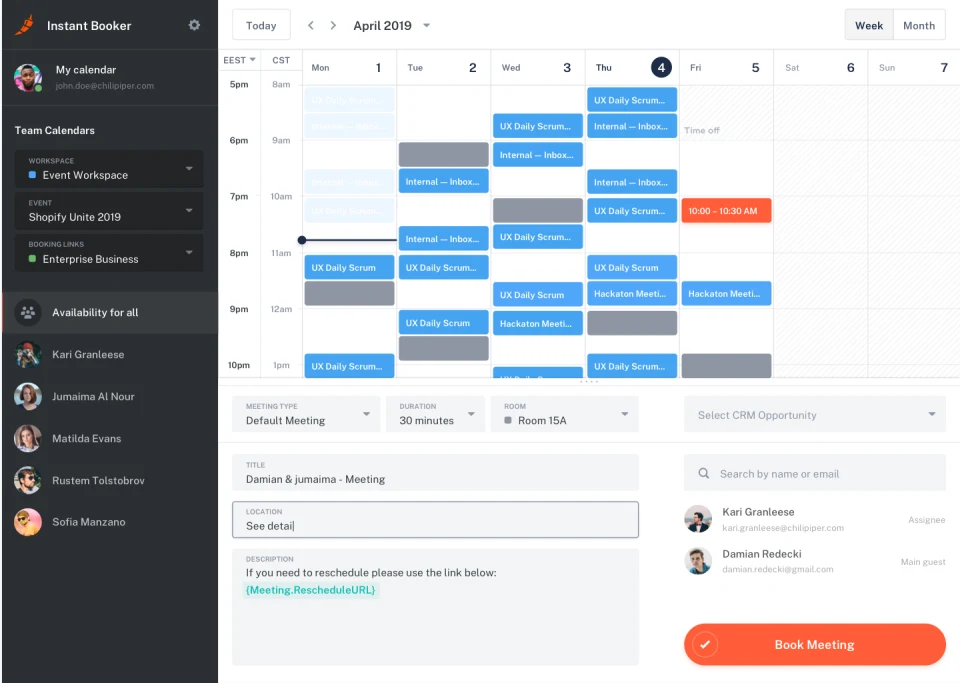
Chili Piper is a scheduling and lead-routing tool that instantly turns inbound form submissions into booked meetings. It matches leads to the right rep by territory, availability, or load, then offers a live booking link so prospects can schedule right away. It’s a good fit for sales and demand-gen teams that need a fast lead-to-meeting handoff.
Key Features
- Instant lead-to-meeting booking: Lets prospects book a call or demo immediately after form submission.
- Smart routing and scheduling: Assigns leads and meetings to reps based on territory, availability, or custom rules.
- Round-robin and load-balanced assignments: Distributes incoming leads evenly across your team to avoid overload.
- Automatic calendar & CRM sync: Creates meeting events and logs data in CRM (e.g., Salesforce) automatically.
Pricing
- Routing & Scheduling: $15,000 per year ($1,250/month), including up to 15 seats. Additional seats cost $45 per seat per month
- Experiences: $42,000 per year ($3,500/month), including up to 30 seats. Additional seats cost $50 per seat per month
- ChiliCal standalone: $12 per user per month, with a 200-seat minimum
Pros
- Instant meeting booking reduces friction and speeds up first contact
- CRM and calendar integration automates scheduling and reduces manual data entry
- Built for inbound sales workflows, ideal for high-volume lead management
Cons
- It’s not quick to set up, especially if you’re configuring complex routing
- Isn’t ideal for general internal scheduling or non-sales workflows
Why Choose Chili Piper Over Distribution Engine
If your main goal is getting prospects from form fill to booked meeting fast, Chili Piper’s routing-to-scheduling connection is built for exactly that. Form Concierge can qualify a prospect, route them to the right rep, and let them book a meeting immediately after submitting a form. That can bring your speed-to-lead down to seconds.
Distribution Engine doesn’t include meeting scheduling; NC Squared offers that separately through Booking Engine. Chili Piper’s Distro also supports broader Salesforce routing across cases, opportunities, and custom objects.
Best For
Demand-gen and inbound sales teams whose top priority is converting form submissions into booked meetings.
G2 Rating
4.6/5 stars on G2 (736 reviews)
5. Traction Complete
Traction Complete is a Salesforce-native data and routing suite that matches leads to accounts, routes incoming records, and automatically cleans duplicate entries. It supports leads, contacts, and custom objects. It’s built for mid-to-large organizations with complex data and routing needs, especially when account-based models and data hygiene matter.
Key Features
- Lead-to-account matching: Matches new leads to existing accounts (or custom objects) to avoid duplicates.
- Multi-object routing: Routes leads, contacts, accounts, opportunities, or custom objects based on assigned flows.
- Drag-and-drop flow builder: Lets admins build and adjust routing/matching flows with a visual interface, all without coding.
- SLA-aware and volume-sized processing: Handles high volumes and respects SLA or enrichment triggers, avoiding processing bottlenecks.
Pricing
Traction Complete uses custom pricing based on your organization’s products, requirements, and configuration. Contact the company for a quote.
Pros
- Drag-and-drop routing flows allow easy changes without code
- Native Salesforce matching and deduplication keep CRM data clean
- Supports routing for leads, contacts, accounts, and custom objects
Cons
- You’ll need manual data cleaning for highly complex Salesforce structures
- It can struggle with large data volumes or Salesforce performance limits
Why Choose Traction Complete Over Distribution Engine
Traction Complete bundles lead-to-account matching, account hierarchy management, and deduplication with its routing engine. That means you can match, clean, and route records in one workflow. Meanwhile, Distribution Engine only offers lead matching and deduplication on its Advanced and Unlimited plans.
Traction Complete’s flow builder also lets you build routing and matching logic visually. Its account hierarchy support lets you route based on parent-child relationships, which is especially useful for enterprise teams with layered account structures. Distribution Engine handles territory and rule-based assignment, but it doesn’t include comparable account hierarchy management.
Best For
Mid-to-enterprise teams that need lead-to-account matching, deduplication, and routing in one platform, especially when complex account hierarchies drive the assignment logic.
G2 Rating
4.7/5 stars on G2 (176 reviews).
Selection Criteria
How We Evaluated
Distribution Engine does a lot well, so the replacement you pick should solve the specific gap that’s pushing you away from it. We scored each tool above on five dimensions, including:
- Object coverage
- How much control business users have over routing rules
- Pricing clarity
- Data-quality features like matching and deduplication
- What users say on G2
How to Choose
The trade-offs below will narrow the list fast.
How broad does your routing coverage need to be?
If you’re switching from Distribution Engine, you’ll likely want to maintain its broad support for leads, cases, opportunities, and custom objects. Kubaru, Q-assign, and Traction Complete also support multi-object routing, while LeanData offers broader object coverage on higher tiers. Chili Piper’s Distro also supports cases, opportunities, and standard or custom Salesforce objects. So, object coverage alone may not be enough to narrow your options.
Can your ops team change rules without filing an admin ticket?
Business-user control still matters, but the difference is more nuanced since Distribution Engine supports no-code rule changes and offers team manager permissions on its Advanced and Unlimited plans. Kubaru was built specifically so sales ops managers and team leads can create and update assignment rules directly. Q-assign and Traction Complete also provide no-code builders.
Do you need matching and deduplication alongside routing?
If your CRM has leads sitting unlinked to the right accounts, or duplicates cluttering your pipeline, you’ll want a Distribution Engine alternative that handles both. LeanData and Traction Complete bundle lead-to-account matching and dedup into their routing workflows so that you can handle data quality and assignment in the same platform. Kubaru and Q-assign focus more on routing, making them a better fit for teams that prioritize record assignment over data cleansing and duplicate removal.
What will you actually pay, and can you budget for it upfront?
Since Distribution Engine publishes plans from $20-$55 per user per month, pricing can help narrow your choice. Kubaru charges a flat $20 per user per month with all features included. Q-assign uses quote-based pricing tied to record or work-item volume. Chili Piper’s Routing & Scheduling starts at $15,000 per year for up to 15 seats, while LeanData requires a sales conversation for pricing. Also compare how each vendor structures its pricing as your team grows.
What’s your timeline to go live?
If you need routing running this week, setup time matters as much as feature depth. Kubaru offers a 30-day free trial with full access and quick setup. LeanData says advanced routing implementations commonly take around three to four weeks, although simpler implementations can move faster. For Traction Complete, implementation time depends on the configuration and testing your setup requires.
Route Smarter and Faster in Salesforce with Kubaru
Distribution Engine is still a solid routing tool. But Kubaru offers a faster, more flexible, and more intuitive way to manage record assignment across Salesforce, especially as your routing needs grow.
With availability-aware routing, workload balancing, SLA-based reassignment, and support for any object, Kubaru helps you eliminate bottlenecks and maintain consistent follow-up at scale.
Ready to simplify your setup and improve routing accuracy? Start your 30-day free trial today.
FAQs
What is the best alternative to Distribution Engine for Salesforce?
Kubaru is the strongest overall alternative if you want full routing features at a flat price, with business users managing the logic directly. It assigns any Salesforce object, including leads, cases, opportunities, and custom objects, at $20 per user per month with nothing locked behind higher tiers.
Does Distribution Engine support all Salesforce objects?
Yes, Distribution Engine can route standard and custom Salesforce objects, including leads, cases, and opportunities. But the Starter plan doesn’t include some advanced features. For example, lead matching, lead deduplication, team manager permissions, and API access are available in the Advanced plan at $35 per user per month.
Which Distribution Engine alternative is best for account-based sales teams?
LeanData and Traction Complete are the strongest options for account-based teams. Both combine lead-to-account matching with routing, while Traction Complete also offers dedicated account hierarchy management. They offer broader functionality for teams where matching and account structure are central to the routing workflow.
Can I try these alternatives before committing?
Kubaru offers a 30-day free trial on the Salesforce AppExchange with full feature access and no credit card required. LeanData and Traction Complete direct prospective customers to demos or sales conversations, so you’ll need to contact them about pre-commitment access.
How does Distribution Engine’s pricing compare to the alternatives?
Distribution Engine uses a tiered model with three annual plans. They start at $20 per user per month for Starter and go up to $55 for Unlimited, with a five-user minimum. Kubaru charges $20 per user per month, which covers all its features. Q-assign uses quote-based pricing tied to assignment volume; Chili Piper’s Routing & Scheduling plan starts at $15,000 per year for up to 15 seats; LeanData and Traction Complete use custom pricing, so you’ll need to contact them directly for a quote.