















Quick Summary
Salesforce’s built-in assignment rules cap at 3,000 entries and only cover leads and cases. Once your team outgrows them, you’ll need a dedicated routing tool that supports round robin, territory, skills-based, and workload-based routing. Here are the top three picks from the ten we reviewed.
| Tool | Best For | Starting Price | G2 Rating |
|---|---|---|---|
| Kubaru | Large sales, support, and ops teams that want business users to own the routing logic | $20/user/month | 4.9/5 stars |
| LeanData | Enterprise teams managing complex lead-to-account matching across multiple business units | Custom pricing | 4.6/5 stars |
| LeadAngel | Mid-market and enterprise Salesforce teams that need routing plus lead-to-account matching | Custom pricing | 4.5/5 stars |

Your Salesforce Assignment Rules Weren’t Built for This
Salesforce’s native assignment rules top out at 3,000 entries, only cover leads and cases, and typically require an admin to make changes.
That works until your team adds a new territory, hires five reps in a quarter, or needs more complex routing for cases alongside leads. Then the queue backs up, speed-to-lead tanks, and pipeline leaks before a rep even sees the record.
You’ll outgrow Salesforce’s native assignment rules. It’s just a matter of when. Below, we’ll break down ten dedicated lead routing tools, what each one does, and which one best fits your team.
What Is Lead Routing Software?
Lead routing software automatically assigns incoming leads to sales reps based on criteria like location, lead score, industry, skill match, or workload.
A good tool makes sure every lead reaches the right employee fast, without duplication, leakage, or uneven distribution. That’s what drives faster speed-to-lead and better conversion rates.
Types of Lead Routing
Not every team routes leads the same way, and the best approach depends on how your sales organization is structured. Here are the four most common methods.
Round Robin
Round robin is one of the simplest forms of lead routing. It distributes leads to reps in a fixed rotation, one after the other, so everyone gets an equal share. It’s a good fit for teams where reps handle similar lead types and comparable quotas.
A weighted round robin takes it further by assigning different weights to reps in the rotation, based on their capacity, experience, quota, or other business rules. That way, the rotation stays fair even though some reps receive more leads than others.
Territory-Based Routing
Territory-based routing assigns leads according to territories defined by geographic region, account type, or industry vertical. For example, a lead from Texas could go to a rep covering the Southwest, while a lead from a healthcare company goes to the rep with experience in that space. It’s common for field sales teams that cover multiple regions or market segments.
Skill-Based Routing
Skill-based routing matches leads to reps who have the right expertise. For example, if a lead comes in speaking French, it goes to a French-speaking rep; meanwhile, an enterprise-tier inquiry goes to someone trained on enterprise deals. This works especially well for teams with varied expertise or complex, technical products where the right rep is essential to resolving a prospect’s inquiry.
Workload-Based Routing
Workload management (or load-balanced routing) distributes leads based on each rep’s current capacity. Instead of following a blind rotation, the system checks how many open records each rep has and assigns new leads based on workload, limits, and other settings.
This system keeps top performers from getting buried while newer reps sit idle.
How We Evaluated These Tools
We looked at five things that matter most when you’re picking a Salesforce lead routing tool.
- Salesforce integration depth. Is it 100% native, or does it sync through an external connection? Native apps reduce the latency and data-integrity risks associated with third-party integrations.
- Routing flexibility. Can it handle round robin, territory, skill-based, and workload routing? A tool locked into one method won’t grow with your team.
- Setup and day-to-day management. Does a business user own the logic, or does every change need a Salesforce admin?
- Pricing transparency. Is the price published and predictable, or do you need a sales call just to learn what it costs?
- Scalability. Can it handle thousands of leads a day, complex hierarchies, and growing teams without performance issues?
10 Best Salesforce Lead Routing Software
1. Kubaru
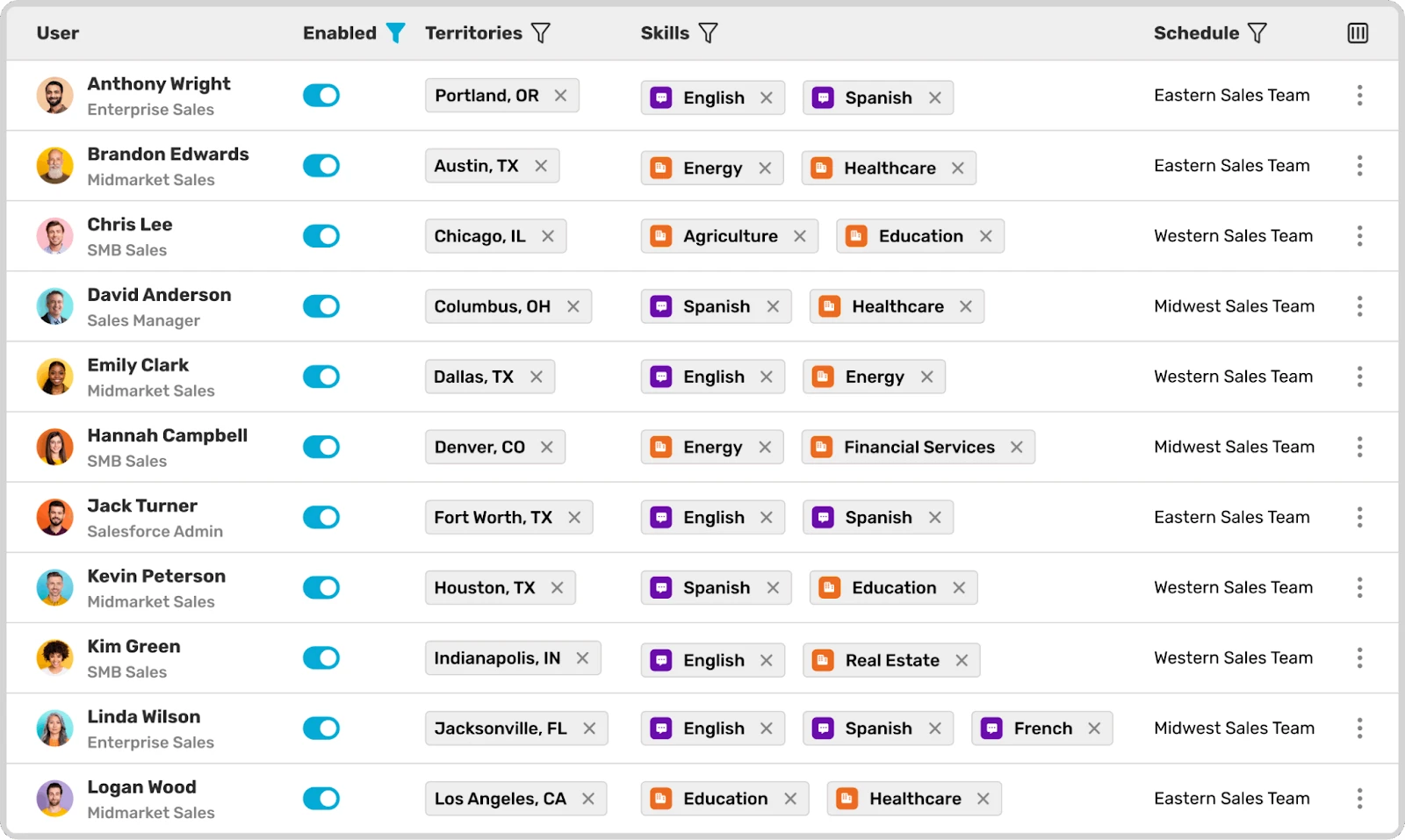
Kubaru runs inside your Salesforce org and handles assignments for any object, including leads, cases, opportunities, and custom records.
Your sales ops team controls the routing logic directly. You don’t file admin tickets or wait on developers. You can set up round robin, territory, skill, workload, and availability rules to match how your team actually sells, then change them yourself as things shift. Because everything runs inside Salesforce, there’s no external sync to manage and no separate security surface to vet.
Kubaru also handles the initial configuration for free during onboarding, so your team doesn’t have to build the routing logic from scratch. After that, business users can update the logic, add a new territory, or adjust rep weights without touching code.
Key Features:
- Native Salesforce app: Run entirely inside Salesforce with no external integrations or data sync to manage
- Round robin with weighted distribution: Distribute leads evenly, or weight the rotation based on rep capacity
- Territory and skill-based assignment: Route records by geographic region, named account, industry vertical, or rep expertise
- Workload and availability routing: Assign based on rep’s workload and availability to balance distribution
- Automated reassignment: Automatically move a record to the next available person if a rep misses your SLA window
- Business-user-managed logic: Your ops team can edit assignment rules without opening a support ticket
- Detailed assignment logs: See why each record was routed where it was, with a full audit trail for troubleshooting
Pricing:
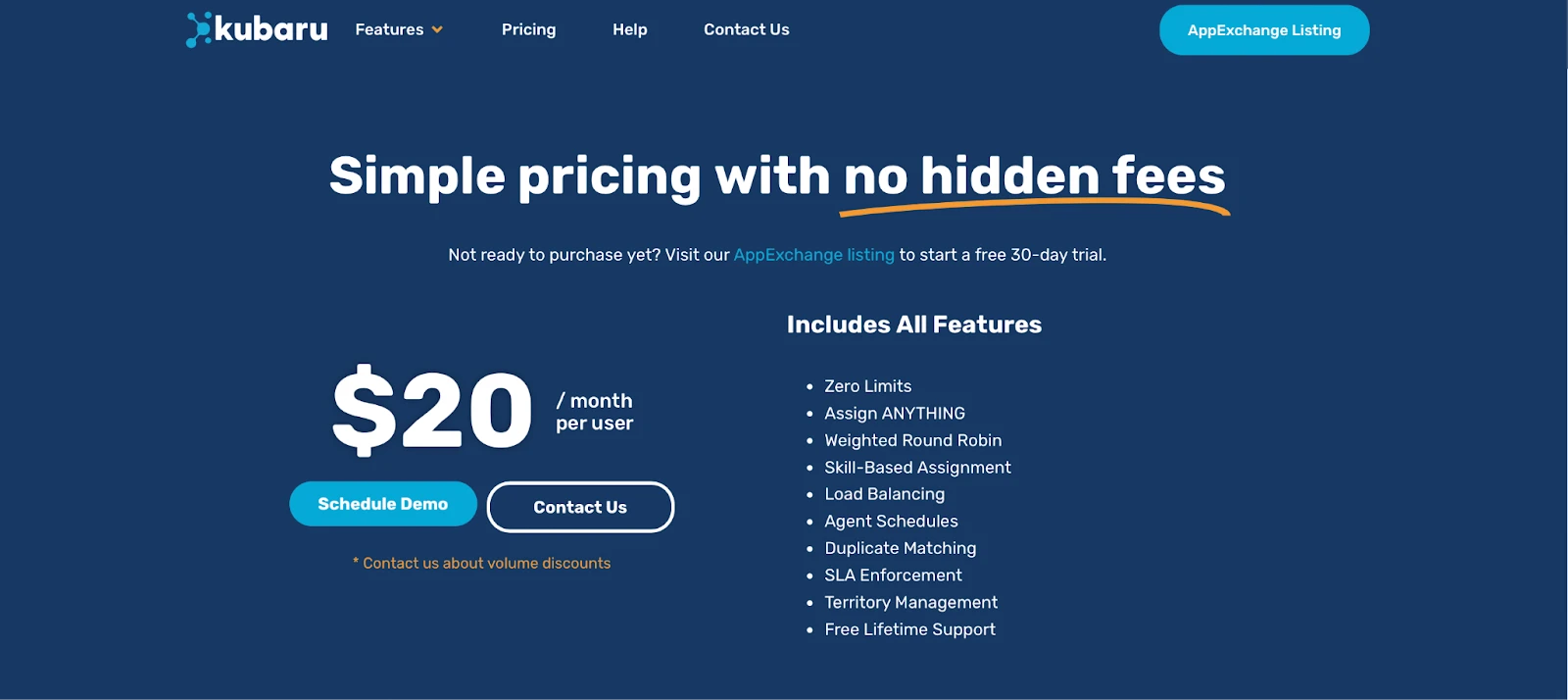
$20/user/month; predictable flat pricing that scales with your team.
Pros:
- You’ll get customizable routing logic (round-robin, weighted, territory-based)
- Quick setup with a user-friendly interface
- Flat pricing with no hidden fees or per-lead charges
- 100% Salesforce-native without data sync risks
- Direct editing without system administrator privileges
Cons:
- Only works with Salesforce, not other CRMs
- Advanced configurations may require initial admin setup
Best For:
Large sales, support, and ops teams that want business users to own routing logic without depending on Salesforce admins.
Rating:
4.9/5 stars (161+ reviews) on AppExchange + G2
2. LeanData
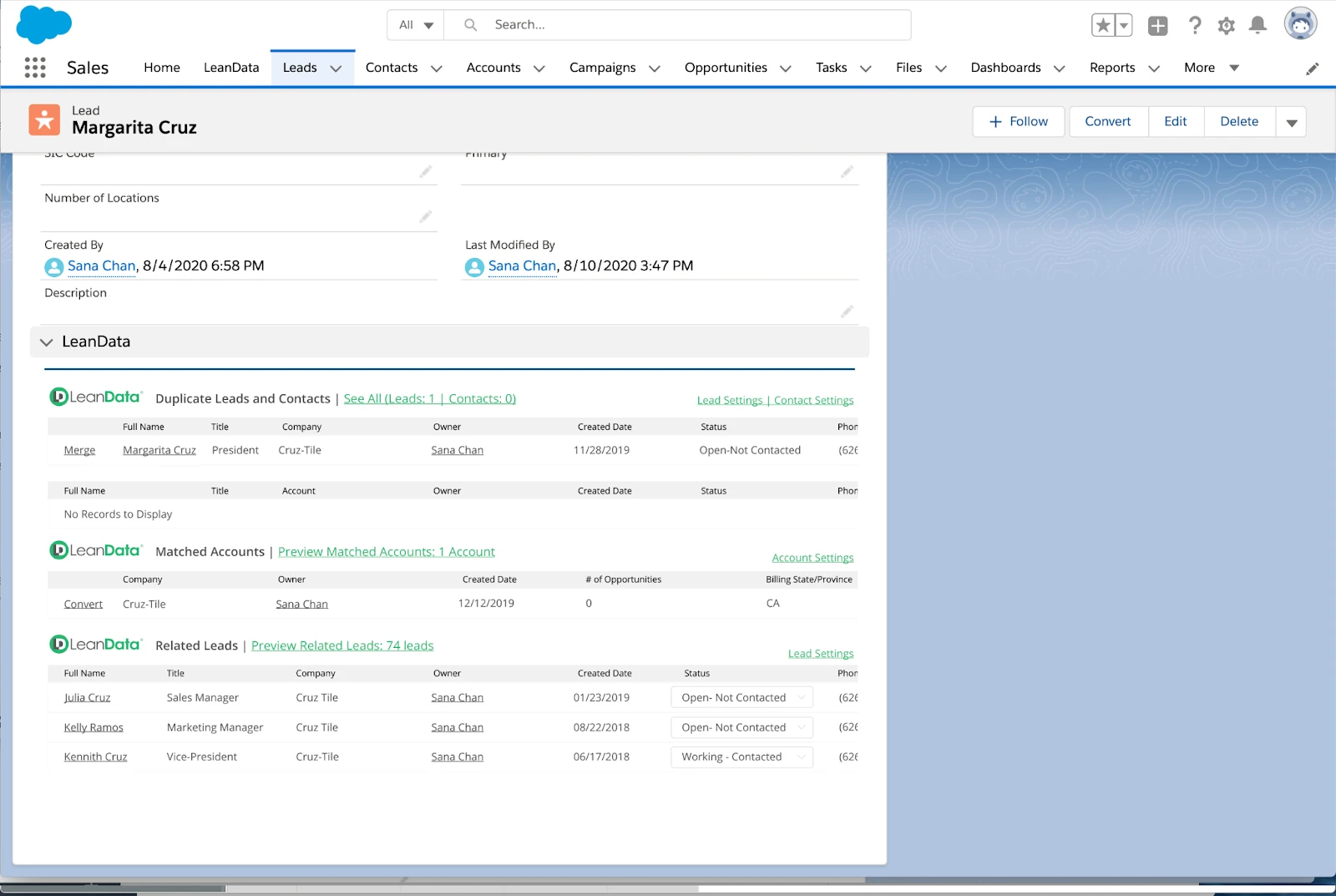
LeanData is an enterprise-grade Salesforce lead routing platform built for complex routing scenarios. If you’re managing routing across multiple teams, regions, and business units, you’ll benefit from its visual FlowBuilder.
Key Features:
- Visual FlowBuilder: Build routing workflows with a drag-and-drop canvas that maps every step visually
- Intelligent routing automation: Assign leads by territory, lead source, or product interest using conditional logic
- Scheduling automation: Let prospects book meeting slots directly from routed leads
- Advanced analytics: Track routing performance with custom reporting dashboards
Pricing:
Custom pricing based on organizational requirements. LeanData doesn’t publish pricing on its site.
Pros:
- It’s highly customizable for large organizations
- Deep analytics and integration support
- Well-suited for multi-layered routing rules
Cons:
- Steep learning curve for new admins
- Custom pricing can be expensive for small-to-medium businesses
- Requires a dedicated admin to manage complex workflows
Best For:
Enterprise teams managing complex lead-to-account matching and multi-layered routing across several business units.
G2 Rating:
4.6/5 stars (1,010+ reviews)
3. LeadAngel
LeadAngel is Salesforce lead routing software for mid-market and enterprise B2B teams that need more than basic assignment rules. It sits on top of Salesforce—it does not replace the CRM—and automatically routes inbound leads already in Salesforce to the right rep using territory, account ownership, availability, weighted round robin, and custom business rules.
What sets LeadAngel apart in this list is how tightly routing is tied to lead-to-account matching. Before a lead is assigned, the platform matches it to the correct account (including fuzzy name and domain matches and parent-child hierarchies), so ownership and routing stay accurate even when Salesforce data is messy. Teams can also book meetings from the same workflow and keep calendars aligned with Google Workspace or Microsoft 365.
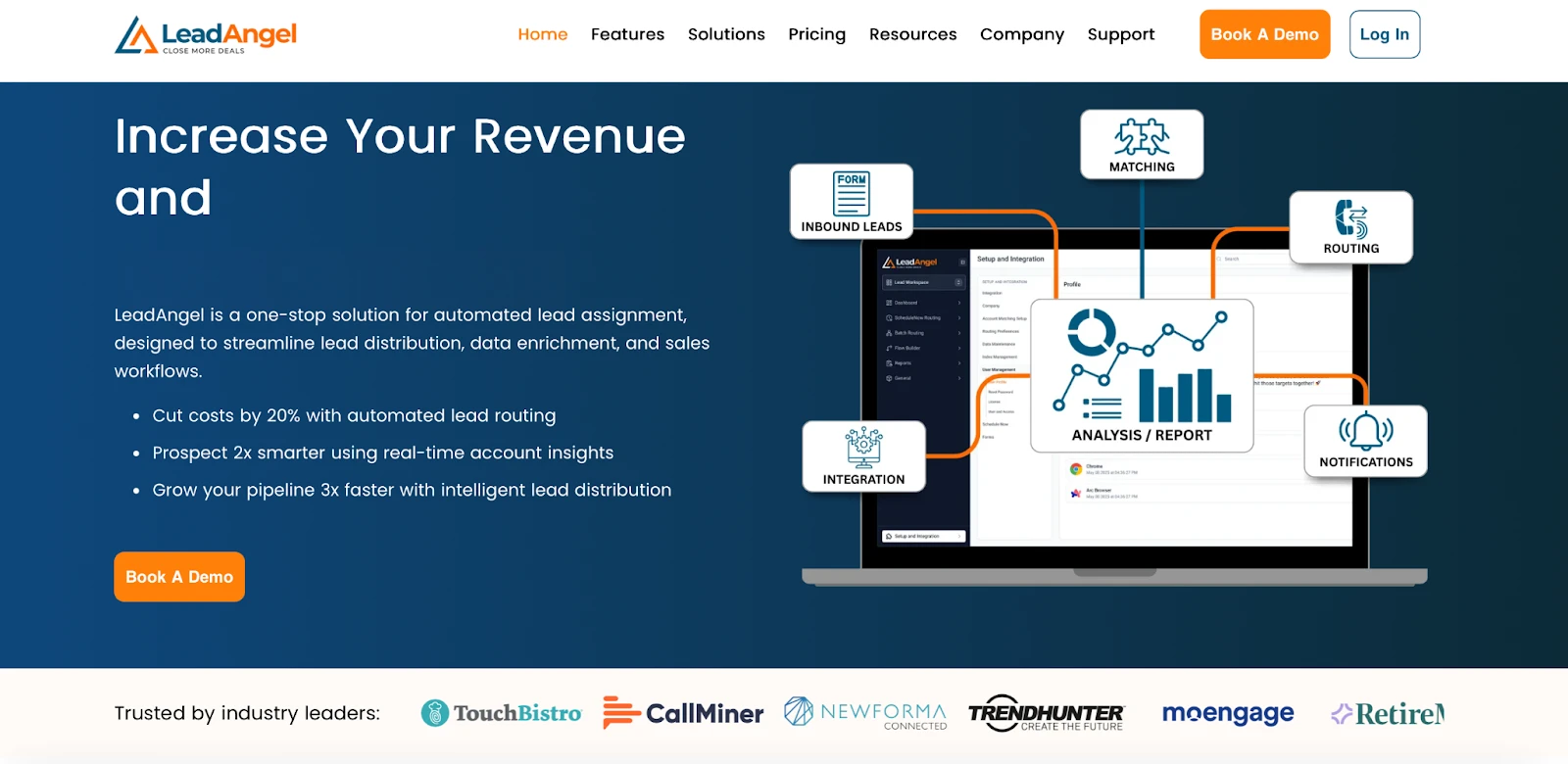
LeadAngel is a strong #3 pick for Salesforce orgs that want LeanData-level matching and routing depth without treating scheduling or dedupe as a separate afterthought. It integrates with Salesforce and automates intricate lead routing and account matching based on multiple pre-defined business conditions.
Key Features:
- Advanced Salesforce Lead Routing: Route leads by territory, account ownership, skill, availability, weighted distribution, round-robin, and custom rules—without writing Apex for standard use cases.
- Lead To Account Matching: LeadAngel uses advanced fuzzy matching logic and rules to match leads with the best-fit accounts. It provides 98% accurate results in real time, which reduces wrong-owner assignments and duplicate outreach.
- CRM Data Deduplication: Identify and merge duplicate leads, contacts, and accounts so routing runs on cleaner Salesforce data
- Calendar Scheduling: Schedules meetings on the basis of sales rep availability. Online and offline booking with automated reminders and time-zone support, so the assigned rep (or AE after an SDR handoff) gets a meeting booked in the same motion.
- On-the-spot handoff: Transfer a qualified lead from SDR to AE in real time while the prospect is still engaged.
- CRM Integrations: Built for Salesforce first, with native support for HubSpot and Microsoft Dynamics 365 for teams that run more than one CRM.
LeadAngel offers custom tier pricing based on features and user scale. A free trial is available on request
Pros
- Combines Salesforce lead routing, lead-to-account matching, dedupe, and scheduling in one workflow
- Strong fit for complex, multi-territory, and account-based assignment rules
- Low-code configuration — RevOps can change routing logic without a development sprint
- Useful when native Salesforce assignment rules or a routing-only tool still leave unmatched leads and manual cleanup
Cons
- Best for mid-sized to enterprise-level businesses (lightweight round-robin-only needs may be better served by a simpler native tool)
- Complex routing logic
Best For:
B2B teams running account-based sales with layered territory and hierarchy routing needs.
G2 Rating:
4.5/5 stars (46+ reviews)
4. Traction Complete
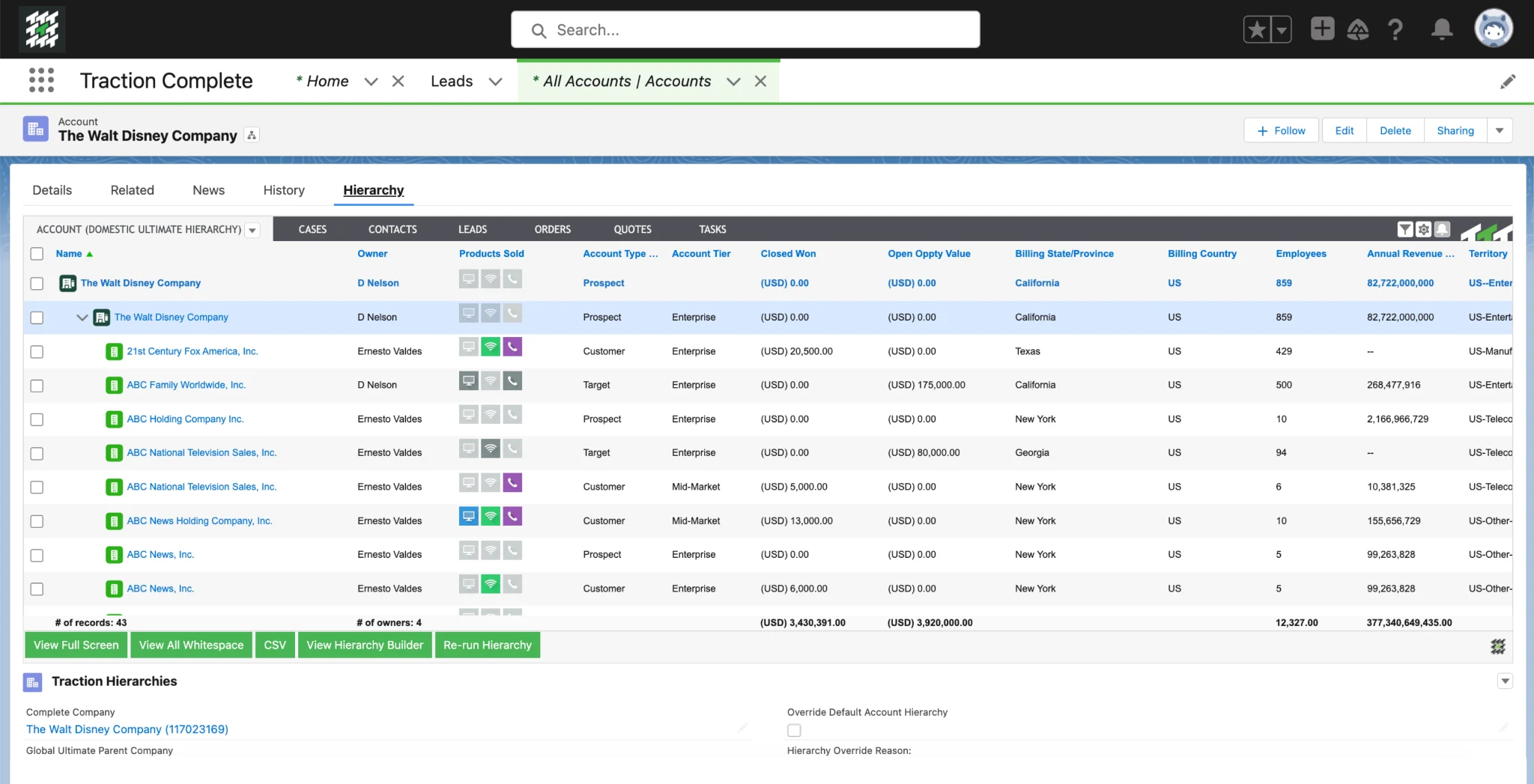
Traction Complete serves companies that need both lead routing and data quality tools in one place. It’s built natively on Salesforce and combines data cleansing, enrichment, and routing. Its matching engine verifies data accuracy before leads hit rep queues, so you don’t route dirty records.
Key Features:
- Lead-to-account matching: Match and route leads to the right accounts and reps in real time
- SLA management: Track rep response times with timers and dashboards
- Customizable workflows: Build tailored routing flows without code
- Mass deduplication: Clean duplicate records across multiple Salesforce objects
Pricing:
Custom pricing based on product selection and volume. Traction Complete doesn’t publish a pricing page.
Pros:
- Strong data enrichment and cleaning capabilities
- Well-suited for account-based marketing (ABM) motions
- Live dashboards for pipeline visibility
Cons:
- Unpublished pricing
- May be overkill for small teams with simple routing needs
- Setup takes longer than lightweight routing tools
Best For:
Companies running account-based sales that need data cleansing and lead routing on a single native platform.
G2 Rating:
4.7/5 stars (175+ reviews)
5. Chili Piper
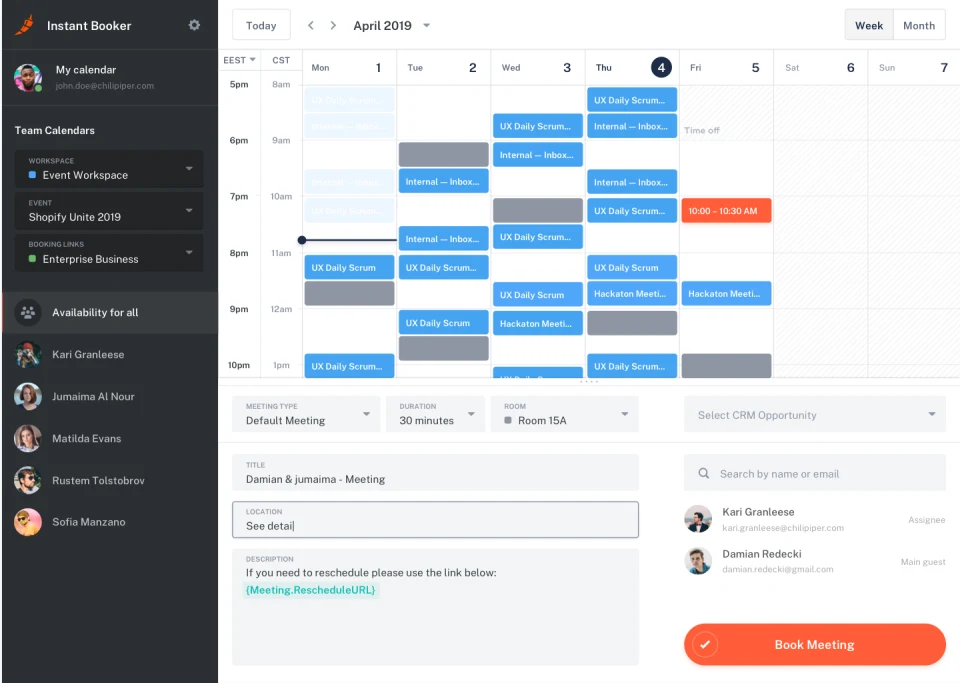
Chili Piper automates inbound meeting routing and booking. It connects prospects to the right reps and schedules demos within seconds. That’s what makes it a strong fit for high-velocity inbound sales teams that prioritize instant appointment scheduling.
Key Features:
- Real-time routing: Route leads to the right rep based on account ownership or custom fields
- Form Concierge: Qualify, route, and schedule leads from web forms, in-app, or G2
- Multi round-robin: Sync calendars across teams to balance meeting distribution
- Chat AI: Qualify visitors, answer questions, and book meetings 24/7
Pricing:
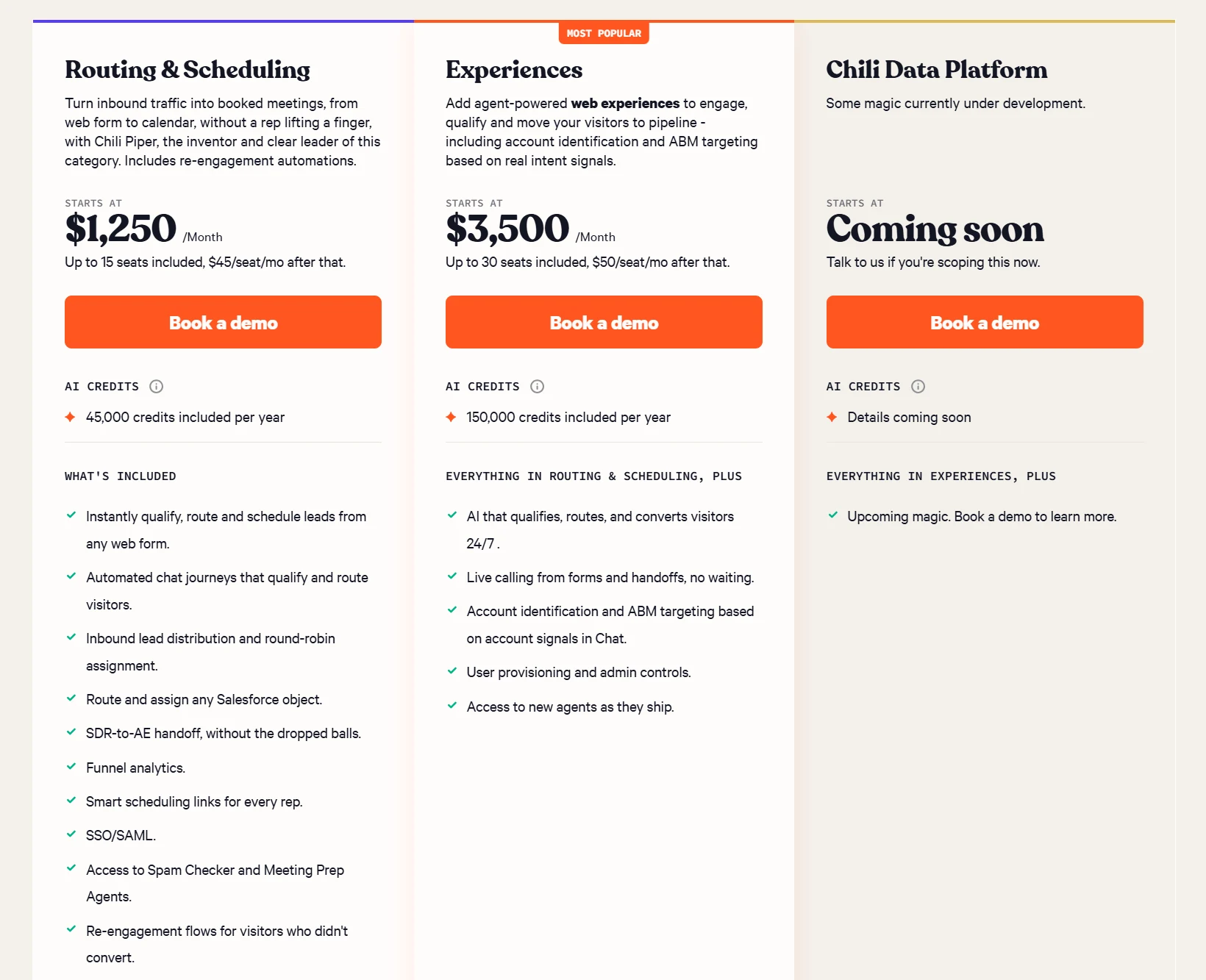
Charges a monthly base fee that scales with seat count; billed annually.
- Routing & Scheduling plan starts at $1,250 (up to 15 seats)
- Experiences starts at $3,500 (up to 30 seats)
- ChiliCal Standalone is $12/user/month (minimum of 200 seats)
Pros:
- Fast speed-to-lead through instant scheduling
- Simple and intuitive for prospects
- Easy form integration with most web forms
Cons:
- More expensive than routing-only tools
- Scheduling-first design means routing logic isn’t as flexible as dedicated routing platforms
- Requires its own ecosystem alongside Salesforce
Best For:
High-velocity inbound sales teams that need instant meeting scheduling alongside lead routing.
G2 Rating:
4.6/5 stars (736+ reviews)
6. Distribution Engine
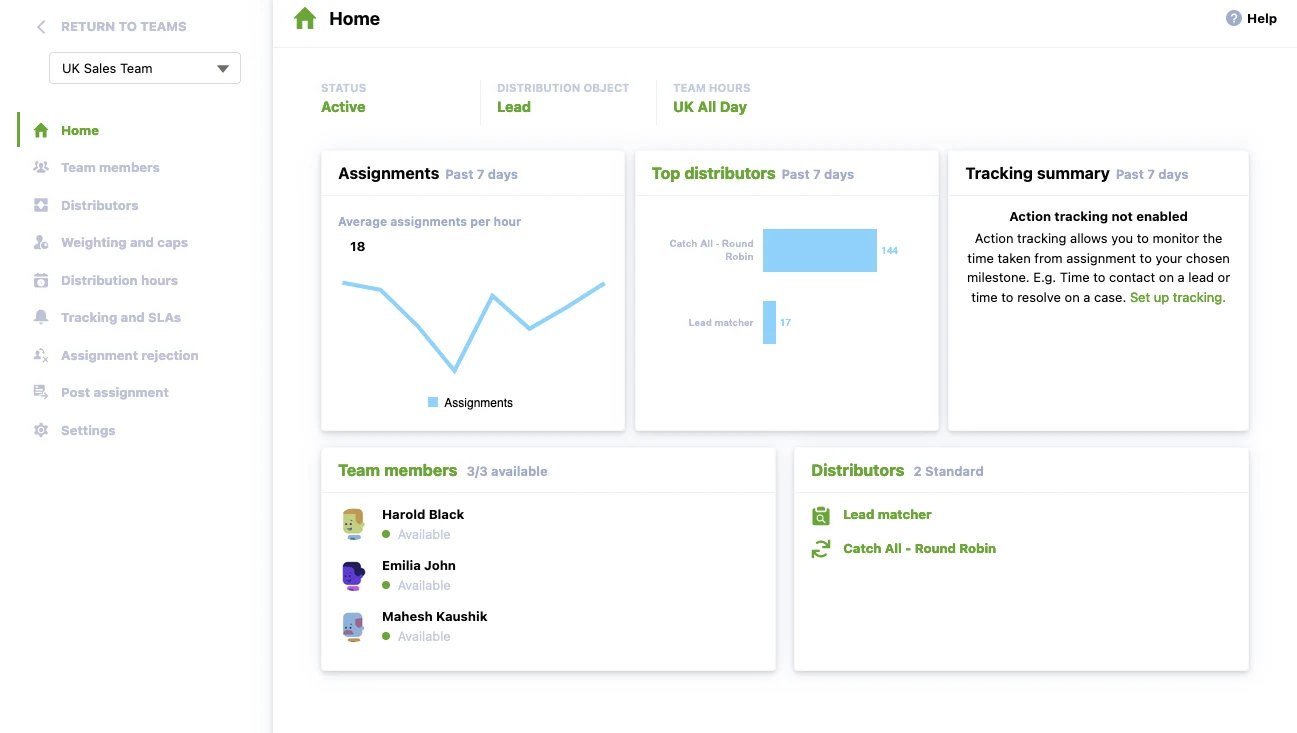
Distribution Engine, built by NC Squared, is a Salesforce-native routing tool known for its deep configuration options. It supports dynamic routing logic for large teams with complex needs, and it’s a solid pick for enterprises that need full control and flexible load-balancing methods.
Key Features:
- Customizable routing workflows: Build detailed routing workflows with granular control over every step
- Weighted round robin: Balance workloads by rep capacity
- Scheduling engine: Route leads based on rep availability and working hours
- Fallback rules: Prevent assignment gaps with automatic fallback routing
Pricing:
- Starter: $20 per user/month
- Advanced: $35 per user/month
- Unlimited: $55 per user/month
Pros:
- It’s highly configurable for complex routing setups
- Enterprise-ready logic for large teams
- Built-in analytics for tracking routing performance
Cons:
- Advanced configurations can take time to set up
- Working hours limitations can be rigid for reps across time zones
- Pricing climbs quickly on the Unlimited tier
Best For:
Enterprises that need highly configurable, Salesforce-native routing with granular load-balancing controls.
G2 Rating:
4.9/5 stars (10+ reviews)
7. Q-assign
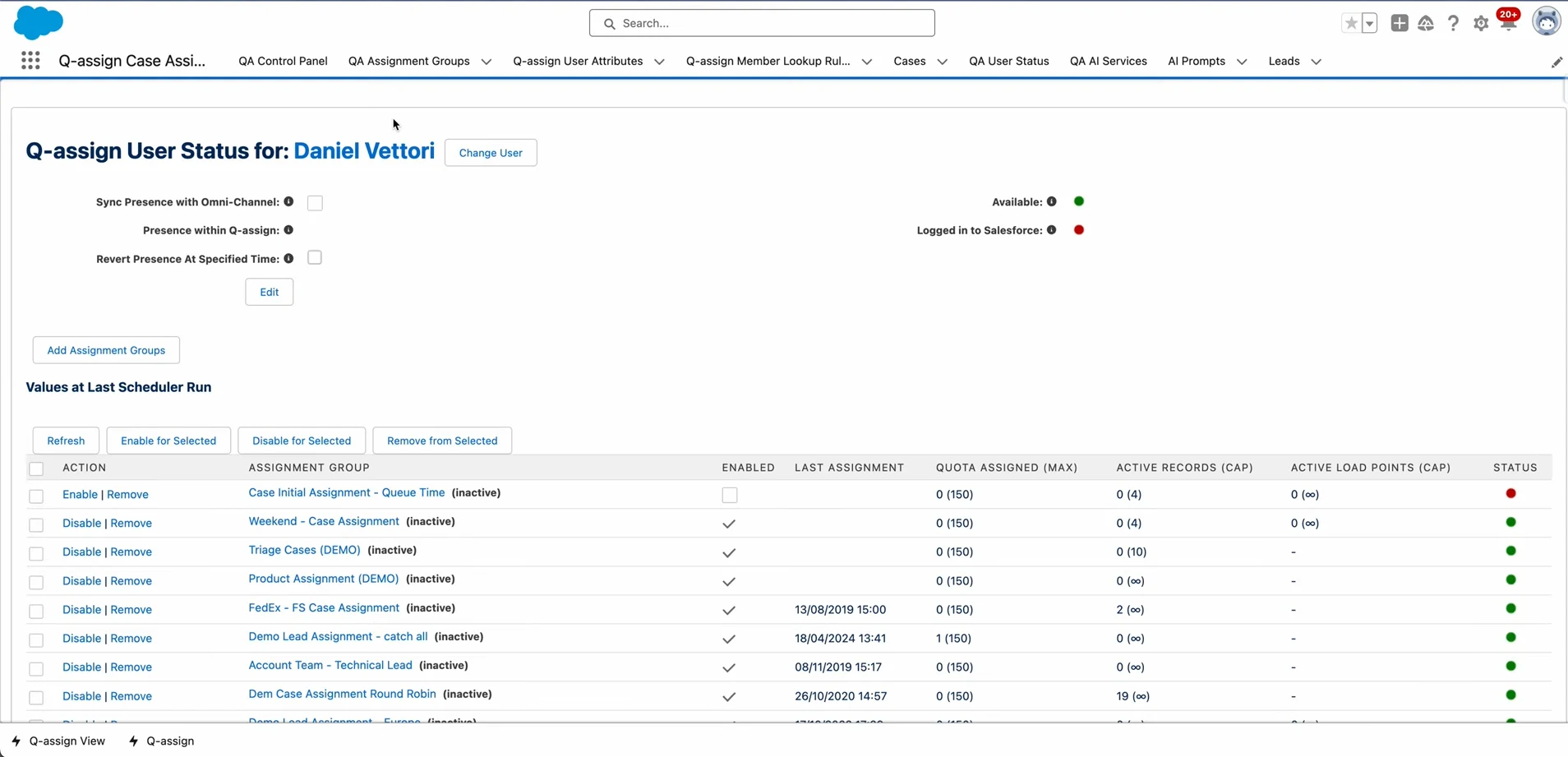
Q-assign is a Salesforce routing tool built on queues. It’s designed for simplicity and predictable queue-based distribution. It works well for teams that use capacity limits to distribute work, and it fits companies that prefer lightweight configuration over heavy customization.
Key Features:
- Queue-based routing: Point-and-click routing rules based on skills, workload, and availability
- Capacity management: Send leads only to reps with available bandwidth
- Skill-based mapping: Match leads to reps with the right expertise
- Any-object automation: Route leads, cases, opportunities, and custom objects
Pricing:
$38 per user/month with custom volume-based pricing for larger teams.
Pros:
- No-code lead assignment
- Scales well for fast-growing teams
- Handles multiple Salesforce objects
Cons:
- Advanced automation setup takes time to configure
- Can be pricey for smaller organizations
- Queue-based model isn’t as flexible as rules-based routing for complex scenarios
Best For:
Teams that want straightforward, queue-based lead distribution with capacity controls and no custom code.
AppExchange Rating:
4.9/5 stars (139 reviews)
8. Plauti Assign (formerly SuperRoundRobin)
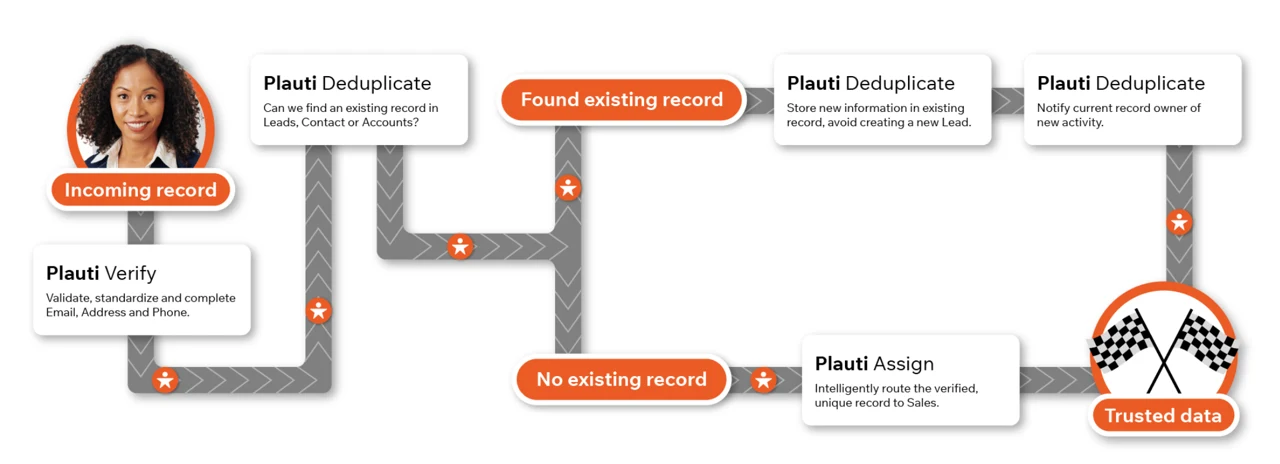
Plauti automates lead, case, and opportunity assignment. It also handles data validation, merging, and CRM hygiene. That makes it a fit for businesses that want one tool for routing and clean CRM data.
Key Features:
- Rules-based routing: Build flexible assignment logic without scripting
- Team load balancing: Distribute leads evenly across reps
- Validation integration: Verify data quality before lead routing
- Scheduled assignment: Automate time-based distribution for global teams
Pricing:
Custom pricing based on company size and needs. Plauti doesn’t publish pricing on its site.
Pros:
- Strong data tools for cleaning and profiling CRM records
- Accessible interface for non-technical users
- Flexible customization options
Cons:
- Can be costly for small businesses
- Steeper learning curve for complex configurations
- Data hygiene features may be more than you need if routing is your only goal
Best For:
Teams that need lead routing combined with CRM data cleaning and deduplication on a single platform.
G2 Rating:
4.5/5 stars (114+ reviews)
9. PowerRouter
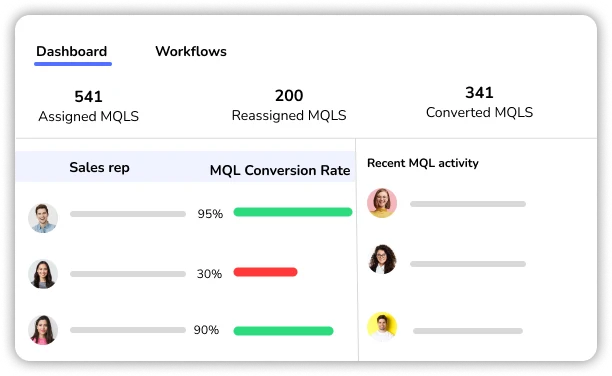
PowerRouter is a lead-routing tool for teams that want visual logic without a steep learning curve. It automates multi-step routing paths and fallback logic, and it’s a solid fit for SMB and mid-market Salesforce teams.
Key Features:
- Visual flow builder: Design routing logic with drag-and-drop
- Fallback sequencing: Prevent routing failures by chaining backup actions
- Round-robin engine: Assign leads fairly across reps in rotation
- Multi-step automation: Route leads sequentially across multiple teams
Pricing:
- Starter: $15 per user/month
- Growth: $25 per user/month
- Enterprise: $35 per user/month
Pros:
- Quick and easy setup
- Scales well for growing businesses
- Affordable entry point for SMB teams
Cons:
- Less depth than enterprise-grade tools
- Limited for complex multi-object routing
- Smaller user community means fewer resources and integrations
Best For:
SMB and mid-market teams that want a visual, easy-to-set-up routing tool without enterprise complexity.
G2 Rating:
4.8/5 stars (8 reviews)
10. RingLead (ZoomInfo)
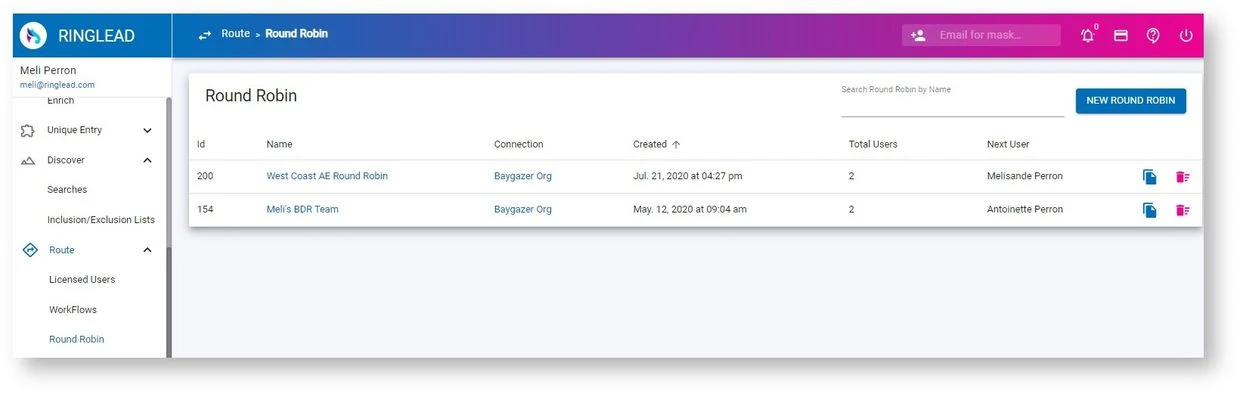
RingLead, now part of ZoomInfo Operations (ZoomInfo Ops), focuses on data quality and enrichment before lead routing. It automates data cleaning, deduplication, and lead-to-account matching, so you’re routing accurate, clean records. It pulls routing, enrichment, and segmentation into one set of workflows.
Key Features:
- Data deduplication: Automatically clean and merge duplicate records
- Lead-to-account matching: Identify and link leads to existing accounts
- Data enrichment: Enrich leads with firmographic and demographic data
- Advanced segmentation: Build targeted campaigns using enriched data
Pricing:
Custom pricing through ZoomInfo. Requires a ZoomInfo subscription.
Pros:
- Data deduplication improves lead quality before routing
- Flexible routing logic that’ll fit most sales structures
- Reduces manual data cleaning work
Cons:
- Expensive for small and mid-sized businesses
- Requires ZoomInfo subscription
- Data enrichment focus means routing features aren’t as deep as dedicated routing tools
Best For:
Teams already using ZoomInfo that want data enrichment, deduplication, and routing in one workflow.
G2 Rating:
4.4/5 stars (354+ reviews; ZoomInfo Operations)
Other Notable Salesforce Lead Routing Tools
| # | Tool | Description |
|---|---|---|
| 11 | HubSpot Sales Hub | Supports simple Salesforce-connected routing |
| 12 | RevenueHero | AI-enhanced qualification and routing platform |
| 13 | Full Circle Insights | Combines lead routing with funnel analytics |
| 14 | CaptivateIQ | Connects routing to commission workflows |
| 15 | Router.ai | Uses AI to route and score leads |
| 16 | Salesbolt | Combines lead capture, enrichment, and routing within Salesforce and LinkedIn |
How to Choose the Right Salesforce Lead Routing Software
1. Evaluate Your Routing Needs
Start by writing down what you actually need. If your team runs a simple round robin across five reps, Salesforce’s built-in assignment rules might still work. But once you need territory, skill, and workload routing at the same time, you’ll want a dedicated tool. The same goes if you need to assign cases and opportunities alongside leads.
2. Consider Budget and Costs
Pricing models vary widely. Some tools charge per user, others charge platform fees or per-lead fees, and several don’t publish pricing. Look at the total cost, not just the starting price, and factor in add-ons or overage charges. A flat per-user price like Kubaru’s makes budgeting straightforward because it removes surprises as your lead volume grows.
3. Salesforce Integration Depth
Not all routing tools sit inside Salesforce the same way. Native apps like Kubaru and Traction Complete run entirely within your Salesforce org. That eliminates sync delays, reduces security risk, and keeps your data on the platform. Non-native tools connect through APIs, which can introduce latency, sync errors, and another security surface to manage.
4. Setup and Maintenance
How fast can your team get live, and who manages the tool after that? Enterprise platforms like LeanData are powerful but can take weeks to configure. They’ll typically need a dedicated admin, too. Kubaru’s designed so a business user can update routing rules directly. That means your sales ops team doesn’t wait on a developer every time you add a territory or change a rep’s weight.
5. Scalability
Your routing needs will grow as your team grows. A tool that works for 10 reps and 500 leads a month might buckle at 50 reps and 5,000 leads. Check whether the platform can handle more territories, deeper hierarchies, and higher volumes without slowing down or pushing you onto a pricier tier.
FAQs
What is lead routing software and how does it work?
Lead routing software automatically assigns incoming leads to the right sales rep based on rules you define. Those rules can include geography, lead score, rep workload, skill match, or account ownership. The software evaluates each new lead against your rules and assigns it in seconds, replacing manual distribution or basic Salesforce assignment rules.
What’s the best lead routing software for Salesforce?
It depends on your team’s size and needs. For most Salesforce teams that want business users to own the routing logic without depending on admins, Kubaru’s the strongest fit. LeanData works well for enterprises with complex lead-to-account matching. And Chili Piper’s a good pick if instant meeting scheduling is your top priority.
How do you automate lead routing in Salesforce?
Salesforce offers built-in assignment rules for leads and cases, but they cap at 3,000 entries and only cover those two objects. For anything beyond that, you’d install a dedicated routing app from the AppExchange. Native apps like Kubaru let you set up round robin, territory, skill, and workload routing without writing code.
What’s round robin lead routing?
Round robin lead routing distributes leads to reps in a fixed rotation, one after another, so every rep gets an equal share. Weighted round robin adds flexibility by letting you give more leads to certain reps based on seniority, capacity, or quota. It’s the most common starting point for teams that want a fair, automated distribution method.
Do I need separate tools for cases, opportunities, and custom objects?
Not with every platform. Some routing tools are built for leads only, but others handle multiple Salesforce objects in the same ruleset. Kubaru assigns any standard or custom object. Your support team’s case routing and your sales team’s lead routing run through one set of rules. Check each vendor’s object support before you buy, because it’s a common gap in lighter tools.
Pick the Right Salesforce Lead Routing Tool for Your Team
Most teams outgrow Salesforce’s built-in assignment rules fast. The ten tools above cover everything from lightweight round robin to complex, multi-object enterprise routing.
Kubaru is a native Salesforce app that lets your business users own the logic, routes any object, and won’t surprise you on pricing. Start with a demo or free trial.