















Quick Summary
Distribution Engine’s plans range from $20 to $55 per user per month (billed annually). Most teams will likely need the $35 Advanced plan, with a five-user minimum. Premier Support is available for an additional 20%.
Why Distribution Engine Pricing Isn’t as Simple as It Looks
Distribution Engine is a Salesforce-native routing platform built for teams that want more flexibility than Salesforce’s standard assignment rules. One of its biggest advantages is transparent pricing, something that’s surprisingly uncommon among Salesforce routing tools.
That makes comparing options much easier, but there’s a little more to consider. The lowest-priced plan isn’t always the one most teams choose, and a few details can affect what you’ll actually pay. This guide walks through each pricing tier and which plan is likely to give you the best value.
See our guide to the best Distribution Engine alternatives to learn more about the platform.
Why Listen To Us?
Kubaru is a Salesforce-native routing platform trusted by more than 300 teams, including Genesys and Paylocity. We’ve helped teams move from Salesforce’s native assignment tools, tiered routing platforms, and quote-based products, giving us first-hand experience with how routing software is priced and evaluated.
How Much Does Distribution Engine Cost?
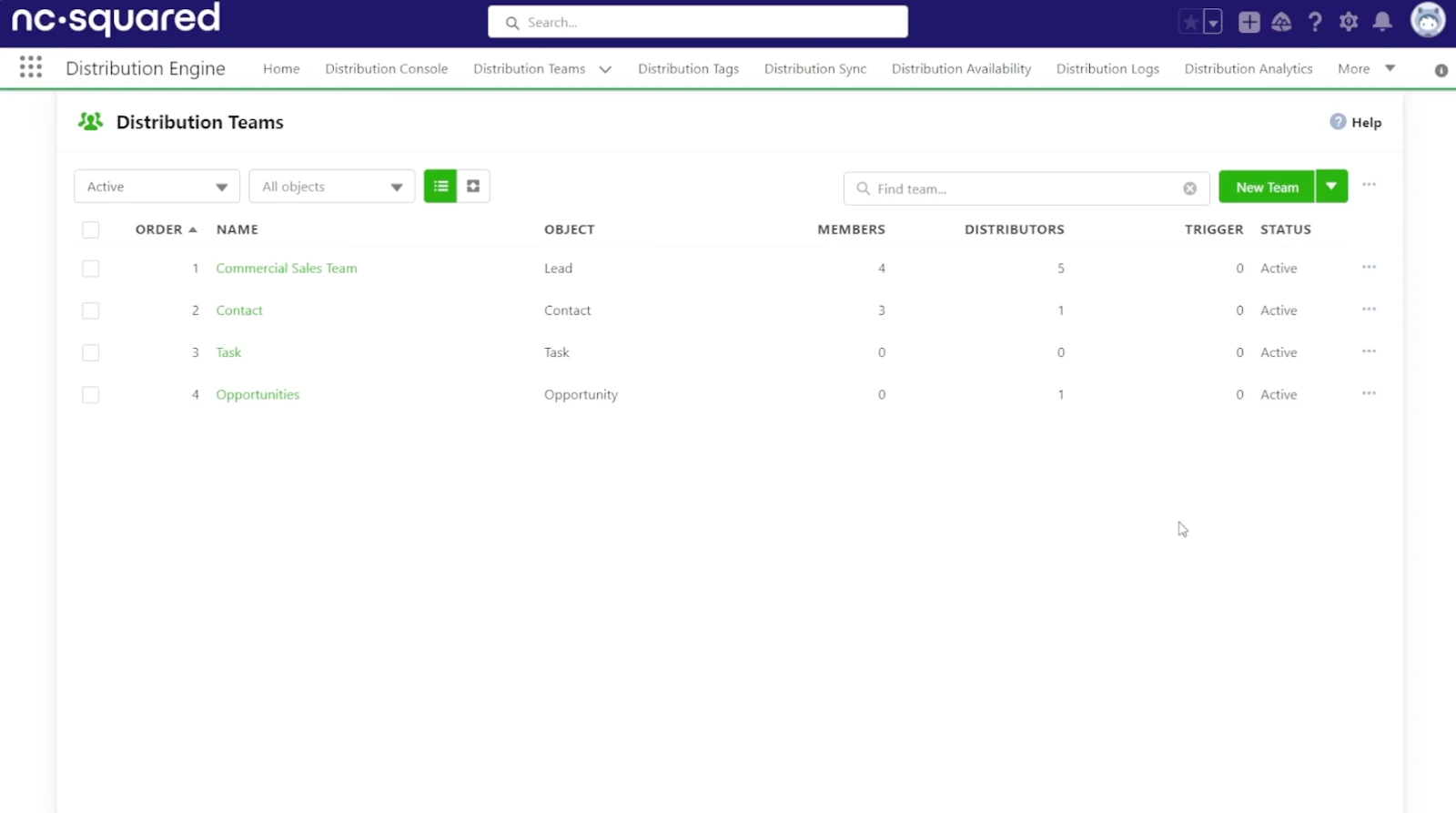
Distribution Engine offers three plans, all billed annually on a per-user basis.
The Starter plan costs $20 per user each month. It’s enough for teams with straightforward routing, although you’ll quickly notice some of the platform’s more advanced capabilities are reserved for higher tiers.
Most teams are likely to end up on the Advanced plan at $35 per user each month. That’s where features like territory routing and lead matching become available, making it the practical choice for growing Salesforce teams.
The Unlimited plan costs $55 per user each month. Unless you’re managing large routing volumes or need the platform’s most advanced capabilities, many teams won’t need to move beyond Advanced.
Every plan comes with a five-user minimum. Premier Support is optional and increases your annual subscription by 20%.
What Affects Your Final Price
The advertised price is only part of the total cost. Before you settle on a budget, it’s worth looking at a few other factors.
- The plan you choose: The biggest difference usually comes down to features rather than team size. If you need territory routing or lead matching, you’ll likely move from Starter to the Advanced plan.
- How many users you have: Distribution Engine is licensed per user and requires a minimum of five seats, even if your team is smaller.
- Premier Support: Support is optional, but choosing Premier Support increases your annual subscription by 20%.
- Your contract: Plans are billed annually, so you’ll be paying for the full year instead of month by month.
- Available discounts: Nonprofits can qualify for discounted pricing, and larger teams may be able to negotiate volume discounts.
What Each Plan Includes
Distribution Engine organizes its plans by features rather than team size, so choosing the right one comes down to how you want your routing to work.
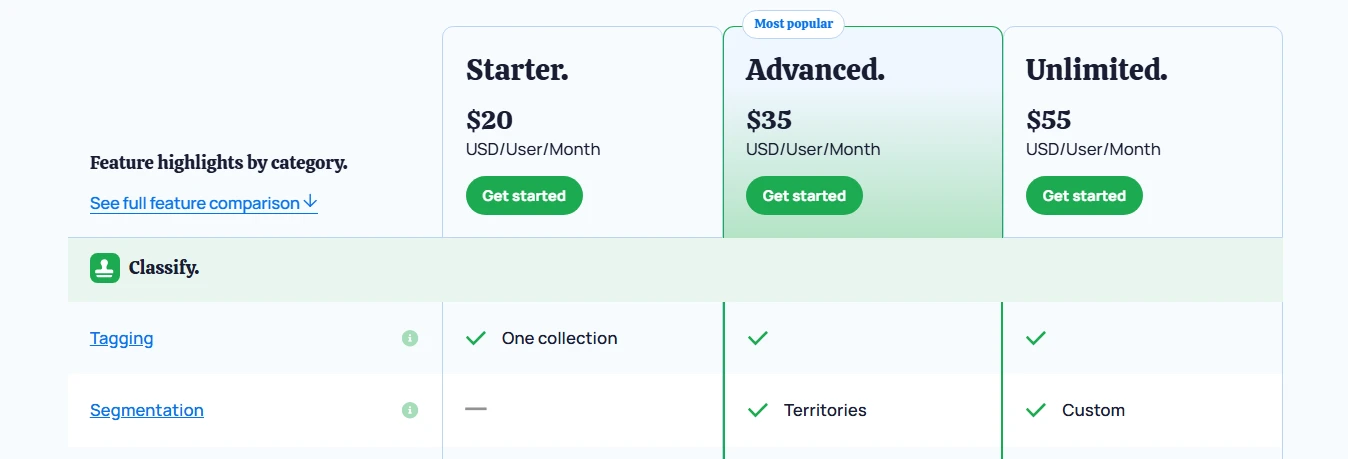
The Starter plan covers the essentials, including round robin assignment, weighted distribution, and workload balancing. If your team has straightforward routing rules, it gives you everything you need to get started.
The Advanced plan is where Distribution Engine begins to open up. It adds territory routing, lead matching, speed-to-lead SLAs, real-time alerts, and API access. For many Salesforce teams, these are the features that make the platform worthwhile, which is why the $35 plan is often the more realistic starting point.
The Unlimited plan is aimed at larger teams with more complex routing requirements. Features like pull routing, queue-to-queue distribution, object sync, and auto-archiving are designed for organizations managing a high volume of records or more advanced workflows.
Pricing Pros And Cons
What works well:
- Pricing is published, so you can compare plans without booking a sales call.
- The $20 Starter plan gives smaller teams an affordable way to get started.
- Distribution Engine runs natively inside Salesforce, so there’s no separate platform fee.
- Nonprofits and larger teams may qualify for discounted pricing.
What to weigh carefully:
- Most growing teams will likely need the $35 Advanced plan rather than the $20 Starter plan.
- Every subscription starts with five users and is billed annually, which can be limiting for smaller teams.
- Premier Support costs extra instead of being included with your subscription.
What Real Buyers Report Paying
The published pricing gives you a good starting point, but it isn’t always the final number buyers end up paying.
Vendr, which tracks negotiated software purchases, reports a median NC Squared contract value of $28,392 per year across 17 deals. Prices ranged from roughly $1,500 to $48,000, with buyers saving an average of 14% through negotiation. One buyer also reported removing Premier Support from their quote, reducing the total cost by another 20%.
As a rough guide, a 25-person team on the Advanced plan would spend about $10,500 per year before Premier Support. A 50-person team would pay roughly $21,000, with support increasing those totals by another 20%.
Best Distribution Engine Alternative: Kubaru
Kubaru is a Salesforce-native routing platform built specifically for assignment automation. It helps Sales Ops and RevOps teams route leads, cases, opportunities, and any other Salesforce record without relying on multiple pricing tiers or paid add-ons.
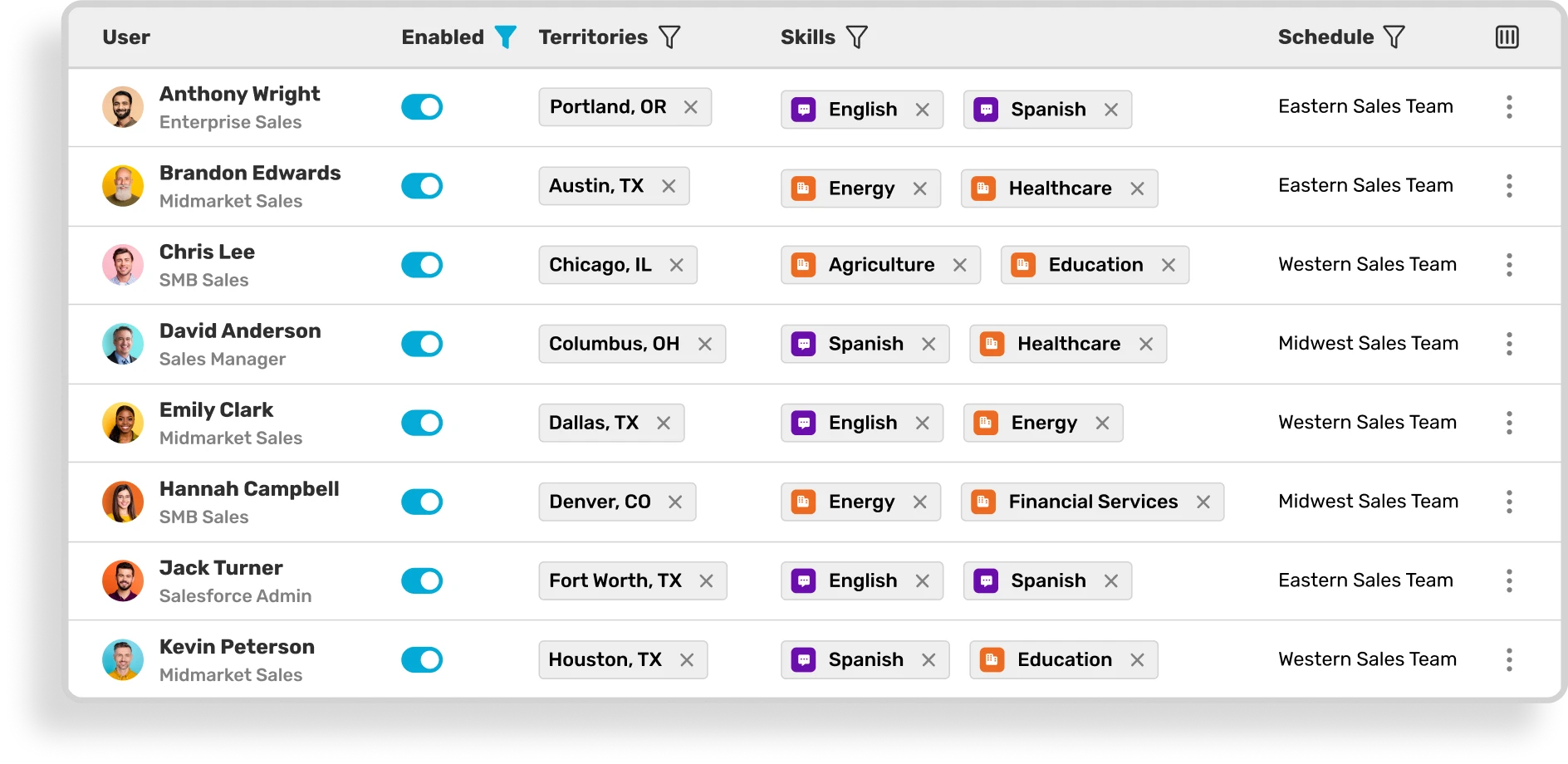
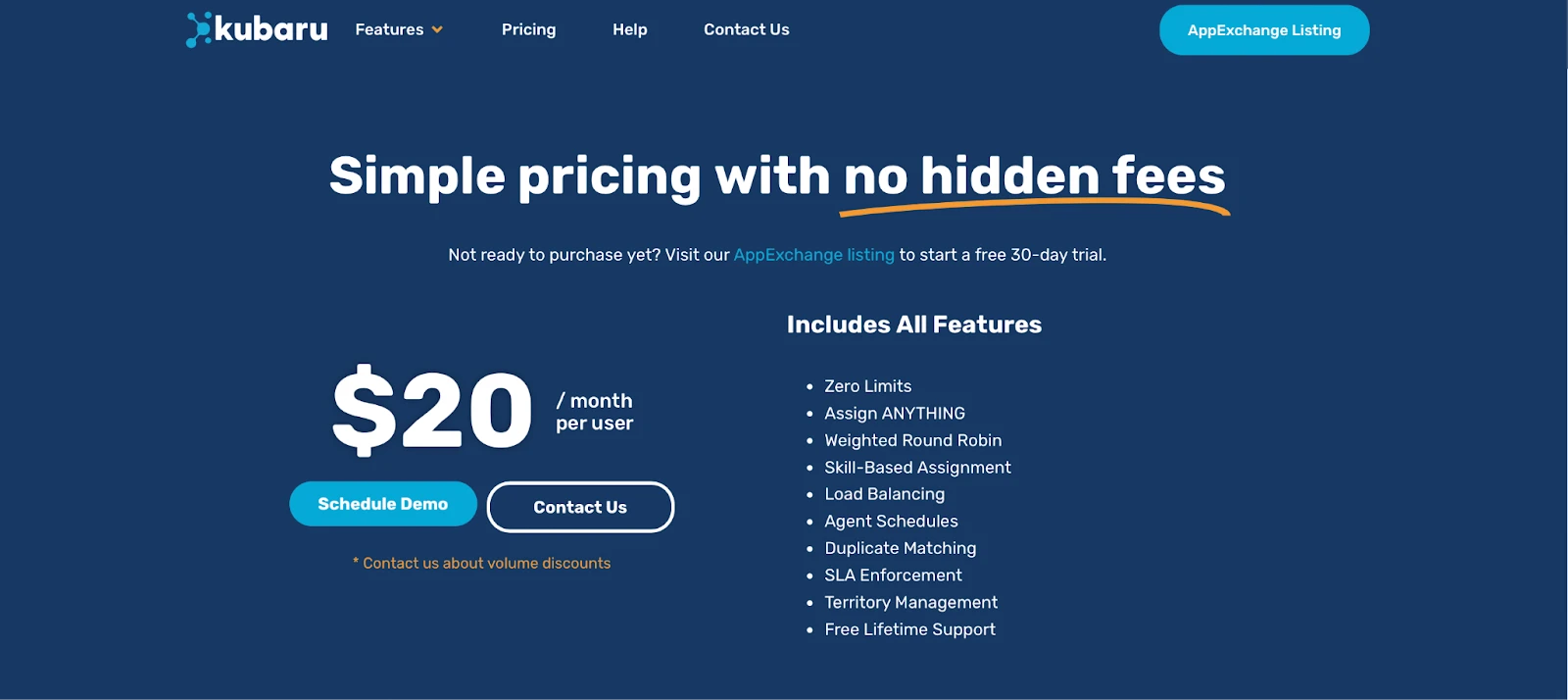
Where Distribution Engine sorts its features across three plans, Kubaru puts everything in one. Everything is included for $20 per user per month, including territory routing, round robin, workload balancing, SLAs, and skills-based assignment. That means you can choose the plan based on your team’s needs, not the features locked behind a higher tier.
Kubaru Key Features
- Route any Salesforce object: Assign cases, leads, opportunities, accounts, and custom objects using the same routing engine.
- Advanced routing without higher tiers: Use territory routing, skills-based assignment, round robin, weighted distribution, workload balancing, and availability checks without upgrading to another plan.
- Keep records moving: Set SLA rules that automatically reassign records when they go untouched, helping your team stay on top of follow-up.
- Give managers control: Sales Ops and RevOps teams can update routing rules themselves instead of waiting on a Salesforce admin.
- See every routing decision: Detailed assignment logs show where each record went and which rule made the decision.
- Stay connected: Notify reps instantly through email, Slack, Microsoft Teams, desktop, or mobile when a new record is assigned.
- Handle more advanced workflows: Kubaru also supports duplicate matching, Shark Tank assignment, and other routing options for teams with more complex requirements.
Kubaru keeps pricing simple by including every routing feature in one plan, while giving business users the tools to manage routing on their own.
Kubaru Pricing Pros and Cons
Pros
- Everything is included for $20 per user per month: Every routing feature is available from the start, with no higher tiers or paid add-ons.
- Lower ongoing cost: Free onboarding, lifetime support, and business-user administration help reduce the cost of maintaining your routing over time.
- Runs entirely inside Salesforce: Your data stays in your Salesforce environment, and there’s no separate platform fee.
- Easy to try before you commit: Every feature is available during the 30-day free trial.
- Strong customer feedback: Kubaru has more than 150 five-star reviews on the Salesforce AppExchange, with many customers highlighting the onboarding experience and support team.
Cons
- Kubaru is built specifically for routing, so you’ll still need a separate data quality platform if deduplication and record hygiene are part of your requirements.
Distribution Engine Pricing Vs Kubaru Pricing
| Category | Distribution Engine | Kubaru |
|---|---|---|
| Price | $20 to $55 per user/month, tiered | $20 per user/month, flat |
| Features included | Core routing on Starter; territories, SLAs, and lead matching on Advanced and up | Every feature on one plan |
| Free trial | 30 days | 30 days |
| Setup | Self-serve; simple setups live in about an hour | Self-serve; most teams live the same day |
| Object support | Any standard or custom object | Any standard or custom object |
| Support | Standard included; Premier Support adds 20% | Free onboarding and lifetime support |
| Seat minimum | 5 licenses, billed annually | Per user, no minimum |
| Best fit | Mid-market teams comfortable with tiered pricing | Teams that want all-in routing at a predictable cost |

Choose Routing Without the Extra Cost
As your routing becomes more advanced, Distribution Engine often means moving to a higher-priced plan to access the features you need. For many growing teams, that pushes the real starting price well beyond the advertised entry plan.
Kubaru keeps things simple. Every routing feature is included for $20 per user per month, along with free onboarding and lifetime support. You won’t need to compare pricing tiers or pay extra to access the tools your team relies on.
More than 150 five-star reviews on the Salesforce AppExchange speak to that experience. Customers regularly mention how easy Kubaru is to set up and how helpful the support team is throughout the process.
Start your free 30-day trial on the Salesforce AppExchange and see how much simpler Salesforce routing can be.