















Quick Summary
Q-Assign recently moved from per-user pricing to a per-assignment model. Previous pricing started at an estimated $36 to $38 per user per month, but the new model is quote-only, so you’ll need to contact sales to find out what your team will pay.
What Changed With Q-Assign Pricing?
Most routing tools charge by the user, so your monthly cost usually changes only when your team grows. Q-Assign used to work the same way, with published pricing starting at $720 per month for up to 20 users, or about $36 per user at the minimum.
That changed when Q-Assign moved to a per-assignment pricing model. Instead of paying based on headcount, your costs now depend on how many records the platform routes. As assignment volume grows, your bill can grow too, even if your team stays the same.
For teams with changing lead or case volumes, that makes costs much harder to predict. The busier your routing becomes, the more you may end up paying.
Why Listen To Us?
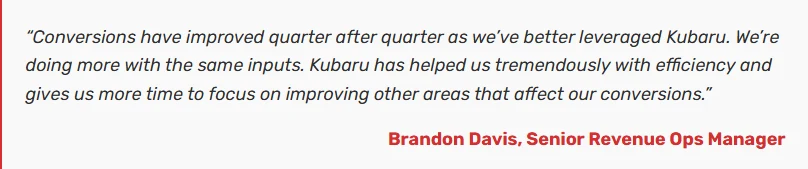
Kubaru is a Salesforce-native routing platform used by more than 300 teams. We’ve spent years helping organizations automate routing inside Salesforce, with customers including Genesys, Paylocity, and AXA Health.
How Much Does Q-Assign Cost?
Q-Assign does not publish rates for its current pricing model. Its Standard, Premium, and Enterprise plans are all listed as “Price on Application,” so you’ll need to contact Ortoo for a custom quote.
The clearest public benchmark comes from Q-Assign’s old per-user model. Previously, the product had a minimum spend of $720 per month for up to 20 users. Third-party listings also showed pricing around $38 per user per month, which lined up closely with that earlier floor.
Those older figures are no longer a reliable way to estimate your cost. Under the new model, the rate depends on assignment volume, and the per-assignment price is only available through a sales conversation.
For teams routing thousands of records each month, that change can make the final bill much higher than the old per-user model.
What Affects Your Final Price
With per-assignment billing, your quote depends on more than team size. A few factors are especially important to review before you commit.
- Assignment volume: This is the biggest driver under the new model. The more records Q-Assign routes, the more your monthly cost can increase.
- Plan level: Standard, Premium, and Enterprise are priced separately, with higher plans offering more support and service coverage.
- Territory management: Q-Assign lists territory management as an add-on, so teams that need territory routing should expect that to affect the final quote.
- User access: Even with per-assignment billing, the number of people using Q-Assign may still play a role in your agreement.
- Contract terms: Multi-year commitments may give you more room to negotiate, especially if your assignment volume is predictable.
The main thing to understand is that Q-Assign’s cost now follows usage. That may work for teams with stable routing volume. It becomes harder to budget when lead flow changes from month to month.
What Q-Assign Includes
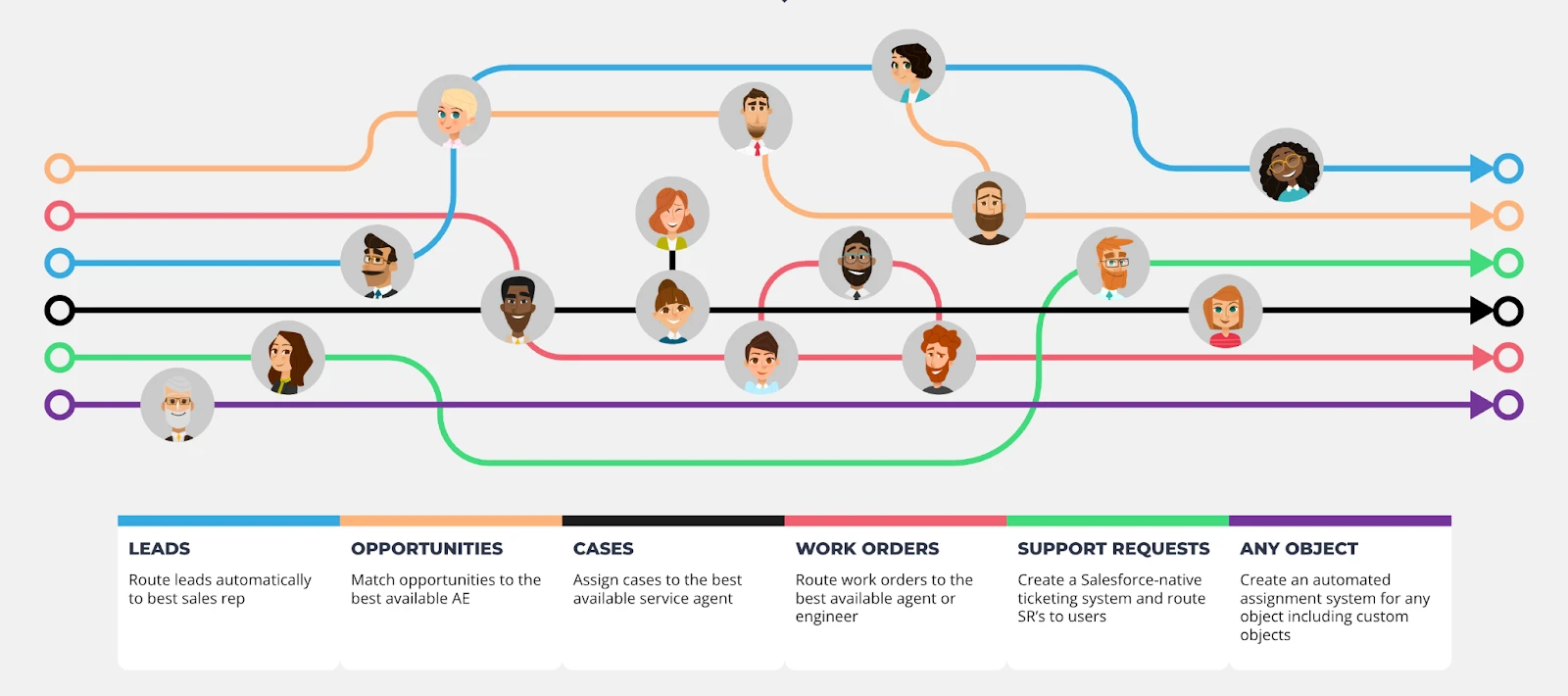
Q-Assign is a Salesforce lead routing platform designed for teams with more complex assignment requirements. It works across any Salesforce object and includes a range of routing tools for sales and service teams.
Some of its main capabilities include:
- Route records based on expertise: You can match leads or cases with reps based on skills, attributes, workload, or availability.
- Reduce missed follow-up: You can set response time rules that automatically reassign records if they sit too long without action.
- Prioritize urgent work: AI-assisted triage can help rank records before they are assigned, making it easier for service teams to focus on the highest-priority work first.
- Support complex Salesforce environments: Q-Assign can route records across standard and custom Salesforce objects using the same routing engine.
Read our guide to the best Q-assign alternatives to learn more about the platform.
What Buyers Faced After The Pricing Change
Because Q-Assign’s pricing model changed recently, there isn’t much public pricing data yet. The clearest picture comes from teams that have already gone through the change.
One Q-Assign customer contacted us after their annual subscription increased by 700%. Their team hadn’t grown, and they weren’t routing more records than before. The biggest difference was how Q-Assign calculated the bill.
That is the main risk with volume-based pricing for routing. Your software cost can rise because your business is busier, not because your team added more users or bought more functionality.
For teams that run campaigns or handle seasonal swings, that can create a budgeting problem. The more your routing system gets used, the harder the cost can be to forecast.
Q-Assign Pricing Pros And Cons
Pros
- Q-Assign has a strong lead routing feature set, especially for high-volume service and sales teams.
- AI-assisted triage can help teams prioritize records before assignment.
- The 30-day free trial offers full feature access and up to 50 licenses.
- AppExchange reviews often highlight responsive support.
Cons
- Current pricing is quote-only, so there is no public rate to benchmark against.
- Per-assignment billing can make costs rise when record volume increases.
- Territory management is listed as a paid add-on.
- Some existing customers have seen major cost increases after the pricing change.
Best Q-Assign Alternative: Kubaru
If predictable routing costs are a priority, Kubaru is a strong alternative to Q-Assign. It’s a Salesforce-native routing platform built for Sales Ops and RevOps teams that want powerful routing without worrying about how many records they process each month.
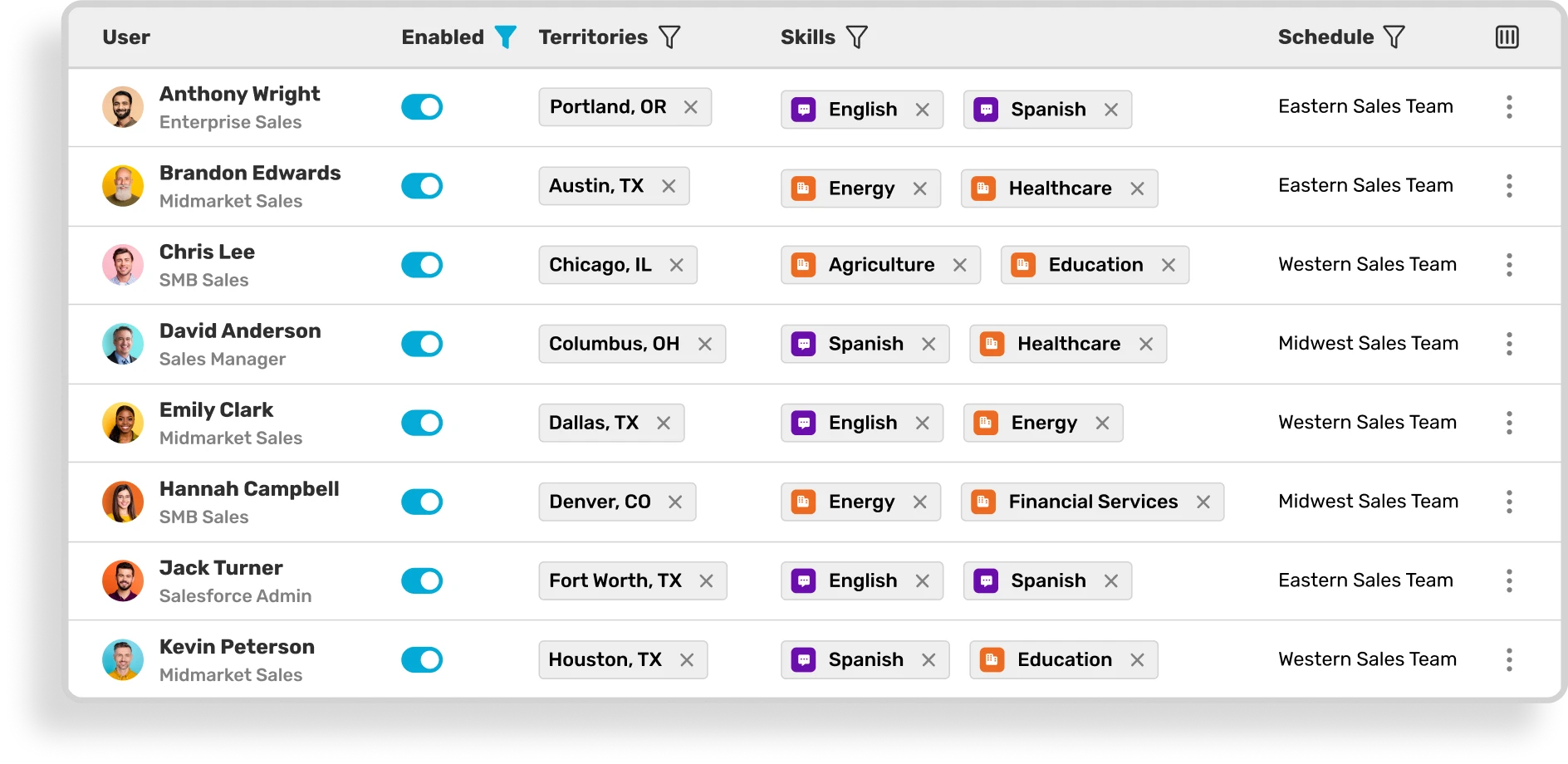
Kubaru charges $20 per user per month, so your bill grows only when your team grows. Whether you route a few hundred records or several thousand, the price stays the same.
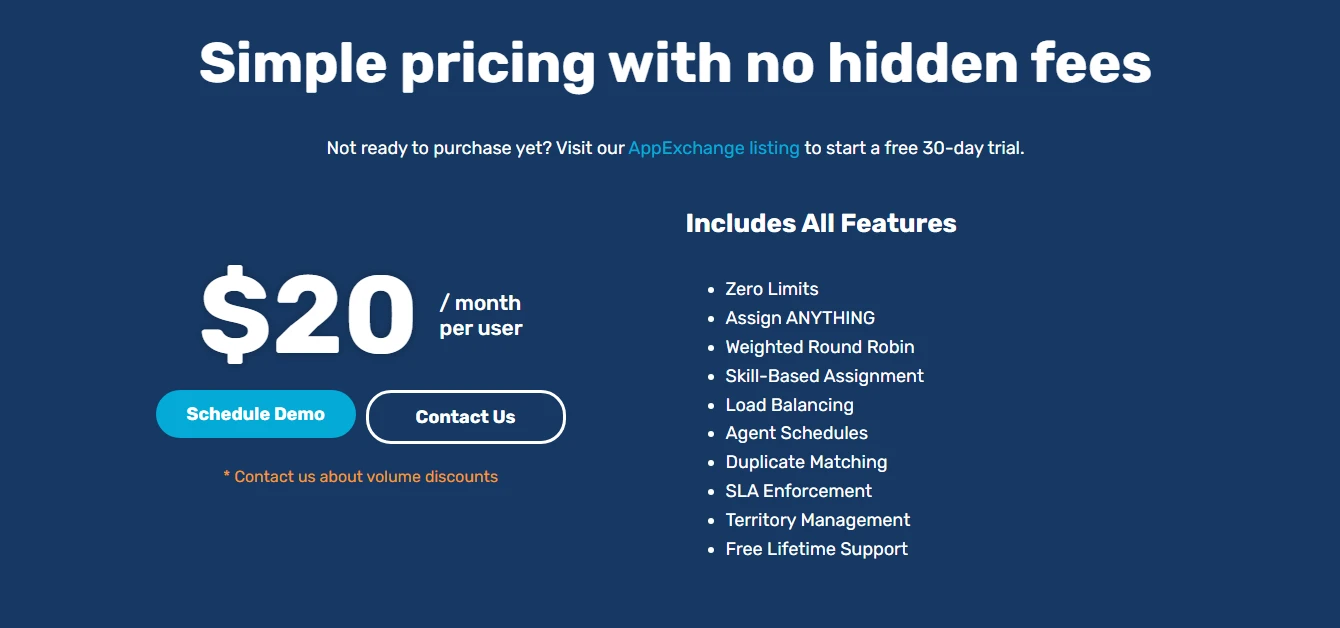
Every routing feature is included from the start, including territory routing, SLA automation, workload balancing, and duplicate matching. There are no paid add-ons, usage-based charges, or higher plans to unlock the features your team depends on.
Kubaru Key Features
Rather than charging based on how many records move through your routing process, Kubaru gives you one clear price and the tools to manage routing as your team grows.
With Kubaru, you can:
- Route any Salesforce object, including leads, cases, opportunities, accounts, and custom objects, from a single routing engine.
- Build routing that fits your business using territories, skills, workload, availability, round robin, weighted round robin, or any Salesforce field.
- Keep every record moving with SLA tracking and automatic reassignment, so leads and cases don’t sit untouched.
- Keep ownership consistent by routing duplicate records to the same rep and letting teams claim work from shared queues with Shark Tank.
- Give business users control by letting managers update routing rules in minutes without relying on Salesforce admins or custom development.
- See exactly how every assignment happened with detailed routing logs that provide a complete audit trail for every record.
- Keep teams informed instantly with assignment notifications through Salesforce, email, Slack, Microsoft Teams, desktop, or mobile.
You can check out all Kubaru features here.
Kubaru Pricing Pros And Cons
Pros
- Per-user pricing stays predictable as assignment volume changes.
- Every routing feature is included, including territory routing, SLAs, and workload balancing.
- Free onboarding and lifetime support help reduce long-term ownership costs.
- Business users can manage routing without ongoing admin support.
- Kubaru runs entirely inside Salesforce.
- More than 150 five-star AppExchange reviews help validate the setup experience and support quality.
- The 30-day free trial includes full feature access.
Cons
- Kubaru is purpose-built for routing, so it does not include AI-assisted triage like Q-Assign offers at the enterprise level.
Q-Assign Pricing Vs. Kubaru Pricing
| Category | Q-Assign | Kubaru |
|---|---|---|
| Pricing model | Per assignment, quote-only | Per user, published |
| Published price | Price on Application across all tiers | $20 per user per month |
| Territory routing | Paid add-on | Included |
| Free trial | 30 days, up to 50 licenses | 30 days, full feature access |
| Setup | Enterprise-guided implementation | Typically live quickly |
| Object support | Any Salesforce object | Any Salesforce object |
| Support | Varies by plan level | Free onboarding and lifetime support |
| Cost predictability | Changes with assignment volume | Fixed by headcount |
| Best fit | Enterprise teams with predictable volume and complex triage needs | Teams that want full routing capability at a stable price |

Keep Growing Without Watching Your Routing Costs Climb
If AI-assisted triage is important to your team, Q-Assign still has strengths worth considering. But the pricing change simply makes the buying decision harder for many teams. You cannot benchmark the cost until you speak with sales, and the final bill can move with assignment volume rather than team size.
Kubaru gives you a more predictable way to manage Salesforce routing. You pay $20 per user per month, every feature is included, and your cost does not rise just because your routing volume grows.
Start your free 30-day trial on the Salesforce AppExchange, or book a short call and we’ll help you review your current routing setup before you commit.