

Quick Summary
Salesforce opportunity management gives sales teams a structured way to track deals, maintain ownership, and forecast revenue. But default settings and manual processes break down as teams scale. This guide covers how to configure stages, build pipeline visibility, improve forecasting, and solve the ownership problems that most teams hit as they grow.
What Is Opportunity Management in Salesforce?
Salesforce opportunity management is the system sales teams use to track potential deals from first qualification through to close. Each opportunity record stores the deal value, stage, expected close date, owner, and associated contacts, giving reps and managers a shared view of what’s in the pipeline and what needs attention.
When it works well, it drives accurate forecasting, clear accountability, and faster deal progression. When it doesn’t, deals slip through the cracks, reps work outside their territory, and forecast calls become guesswork.
This guide by Kubaru walks through how to set up and manage opportunities effectively, and how to solve the assignment and ownership problems that Salesforce doesn’t handle natively.
Why Listen to Us?
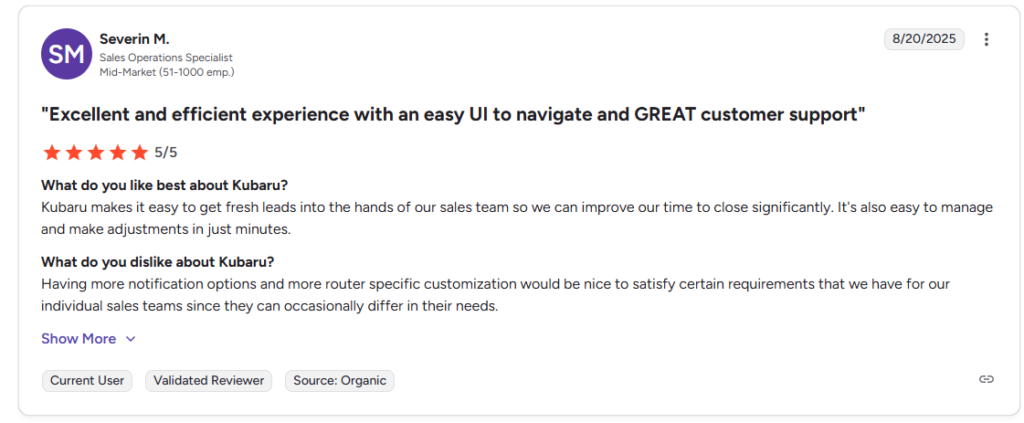
Companies across SaaS, fintech, and enterprise trust Kubaru to build more organized and responsive opportunity workflows. One of our customers mentioned that Kubaru saves thousands of hours yearly by completing assignment adjustments within minutes.
How to Manage Opportunities in Salesforce (Step by Step)
Step 1: Configure Stages That Reflect Your Sales Process
Default Salesforce stages (Prospecting, Qualification, Needs Analysis, etc.) are a starting point, but most teams need to customize them. Stages should reflect actual buyer commitment, not internal activity.
Define Buyer-Centric Stages
A common mistake is creating stages around what the rep does (“Sent Proposal”) rather than what the buyer has committed to (“Agreed to Evaluate”). Buyer-centric stages produce more accurate pipeline data because they track real deal progression.
Here’s an example of a B2B SaaS stage setup with probability benchmarks:
| Stage | What It Means | Suggested Probability |
| Discovery | Initial conversations confirm the prospect has a relevant problem | 10% |
| Qualification | Budget, authority, need, and timeline confirmed | 20% |
| Solution Alignment | Prospect has seen the product and confirmed it addresses their needs | 40% |
| Proposal Sent | Formal pricing or proposal delivered | 60% |
| Negotiation | Commercial terms are being discussed | 75% |
| Verbal Commit | Prospect has verbally agreed; contract is in motion | 90% |
| Closed Won | Deal signed | 100% |
| Closed Lost | Deal lost at any stage | 0% |
These probabilities should be calibrated against your own historical win rates. If 60% of deals that reach “Proposal Sent” eventually close, that probability is right. If it’s closer to 35%, adjust it down. Inflated probabilities are the most common source of inaccurate forecasts.
Enforce Stage Discipline with Salesforce Path
Salesforce Path lets you define required fields and guidance for each stage. This is one of the most underused features in Salesforce and one of the most valuable for pipeline accuracy.
For each stage, define:
- Required fields that must be completed before a rep can advance (e.g., “Decision Maker Identified” must be filled before moving to Proposal Sent)
- Key guidance like discovery questions, objection handling tips, or links to relevant collateral
- Success criteria so reps understand what qualifies a deal to move forward
Without enforced exit criteria, reps advance deals based on gut feeling. That creates stage inflation, where the pipeline looks healthy but conversion rates tell a different story.
Step 2: Build Pipeline Visibility You Can Act On
Pipeline visibility isn’t about having dashboards. It’s about having the right views that surface problems early enough to fix them.
Set Up Three Core Reports
1. Pipeline by Stage and Age
This report shows how many opportunities sit in each stage and how long they’ve been there. Build it as a matrix report grouped by stage, with a formula field for “Days in Current Stage.”
What to look for: deals that exceed your average cycle time for that stage. If your average deal spends 14 days in negotiation and you have five deals that have been there for 30+, those are either stalled or should be closed out.
2. Pipeline Movement (Week over Week)
Track how many opportunities moved forward, backward, or stayed static each week. This is more useful than a snapshot because it shows momentum. A pipeline that looks large but isn’t moving is a forecast risk.
Build this using Salesforce’s Pipeline Inspection tool or a custom report that compares Opportunity Stage against Stage History.
3. Coverage Ratio by Rep and Segment
Pipeline coverage (total pipeline value / quota) should typically sit between 3x and 4x for most B2B sales teams. If a rep has $100K quota and $150K in the pipeline, that’s a problem. If they have $500K, the question is whether deals are real or inflated.
Breaking this down by rep and segment helps managers identify where coaching, prospecting, or pipeline cleanup is needed.
Establish a Pipeline Hygiene Cadence
Set a cadence for pipeline reviews (weekly for reps, bi-weekly for managers) and enforce these rules:
- Every opportunity must have a next step with a date
- Any opportunity with no activity in the last 14 days gets flagged
- Opportunities past their close date must be updated or closed out
- Closed Lost requires a reason (keep it to 5-6 specific options, not a free text field)
Step 3: Set Up Forecasting That Reflects Reality
Forecasting in Salesforce works well when stages, probabilities, and ownership are clean. It falls apart when any of those are off.
Configure Forecast Categories
Salesforce maps opportunity stages to forecast categories. The default mapping is often too loose. Here’s a tighter alignment:
| Forecast Category | Mapped Stages | What It Means |
| Pipeline | Discovery, Qualification | Early stage, not yet forecastable |
| Best Case | Solution Alignment, Proposal Sent | Strong potential, but commercial terms not confirmed |
| Commit | Negotiation, Verbal Commit | Rep is confident this will close this period |
| Closed | Closed Won | Revenue is booked |
| Omitted | Closed Lost | Removed from forecast |
The key discipline is that “Commit” should only include deals the rep would stake their credibility on. If Commit accuracy is below 80%, your stage definitions or rep coaching need work.
Set Up Quota and Hierarchy
For forecasts to roll up correctly, your Salesforce role hierarchy needs to mirror your actual reporting structure. Each rep needs an assigned quota (set in Salesforce Forecasting settings or via a custom Quota object). Without this, forecast reports show pipeline totals but can’t measure performance against target.
Check that territory assignments, role hierarchy, and quota figures are updated whenever there’s a reorg or territory change. Stale hierarchy data is a silent forecast killer.
Step 4: Track the Right Metrics
Once your stages, visibility, and forecasting are in place, track these metrics to measure whether the system is working:
- Time to first follow-up: How quickly does the assigned rep engage after assignment? Faster follow-up directly correlates with higher close rates.
- Stage conversion rates: Track the percentage of deals that advance from each stage. Drops between specific stages point to process or qualification issues.
- Forecast accuracy: Compare committed revenue to actual closed revenue each quarter. Consistent gaps indicate stage inflation, ownership issues, or weak qualification.
- Deal aging by stage: How long do deals sit in each stage compared to your average? Outliers are either stalled or miscategorized.
- Pipeline coverage ratio: Total pipeline value divided by quota. Most B2B teams need 3x to 4x coverage to hit target reliably.
The Ownership Problem: Where Opportunity Management Breaks Down
The steps above all assume the right rep owns the right deal. In practice, that breaks down fast.
Salesforce provides native assignment rules for leads and cases. It does not provide native opportunity assignment rules. There’s no built-in weighted round robin, no workload balancing, no territory-based auto-assignment, and no schedule-aware routing for opportunities.
Most teams try to solve this with Flows, Apex triggers, or manual assignment. These approaches work when you have 5 reps. They start breaking when you have 20.
Here’s what goes wrong at scale:
- Enterprise deals get assigned to SMB reps because territory logic isn’t automated
- Channel opportunities sit with direct sales reps who don’t have the right context
- SDR-to-AE handoffs slow down because there’s no structured routing
- Reps work deals outside their territory, creating forecast confusion
- Managers spend hours each week manually fixing ownership
- Forecast accuracy drops because the wrong rep is calling the deal
When ownership is wrong, follow-up slows, context gets lost, and close probability drops. At a certain scale, forecast problems aren’t about methodology. They’re about routing discipline.
Why Flows and Apex Don’t Scale
Salesforce Flows can handle basic “if this, then assign to that person” logic.
But as your routing requirements grow (weighted distribution, workload caps, schedule awareness, territory changes), Flow complexity grows exponentially. Every territory change or team restructure requires an admin to update the logic. Sales ops teams end up dependent on technical resources for what should be a business decision.
Apex triggers offer more flexibility but come with maintenance overhead, testing requirements, and deployment risk. Neither option gives sales ops the ability to own and adjust routing logic independently.
How Kubaru Solves Opportunity Assignment
The gap between Salesforce’s native capabilities and what scaling teams need is where purpose-built routing tools come in.
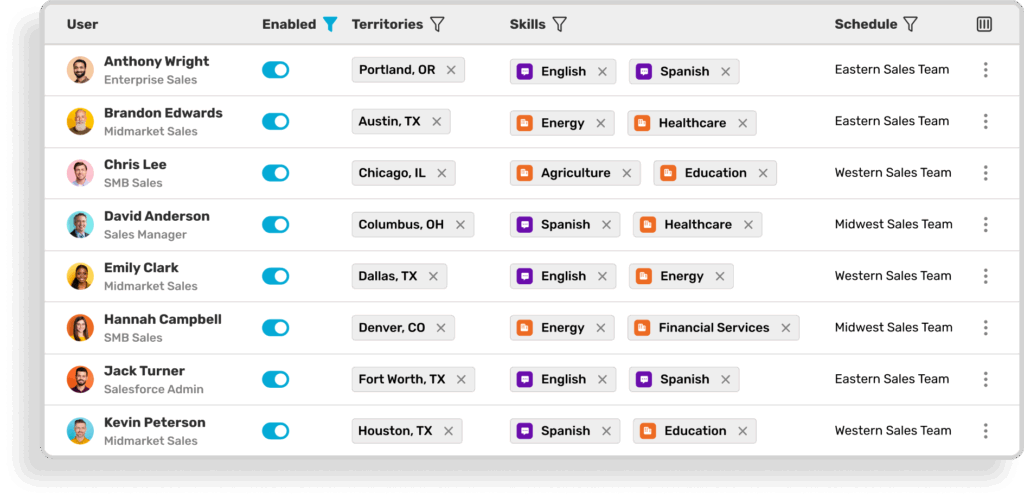
With Kubaru, opportunity assignment works the same way lead assignment should: automatically, based on rules your sales ops team controls.
- Round robin and weighted distribution: Opportunities are distributed evenly or weighted by rep capacity, experience, or segment focus
- Territory-based routing: Deals are assigned based on geography, account segment, or named account lists, and updated instantly when territories change
- Workload balancing: Assignment factors in how many active deals each rep is already working, preventing overload
- Schedule-aware routing: Opportunities aren’t assigned to reps who are out of office or off-shift
- Automatic reassignment: Unworked opportunities get reassigned after a defined period so deals don’t go cold
Sales ops can manage all of this without writing code or filing admin tickets. When a territory changes or a rep goes on leave, routing updates happen in minutes.
Best Practices for Scaling Opportunity Management
- Review routing logic quarterly. As headcount, segments, and products evolve, assignment rules need to keep up. Stale routing creates ownership gaps.
- Sync routing with territory changes immediately. When territories shift, update automation at the same time. Delays lead to misrouted deals and forecast confusion.
- Audit stalled deals monthly. Identify opportunities that exceed average stage duration. Close them out or requalify them before they distort pipeline health.
- Standardize stage exit criteria. Define what must be completed before advancing. Enforce it with Salesforce Path to protect forecast accuracy.
- Keep your role hierarchy current. Forecast rollups depend on hierarchy. If it’s stale, leadership sees inaccurate numbers even when rep-level data is clean.
Your Next Step
Salesforce gives you the structure to track opportunities. But without clean ownership and automated routing, pipeline visibility breaks down and forecasts become unreliable.
Kubaru solves this with intelligent, automated opportunity routing built natively inside Salesforce. It ensures the right rep owns the right deal through weighted round robin, workload balancing, and territory-based assignment, with no code and no admin dependency. Schedule a demo to see how Kubaru transforms your opportunity management process.