















Quick summary
Automated lead routing helps you assign leads in Salesforce without manual handoffs. Instead of sorting records one by one, routing rules send leads to the right rep based on territory, workload, ownership, skills, or other criteria you define. This guide explains how lead routing works, the most common routing methods, what Salesforce can handle natively, and when a dedicated routing tool starts to make sense.
A Better Way to Manage Lead Routing in Salesforce
When a new lead comes into Salesforce, someone on your team has to take ownership of it. The longer that assignment takes, the easier it becomes for follow-ups to slip, especially when reps are already juggling inbound volume, existing accounts, and day-to-day pipeline work.
Automated lead routing helps keep that process moving. Instead of relying on manual assignments, you can route leads automatically using rules based on territory, account ownership, availability, lead source, or other criteria that fit the way your team works.
This guide covers how automated lead routing works in Salesforce, the most common routing methods, native limitations, and when a dedicated tool makes sense.
Why Listen to Us?
Kubaru is a Salesforce-native routing app used by more than 300 teams to automate lead and record assignments. We work with companies like Ooma, Conga, SolarWinds, and Paysafe, helping teams manage lead routing as sales teams grow and assignment rules become harder to manage.

This guide is based on what we’ve seen work in real Salesforce setups, including where native tools work well and where teams often need more flexibility.
What Is Automated Lead Routing?
Automated lead routing helps you assign incoming leads automatically instead of sorting them by hand. When a lead enters Salesforce, routing rules evaluate it and send it to the right rep based on the criteria you choose.
Those rules can reflect how your sales process works. You might route leads based on:
- Territory or region
- Account ownership
- Lead source
- Rep availability
- Product expertise or specialization
The goal is to make lead assignment more consistent, especially as routing becomes more complex. Instead of relying on manual handoffs, Salesforce can apply the same logic every time a new lead comes in.
Why Automated Lead Routing Matters
As lead volume grows, manual assignment can create small operational problems that gradually become harder to manage.
You may start noticing issues like:
- Slower response times: New leads wait for someone to review and assign them. During busy periods or after hours, follow-up can take longer than expected.
- Uneven workloads: Lead distribution becomes inconsistent, which can leave some reps overloaded while others have capacity.
- Cherry-picking: Open queues make it easier for reps to focus on the leads that look easiest to close, while others receive less attention.
- More room for mistakes: Assignments rely on someone knowing current territories, ownership rules, and rep availability. That becomes harder to manage as teams change.
- Limited visibility: Without a clear routing process, it is harder to see when a lead was assigned, who received it, or whether follow-up happened.
Automated lead routing helps bring more consistency to that process. Leads move based on the rules you define, which reduces manual handoffs and makes assignments easier to track over time.
Common Automated Lead Routing Methods
There is rarely one routing method that fits every sales team. The right setup usually depends on how your reps are organized, what you sell, and how ownership works inside Salesforce.
Many teams start simple and add more logic over time. Here are the routing methods you’ll come across most often.
Round Robin
Round robin spreads leads across reps in rotation. One rep gets the first lead, the next rep gets the second, and the cycle continues from there.
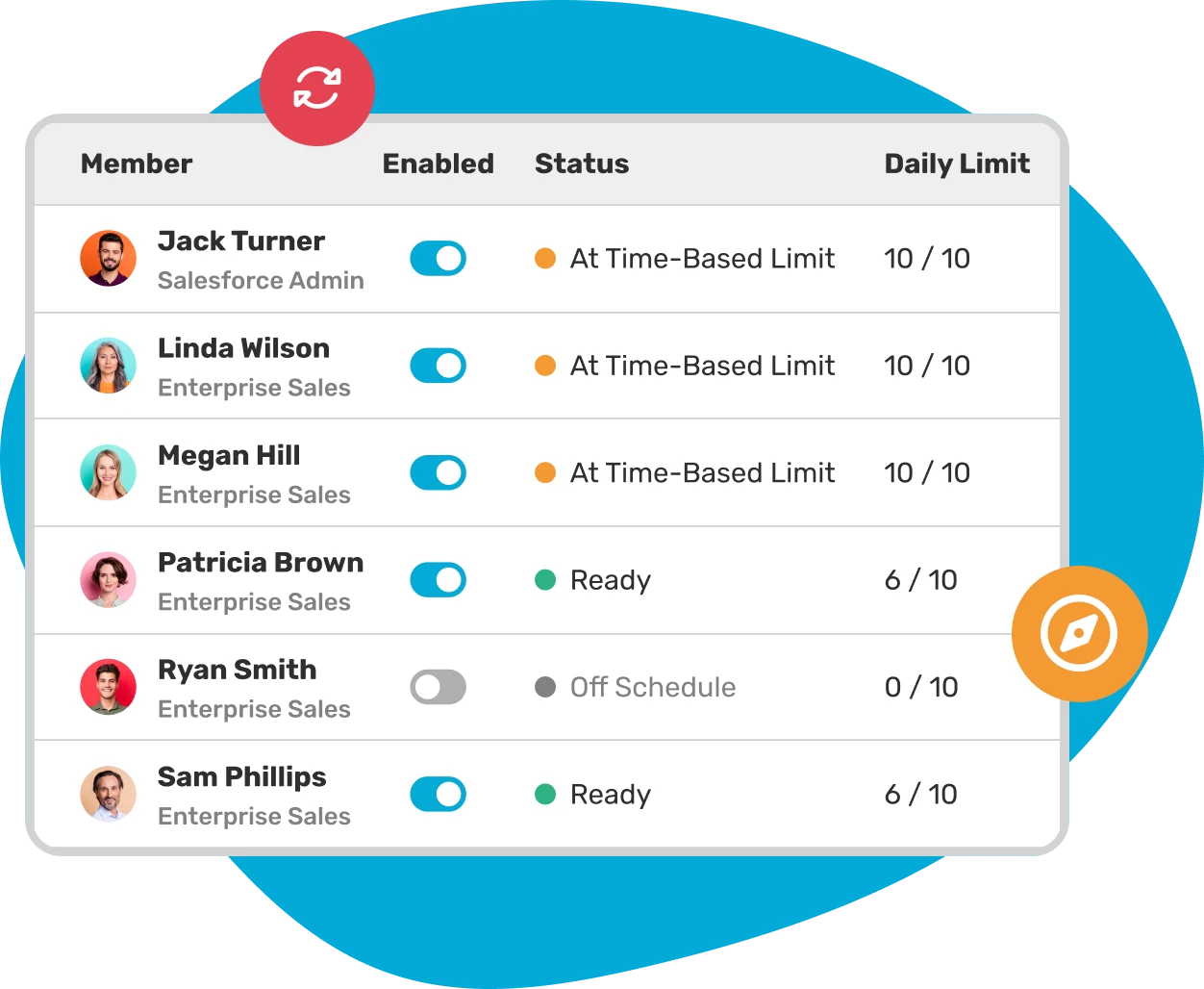
Teams often use this approach when reps cover similar accounts and carry roughly the same workload. It helps distribute leads evenly without someone stepping in to assign records manually.
Some teams add weighted round robin when workloads are not equal. Instead of splitting leads evenly, you can assign a larger share to experienced reps or temporarily reduce volume for new hires while they ramp.
Territory-Based Routing
Territory-based routing assigns leads according to geography or ownership rules. That could mean routing by country, state, ZIP code, or sales region.
This approach tends to work well for field sales teams or companies with clear regional ownership. It helps reduce confusion around accounts and keeps reps focused on their assigned areas.
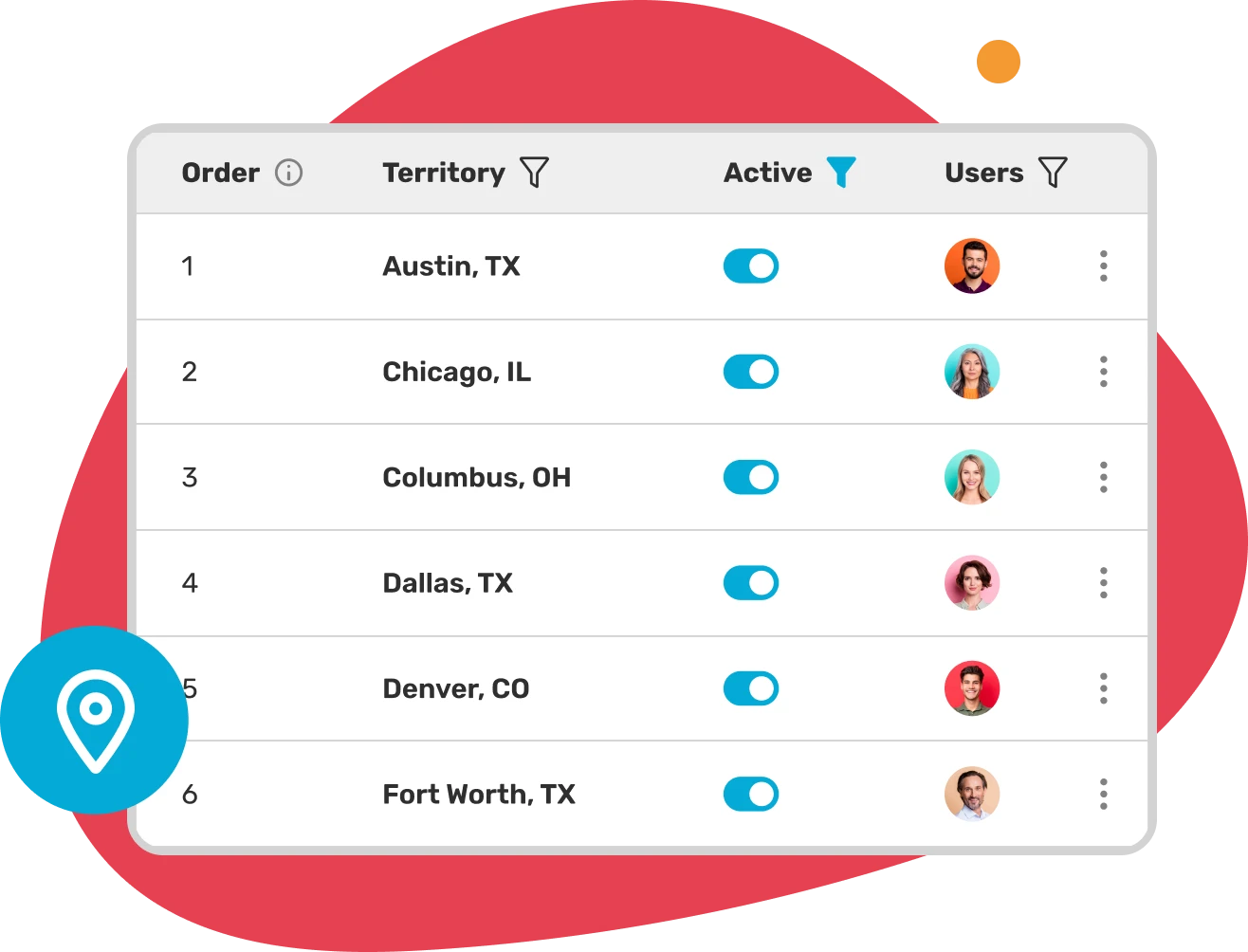
Things can become more complicated when territories overlap or change often. Product lines may follow different maps, or teams may reorganize coverage. In those cases, routing logic usually needs more flexibility.
Skill-Based Routing
Sometimes location matters less than expertise. Skill-based routing sends leads to reps based on experience, product knowledge, language, or industry focus.
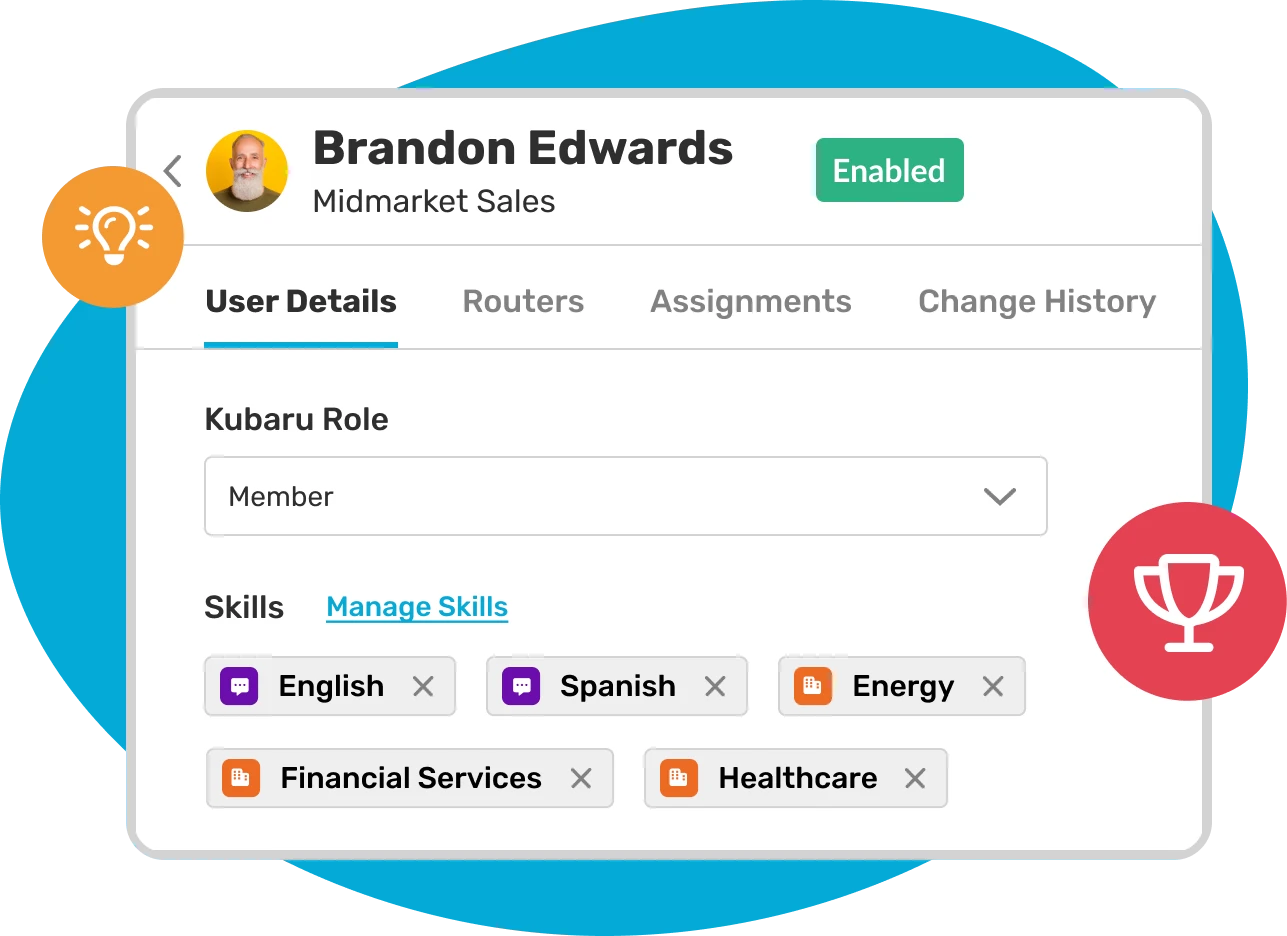
For example, an enterprise prospect may need someone who handles larger deals, while a healthcare lead may go to a rep familiar with compliance requirements. Matching leads to the right experience can make handoffs feel more natural for both reps and buyers.
Workload-Based Routing
Workload-based routing looks at rep capacity before assigning a lead. Instead of following a fixed rotation, the system checks who has room to take on more work.
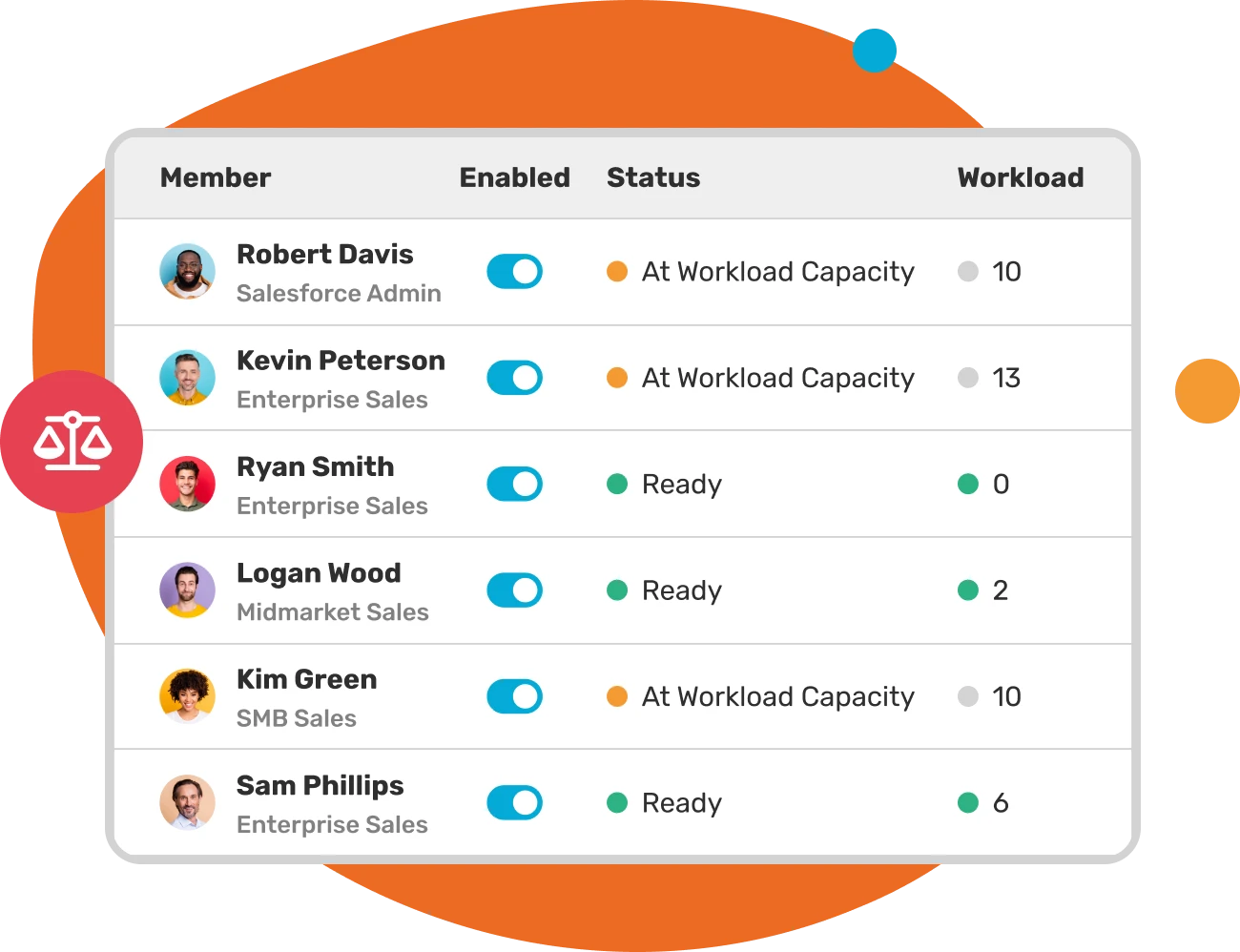
This can help avoid situations where one rep becomes overloaded while others have availability. It also helps teams manage periods of uneven demand without constantly adjusting assignments by hand.
Combination Routing
In practice, most teams combine several of these methods. A lead might first be routed by territory, then within that territory assigned via weighted round robin, with workload limits making sure nobody gets more than they can handle.
The more factors you layer in, the more important it becomes to have a tool that can handle multi-factor logic without breaking.
How to Set Up Automated Lead Routing in Salesforce
Salesforce gives you a few native options for routing leads. They work for basic use cases, but each comes with limitations that growing teams tend to outgrow.
Assignment Rules
Salesforce assignment rules let you route leads and cases based on field values. You create rule entries with criteria (like “State equals California”) and specify which user or queue receives matching records.
This is the most common starting point for teams setting up routing for the first time. It’s built into Salesforce, it’s free, and it covers simple scenarios well.
Over time, though, a few limitations tend to surface:
- Assignment rules only support leads and cases
- Logic is evaluated in order, with the first match winning
- Round robin and workload balancing are not built in
- Routing changes typically require admin support
Teams with more detailed territory structures can also run into Salesforce’s 3,000-rule-entry limit sooner than expected.
Queues
Salesforce queues hold leads until a rep claims them or an admin assigns them manually. You can use assignment rules to route leads into queues by region, product, or lead source, and let reps pull from the queue.
Queues work for smaller teams where reps are proactive about claiming leads. But as your team grows, they can become harder to manage. Leads may sit longer than expected, and open visibility sometimes creates uneven follow-up patterns where certain leads get attention faster than others.
Salesforce Flow
Salesforce Flow lets you build automation visually using a drag-and-drop interface. You can create flows that evaluate lead fields and assign records to users based on custom logic.
Flow is more flexible than assignment rules. You can route any object, add branching logic, and trigger actions beyond just assignment. But there are tradeoffs:
- Complex maintenance: Routing flows with many branches can become difficult to troubleshoot or update.
- Custom routing requirements: Round robin, workload balancing, and territory logic often require extra configuration rather than built-in functionality.
- Scale considerations: High lead volume can add more processing load, especially when flows trigger on every record.
Custom Apex code
Some teams move routing into Apex when they need more control over assignment logic. Custom code gives developers the freedom to build almost any routing behavior inside Salesforce.
The tradeoff is ongoing maintenance. Routing logic built in Apex often depends heavily on the people who created it. As teams change and routing evolves, even small updates can become difficult to troubleshoot without dedicated technical support.
When Native Salesforce Tools Aren’t Enough
Here are some clear signals that it might be time to look at a dedicated tool.
- You’ve hit the 3,000 rule entry limit. Once you’re near the cap, every new territory or product line becomes a headache.
- Your routing logic involves more than one factor. Combining territory, skills, workload, and availability in native tools means building custom automation that’s fragile and hard to maintain.
- Business users are waiting on IT for routine changes. When a territory shifts or a new rep joins, the turnaround time for updating routing should be minutes, not weeks.
- You need to route objects beyond leads and cases. Assignment rules don’t support accounts, opportunities, tasks, or custom objects.
- Leads are going unworked. Without built-in reassignment and SLA enforcement, cold leads pile up with no automatic fallback.
- You’ve lost visibility into what’s happening. There’s no native way to see a clear log of every assignment, when it happened, and why.
For many teams, this is the point where dedicated routing tools start becoming easier to justify. Instead of building around native limitations, you can manage routing in a way that is easier to update, easier to understand, and less dependent on ongoing admin work.
What to Look for in an Automated Lead Routing Tool
Not all routing tools are the same, and that’s why you need to pay attention to the following:
Works Well Inside Salesforce
Some tools run fully inside Salesforce, while others rely on outside systems.
For many teams, keeping routing inside Salesforce means less setup to manage and fewer moving parts over time.
Easy to Update
Routing rarely stays the same for long. Reps join, territories shift, and ownership rules change.
A tool should make those updates manageable without turning every request into an admin ticket. Sales ops and RevOps teams should be able to adjust routing logic without waiting on developers for routine changes.
Routing Flexibility
Your routing needs may start simple, then gradually become more layered.
It helps to choose a tool that supports different routing approaches without custom workarounds, including:
- Round robin and weighted round robin
- Territory-based routing
- Skill-based assignment
- Workload balancing
- Multi-factor routing logic
That flexibility becomes more useful as team structures change or routing rules expand.
Support Beyond Leads
As your process grows, routing may extend beyond leads. Accounts, opportunities, tasks, or custom objects often become part of the picture too. Checking object support early can help avoid rebuilding processes later.
Reassignment and follow-up
Sometimes leads sit untouched longer than expected. Good routing tools help catch those situations automatically, so records do not stay stuck with the wrong rep or go unworked for too long.
Pricing that Makes Sense
A lower starting price does not always tell the full story.
It helps to look at what features, support, and routing options are actually included before making a decision.
How Kubaru Handles Automated Lead Routing
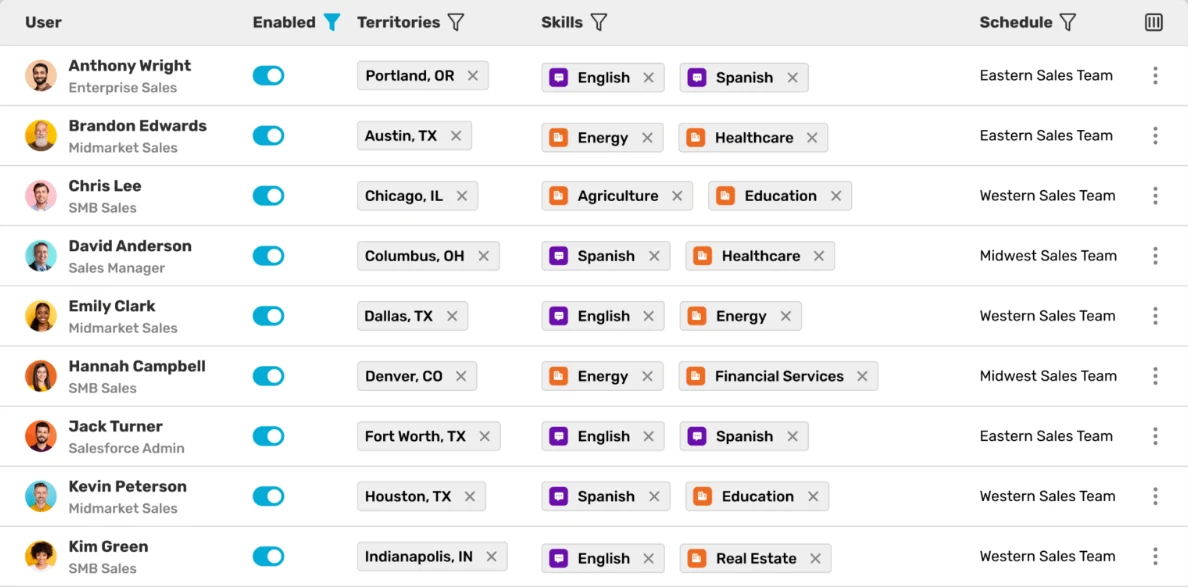
Kubaru is a Salesforce-native routing platform built specifically for assignment automation. Rather than combining routing with a broader workflow platform, we stay focused on getting records to the right person quickly and keeping routing easier to manage as teams grow.
In practice, that means you can handle more routing scenarios without building custom workarounds.
- Route more than leads and cases: Assign leads, accounts, opportunities, tasks, cases, and custom Salesforce objects from one place.
- Build more flexible routing logic: Combine territory rules, rep skills, availability, workload, or other custom criteria in a single setup.
- Use weighted round robin: Give experienced reps a larger share of leads or ease new hires in gradually as they ramp.
- Catch leads that sit too long: Set reassignment rules that move untouched records before follow-up slips.
- Track response expectations: Create SLA rules with automatic actions such as reassignment, field updates, or Slack alerts when timing matters.
- Let business teams manage routing: Sales ops and team leads can update rules without waiting on admin support for routine changes.
- See how assignments happened: Detailed logs make it easier to understand when records moved, who received them, and what routing logic was applied.
Because Kubaru focuses specifically on routing, teams often get deeper assignment features without adding a larger workflow platform they may not need. Pricing is straightforward at $20 per user each month, with onboarding and support included.
Ready to Simplify Lead Routing?
Kubaru gives you a more flexible way to manage assignment inside Salesforce, without building complex workarounds. Most teams are up and running quickly, and we help configure routing to match the way your sales team actually works.
You can try Kubaru free for 30 days through the Salesforce AppExchange. We also include onboarding and hands-on support at no extra cost, so you do not have to figure everything out on your own.